

Construction Tender Portal Design: What Users Need to Find Fast

A tender portal should make the current requirement obvious. Users should not have to compare email attachments, guess whether an addendum applies or open every folder to find the deadline.
The design priority is state: what is current, what changed, what needs action and what has been received.
What must users find quickly in a construction tender portal?
Users need the tender identity, package scope, deadline and time zone, current document set, revision history, outstanding clarifications, mandatory return items, submission status and support route. Each item should have an owner, timestamp and clear status.
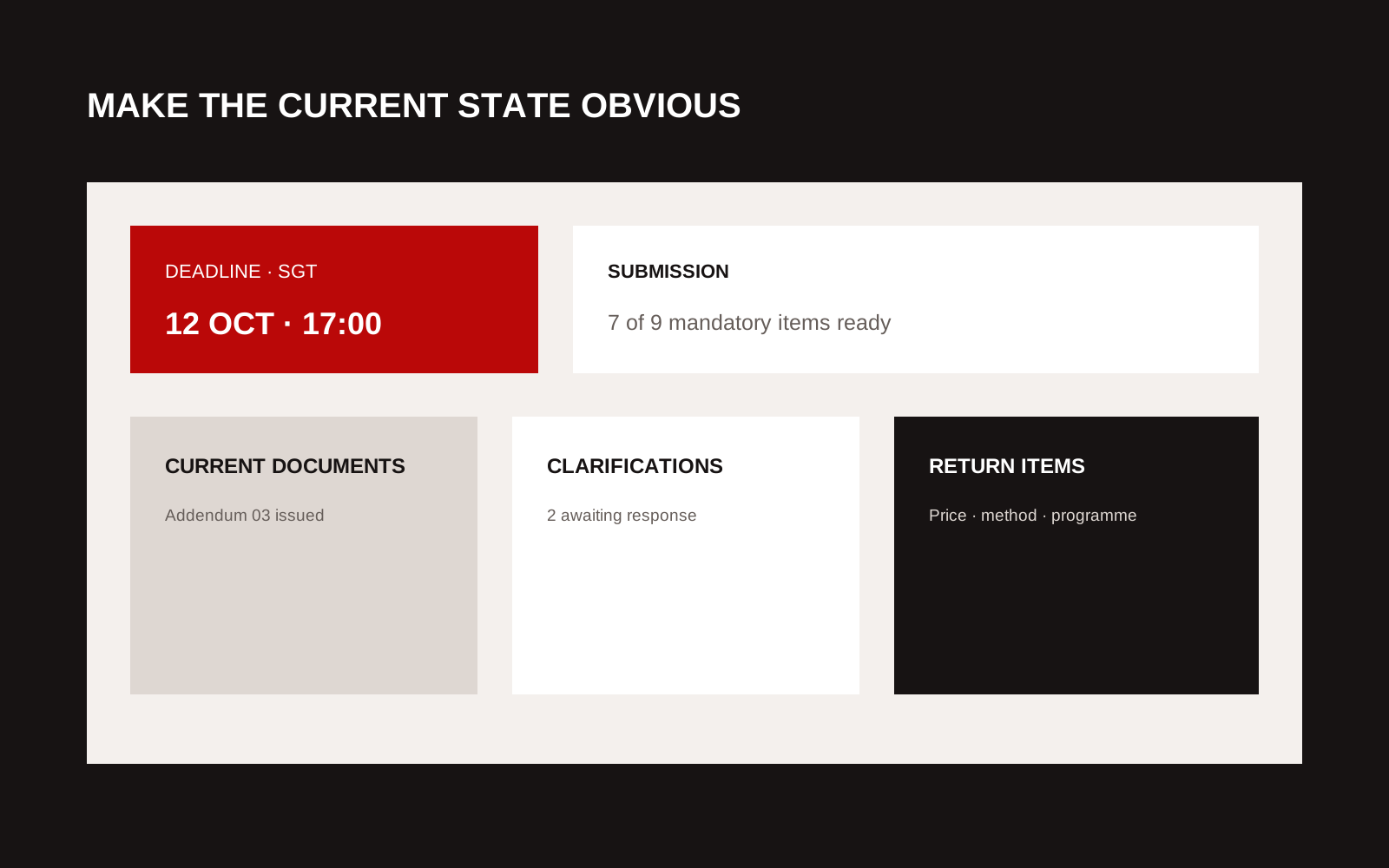
Annotated construction tender portal dashboard with deadline, revision, question and submission status.
Design the dashboard around action
| Dashboard item | User question | Required state |
|---|---|---|
| Deadline | When is the response due? | Date, time zone and countdown context |
| Documents | Is this the current set? | Revision and addendum status |
| Requirements | What must be returned? | Mandatory, optional or conditional |
| Questions | Has my query been answered? | Draft, submitted, answered or withdrawn |
| Team | Who can see or edit? | Role and invitation status |
| Submission | Did the authority receive it? | Upload, validation, receipt and lock state |
Do not use colour alone to communicate state. Use text, icons and accessible status labels.
Keep one current document view
Folders reflect administration. They do not always reflect a bidder's task. Give users a register that can be sorted by package, discipline, document type, revision and issue date.
When an addendum replaces a file:
- mark the old issue superseded;
- show the new issue and change notice;
- notify the correct users;
- record acknowledgement if required; and
- preserve the audit trail.
Do not let two active files carry the same name without a visible revision.
Make return requirements explicit
A tender may require prices, methodology, programme, departures, declarations, technical schedules and certificates. Build a return checklist from the procurement requirements. For each item show format, limit, template, signatory and condition.
The portal should validate what it can, such as file type, size, mandatory presence and signature field. It should not imply that a successfully uploaded file is commercially or technically compliant.
Treat clarifications as controlled information
Questions and answers can change a bid. Give each clarification an identifier, subject, related document, date and status. State whether an answer is private to the bidder or issued to all participants.
Allow a user to save a draft, but separate drafts from submitted questions. If a deadline applies, show it in the same place as the form.
Design permissions by role
Common roles include bidder administrator, estimator, technical contributor, reviewer and signatory. Define who can invite people, download controlled information, submit questions, upload returns and make the final submission.
Use least privilege. A temporary contributor should not automatically receive access to every package. Make account removal and company changes auditable.
Make submission evidence unambiguous
After final submission, give the bidder a receipt with:
- tender and bidder identity;
- submission time and time zone;
- files and versions received;
- validation result;
- submitting user;
- receipt identifier; and
- rules for withdrawal or replacement.
If the submission remains editable until deadline, say so. If final submission locks the response, warn the signatory before the action.
Plan for failure
The deadline is the worst time to discover an upload limit or unavailable support channel. Test slow connections, large approved files, session expiry, duplicate names and interrupted upload.
Publish a support and contingency process. It should state the contact route, support hours, information to provide and how the authority handles a confirmed portal failure. Do not invent an alternative submission route unless procurement has approved it.
The UK Government Service Manual's guidance on accessible services provides a useful baseline for forms and user journeys, even where the portal is not a government service.
Measure the workflow
Track failed invitations, unanswered clarifications, repeated downloads after addenda, upload errors, support contacts and incomplete mandatory returns. These show where the process, not only the interface, is unclear.
Our construction sector page describes the evidence and coordination context around tenders. The custom software service covers workflow tools built around actual roles and exceptions.
Creatif Work maps the tender state, permissions and failure routes before designing screens. If users can upload files but still need email to know what is current, start with the problem.
Rehearse the last hour
Run a timed exercise with a bidder administrator, contributor and signatory. Issue an addendum, submit a clarification, replace a mandatory file and complete the final action. Include one interrupted upload and one user whose access has expired.
Observe whether each person can identify the current document, understand the return status and recover without informal instructions. Check emails and receipts as carefully as the portal screen. A misleading notification can undo a clear interface.
The exercise should produce evidence for the operating team:
- support escalation and response ownership;
- portal health and incident status;
- approved bidder communication;
- decision on deadline extension;
- audit export; and
- post-tender review record.
Test with assistive technology and keyboard navigation as part of the same workflow, not in a separate cosmetic review. Repeat the rehearsal after significant configuration or authentication changes. The aim is to make the tender deadline ordinary. Users should know what is current, what remains and whether the submission was received without opening a support ticket.