

Technical Product Marketing: Turning Specifications Into Buyer Decisions

Technical product marketing helps a buyer decide whether a product deserves further assessment. Start with a reliable product-data model. Publish the conditions behind each specification, make variants distinguishable and connect the page to current documents. Build a finder only when the selection rules can be explained and maintained. A polished catalogue cannot correct unreliable data.
An engineer may arrive knowing the required connection but not your product names. A procurement manager may arrive with a model code from a colleague. Both need a route to the same approved information. A catalogue organised only around internal divisions makes them work out your company structure before they can assess a product.
This guide is for manufacturers, distributors and technical suppliers. Its worked example is a fictional family of cable-management enclosures. Model codes, dimensions and records are original teaching examples. They are not sellable products, certified equipment, installation instructions or evidence of customer results. No selection study has been conducted for this guide.
Download the product-data and catalogue workbook or the CSV templates. The essential fields and review procedures also appear below. No registration is required.
Begin with the buying decision
Do not start by writing a more exciting product description. Start by asking what someone must establish before considering the product. That might include dimensions, operating conditions, material, compatibility, availability or the manufacturer's stated scope. The useful information differs between product families.
Separate technical suitability from purchasing feasibility. A technically relevant product may not be available in the required territory or programme. A procurement manager may need a current document or authorised distribution route. Put those questions into the content plan rather than leaving sales to answer them repeatedly by email.
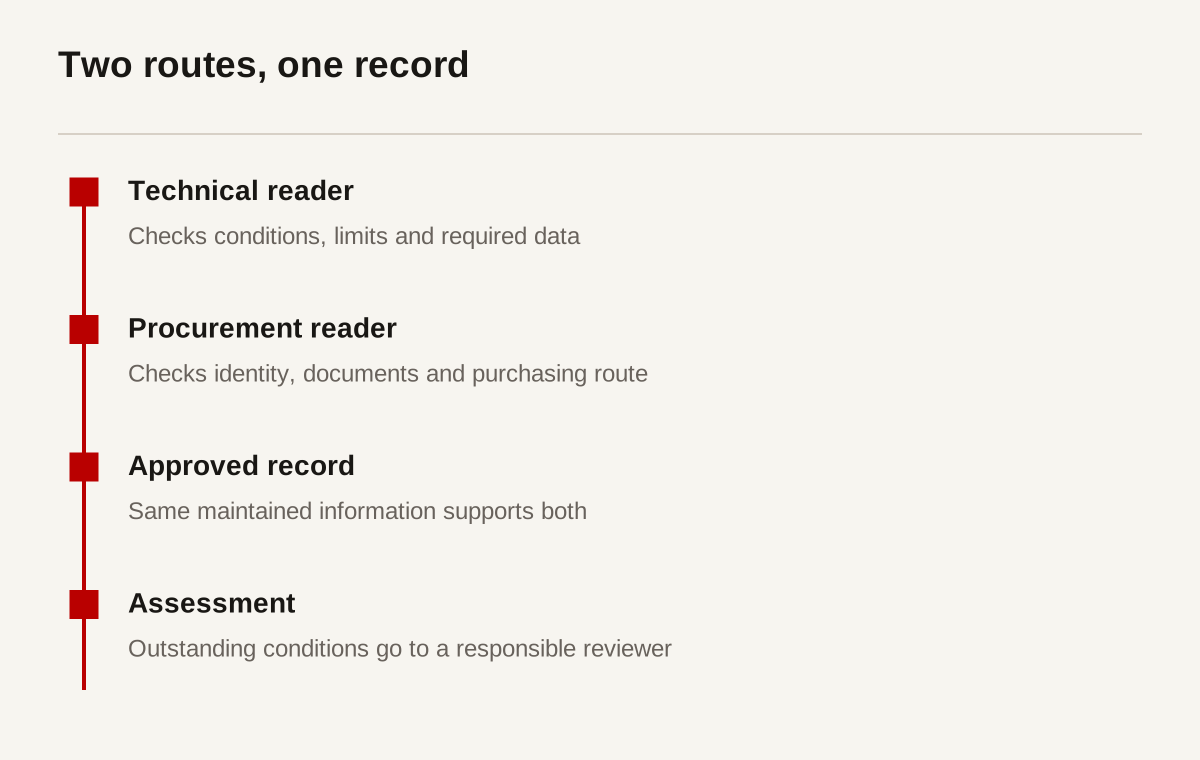
Talk to the people who assess requirements. Review permitted enquiry records, returned quotations and recurring clarification requests. Record which information was missing at the point of enquiry. Do not infer all buyer behaviour from page traffic. A popular product page may be visited because its wording is confusing, not because it is helping people choose.
Define what the website can and cannot decide. For some products it can narrow a range. For others it can only collect the conditions for a specialist assessment. Make that limit visible. A disclaimer buried in a footer does not repair a finder that presents an unsuitable configuration as approved.
Build a product-data dictionary before page layouts
A product-data dictionary names the information you maintain and its rules. Give each field a definition, unit, source, responsible reviewer and revision. Distinguish a product family from an individual model and a model from a configured variant. That distinction prevents a general family statement from being copied into every model as a specific claim.
Use stable internal identifiers. A marketing name can change without changing the underlying record. Keep aliases and older model references where they help existing buyers. Do not silently reuse a discontinued code for a different item. A person holding an old drawing should be able to discover what changed.
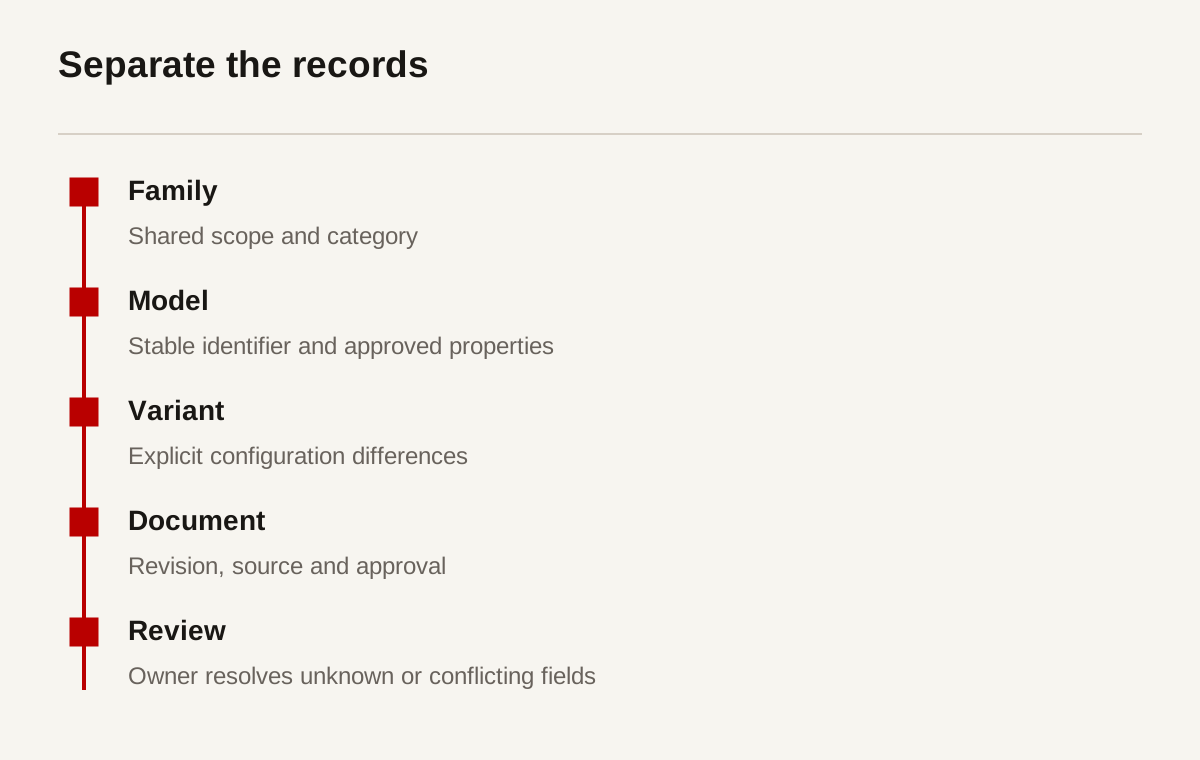
Treat missing, unknown and not applicable as different states. A blank material field should not become “standard material” during a data import. A missing test result should not become zero. Decide how each state appears on a page and which missing fields prevent publication.
| Field | Unit or format | Allowed value | Authoritative source | Review record |
|---|---|---|---|---|
| Model identifier | Stable text code | Unique within the catalogue | Product owner | Identifier history |
| Width | mm in this example | Positive numeric value | Approved drawing | Drawing revision |
| Material | Controlled text | Approved material description | Technical record | Technical approval |
| Document status | Named state | Draft, approved or superseded | Document controller | Issue date |
| Assessment route | Contact or form reference | Current responsible team | Sales operations | Routing test |
Start with one representative family. Include a normal model, a variant and a record with missing information. Test the data rules on all three. A dictionary built only from the easiest item may fail as soon as another department adds an exception.
Keep units, conditions and tolerances together
A number without its conditions is often not useful. Record whether a value is nominal, maximum, tested or illustrative. Keep tolerances and reference conditions near the value. Avoid a prominent specification that leaves the qualification several paragraphs away.
The BIPM SI Brochure is a primary reference for SI units and notation. Establish a consistent editorial policy. Technical staff should approve the units and any conversion. A content editor should not convert a value merely because another market commonly uses a different unit.
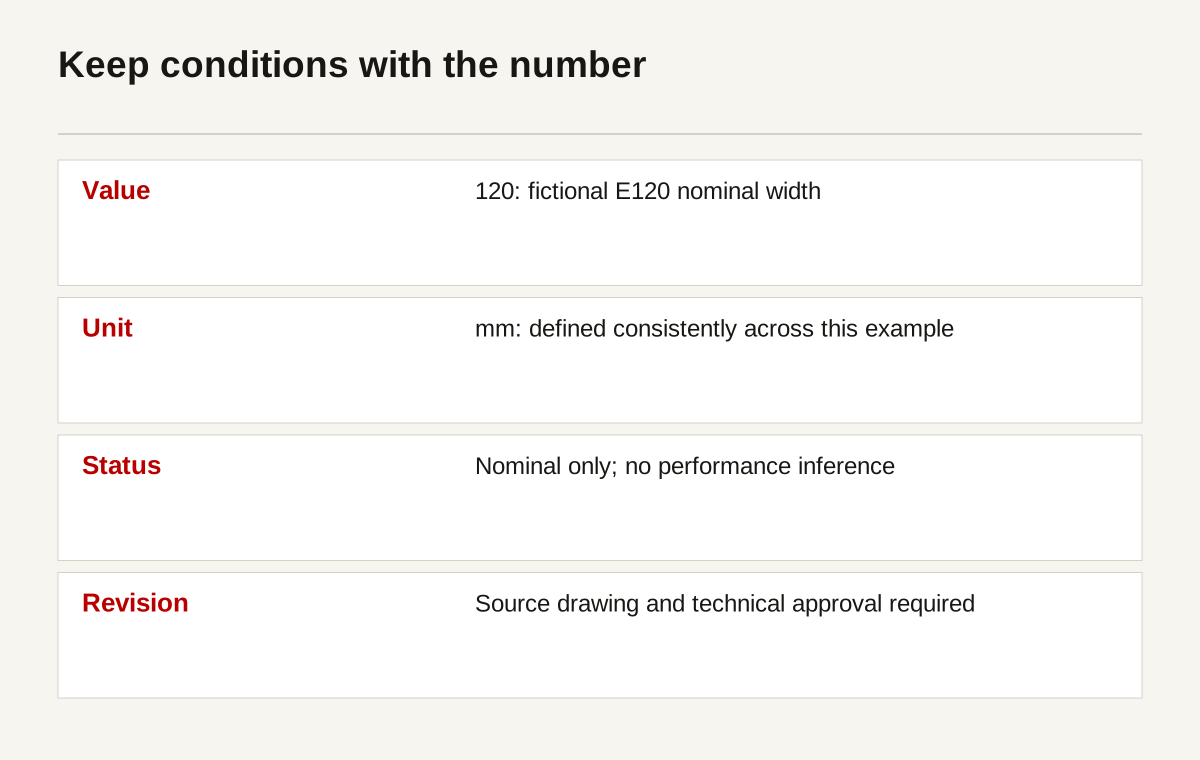
For the fictional example, suppose model E120 has a nominal width of 120 mm and model E180 has a nominal width of 180 mm. These numbers describe the example dataset only. They do not imply load, environmental suitability or compliance. No dimension can establish those separate properties.
If conversions are offered, state the conversion and rounding policy. Preserve the authoritative value. An approximate displayed conversion should not be mistaken for a new manufacturing tolerance. Where a document controls the requirement, link to that document and explain its precedence through the responsible technical owner.
Watch for ambiguous punctuation and labels in exports. Check that a decimal is not interpreted as a thousands separator in a translated spreadsheet. Check that a degree symbol survives a PDF export. These are small editorial details with potentially large consequences for interpretation.
Organise the catalogue around useful distinctions
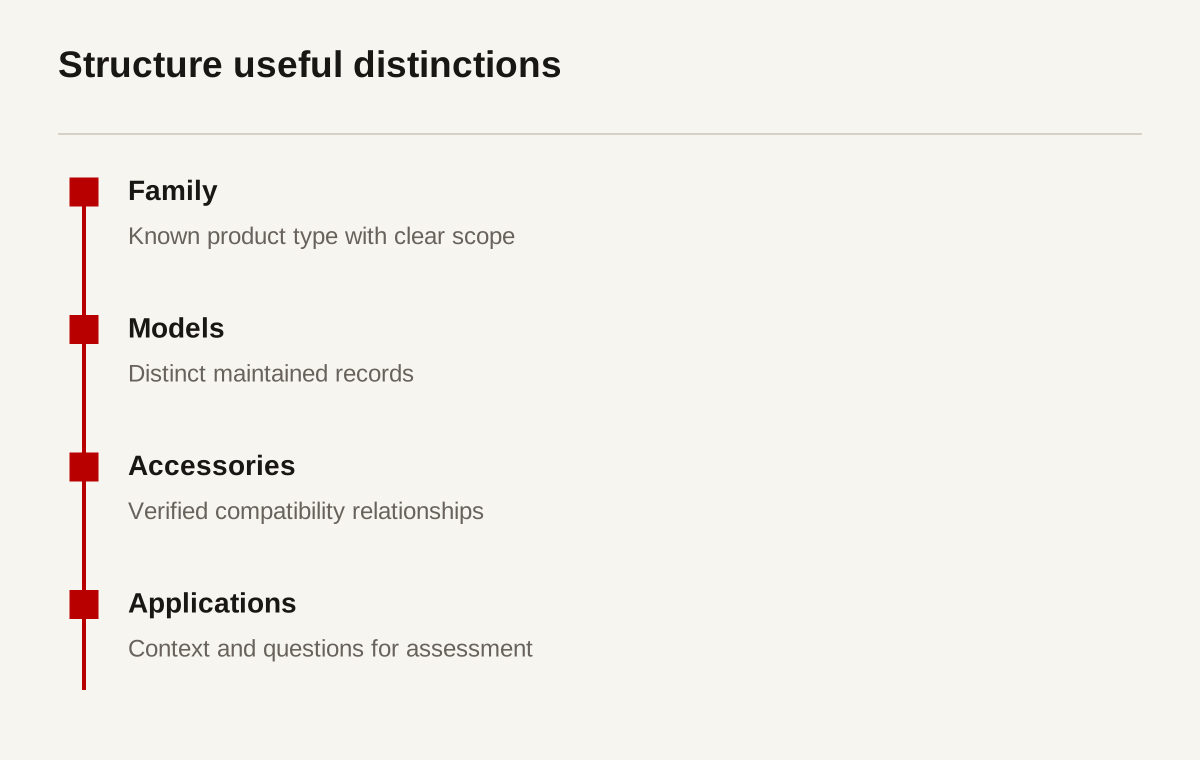
A category should help someone narrow the range. It can describe a product type, application or property, but its meaning needs to be clear. Avoid mixing unrelated dimensions into one menu. “Indoor”, “accessories” and “premium” are not parallel categories and should not be presented as though they are.
Give each product a primary home and connect related applications deliberately. A product used in more than one setting need not be copied into several independent records. Duplication makes revisions harder. Use one maintained record with useful contextual links where the application genuinely differs.
Use the terminology buyers can recognise, but do not replace technical accuracy with popular phrases. Keep a glossary for abbreviations and synonyms. A site search can recognise an older name and lead to the current record without making every alias a new product page.
| Example record | Intended catalogue role | Conditions to state | Exclusions to make clear |
|---|---|---|---|
| E120 fictional enclosure | Compact example model | Nominal dimensions and revision | No suitability or certification claim |
| E180 fictional enclosure | Larger example model | Nominal dimensions and revision | Not automatically interchangeable |
| Example mounting accessory | Related item | Approved compatibility record | Not compatible merely by appearance |
| Example application page | Selection context | Questions for assessment | Not installation guidance |
| Superseded record | Historical reference | Current replacement route | Not a current purchase recommendation |
Do not invent a catalogue category to target a keyword if the company cannot explain the distinction. A new page should provide a different decision, not repeat the same product list under another headline. This helps maintenance as well as readers.
Choose a catalogue, filters or a guided finder
A well-structured catalogue is often sufficient. Search, clear categories and a few reliable filters may let buyers narrow the range without a questionnaire. A guided finder is useful when the answers determine the next relevant question or when the relationship between criteria is difficult to see in a list.
Write the selection rules on paper before building the interface. Identify who approves them and how changes will be reviewed. If the logic depends on a specialist making a judgement that cannot yet be formalised, use an assessment request rather than pretending the website can decide.
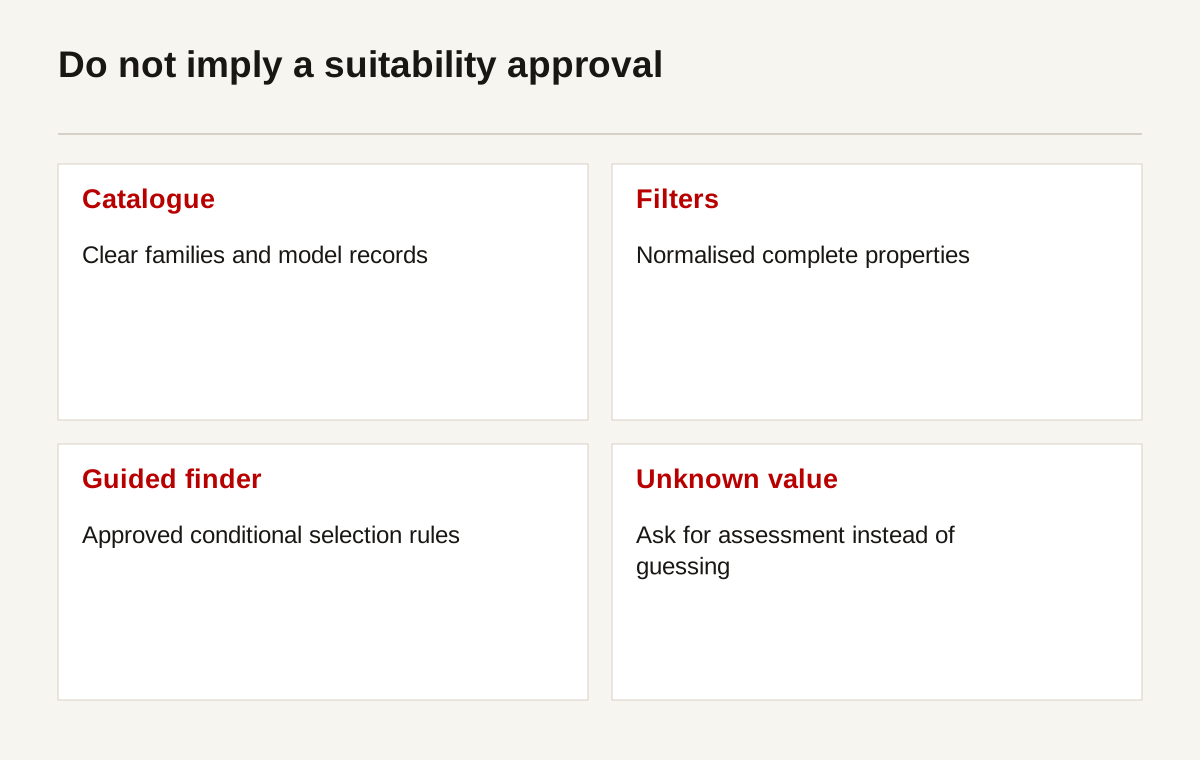
A filter should never imply more certainty than its data supports. “Width at least 120 mm” can be a direct record query. “Suitable for your project” requires far more information. Label the output as a shortlist where that is what it is. Preserve the selected criteria with the enquiry.
| Option | Prerequisite | Useful result | Ongoing responsibility |
|---|---|---|---|
| Category catalogue | Clear family structure | Buyer reaches relevant records | Category maintenance |
| Search with aliases | Stable identifiers and names | Known item can be found | Alias and discontinued-code review |
| Property filters | Complete normalised fields | Range narrows consistently | Data completeness checks |
| Guided finder | Approved decision rules | Relevant next question or shortlist | Rule review and exception handling |
| Specialist assessment | Clear required inputs | Human reviews uncertain suitability | Routing and response ownership |
Provide a path for people who do not know a required value. A forced answer may create false certainty. “Not known, request assessment” is often more useful than making a buyer guess. Show how many items remain without turning a zero-result screen into a dead end.
Design a page that can support an assessment
Begin with a clear product identity, scope and current status. Then provide the key properties, conditions, drawings or documents and a relevant next step. Do not make the first screen a generic statement about quality followed by a stock photograph.
Separate information by purpose. A short overview explains the item. A technical table provides comparable fields. Downloads preserve controlled detail. Application content explains context. An enquiry route collects the outstanding requirement. These parts should connect, but each has a specific job.
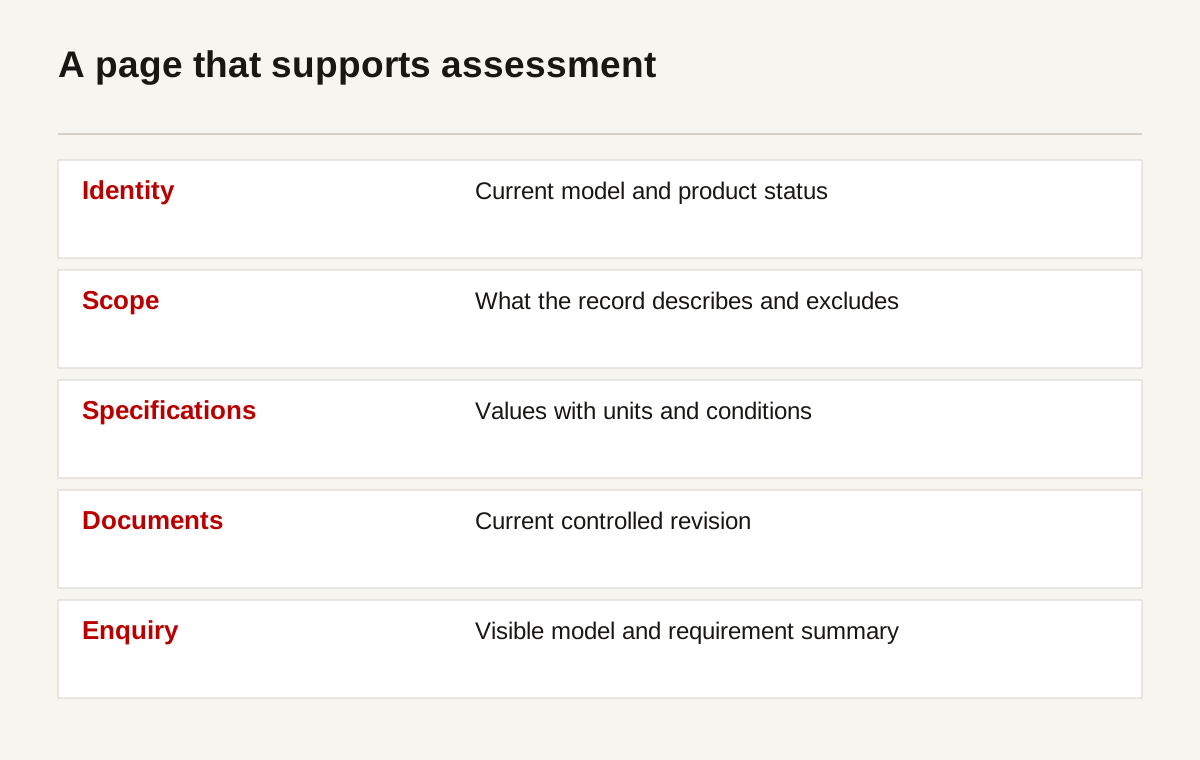
Make important information real text where possible. A specification embedded in a photograph is difficult to copy, search and read with assistive technology. W3C table guidance helps structure relationships in tabular information. Mobile readers should be able to scroll a wide table without the whole page overflowing.
Explain what photographs show. A family photograph might include optional parts not supplied with the base item. State that distinction. A rendered concept should be labelled as a render. Do not use an attractive arrangement as evidence that the assembly is technically approved.
Keep current availability and ordering arrangements honest. Some businesses quote every requirement rather than selling online. That is acceptable. A page can still give enough information for assessment. Do not add fictional prices or availability to satisfy a visual template or a search markup field.
Compare records under the same conditions
A comparison should help someone understand differences that matter. Include a small number of relevant fields with the same definitions and units. If records cannot be compared fairly, explain why. Putting several values into adjacent columns does not make them equivalent.
For the fictional enclosures, width can be compared because the field is defined consistently. Environmental suitability cannot be compared because no supporting data exists in the example. The absence of a value should remain visible. It should not become a favourable symbol or a general “high performance” label.
Ask technical staff to review comparisons before publication. Check whether the table hides a limitation in a footnote or compares values measured under different conditions. If a buyer could reasonably read the table as an endorsement of interchangeability, change the wording and structure.
| Comparison criterion | Method | Example result | Limitation |
|---|---|---|---|
| Nominal width | Same field and unit | E120: 120 mm; E180: 180 mm | Fictional dataset only |
| Revision currency | Compare approval records | Each record must identify revision | A recent date alone is not approval |
| Accessory compatibility | Approved relationship record | Show compatible codes if verified | Appearance is not evidence |
| Environmental suitability | Technical assessment | Not specified in the example | Do not infer from material or image |
| Replacement status | Product-owner record | Current or superseded | Replacement may require assessment |
Do not publish competitor comparisons unless the sources, dates and conditions are clear and appropriate review has been completed. An old brochure from a competitor is not a licence to claim their current range lacks a capability. A comparison limited to your own maintained records may be more useful and easier to keep accurate.
Read the example as a buyer with an incomplete requirement
Suppose a buyer knows that the fictional enclosure must fit an available space, but has no confirmed environmental requirement. The catalogue can show the nominal widths of E120 and E180. It should also identify the other dimensions required to assess the space. Width alone is not enough to confirm fit, and the two example records do not establish environmental suitability.
The useful next step is to collect the missing conditions. An enquiry summary can state the model being considered, the known space constraint and the unanswered requirement. The reviewer then receives a question they can assess rather than a form submission claiming the buyer has selected an approved configuration.
If the buyer instead holds an old E120 drawing, the route changes. They need to identify its revision, discover the current record and understand whether a replacement has been issued. Showing a larger new model first because it is commercially preferred would not answer that task. Catalogue content should preserve the difference between identifying an existing item and selecting a new one.
These scenarios help review a page before launch. Ask whether the wording encourages an unsupported conclusion, whether unknown values remain visible and whether the correct documents can be found. A page can look orderly while still pushing two different tasks through the same misleading selection route.
Review the same task through the comparison and download routes. The comparison should retain the nominal label and explain that only the example width is comparable. The downloaded drawing should identify its model and revision. The enquiry should preserve the unanswered condition rather than converting it to a default value.
Then give the task to someone who did not write the page. Ask them to describe what they can establish and what still needs assessment. Do not teach them the intended answer during the session. If they conclude that the product is approved for an unspecified environment, inspect the wording that produced that conclusion. A limitation visible somewhere on the page may still be ineffective if the selection result says the opposite.
Record the materials used and the misunderstanding, then revise the relevant surfaces together. This is a proposed test procedure, not a completed study. Its value is that it checks whether the catalogue helps someone recognise uncertainty as well as find a product name.
Create drawings and downloads with clear authority
Decide which document answers which task. An overview sheet, a dimension drawing and an installation manual are not interchangeable. Give each document a title, product association, revision and issue date. Explain whether it is controlled information or an illustrative marketing document.
Use original diagrams for explanatory concepts. Do not reproduce licensed manufacturer drawings without permission. Do not convert a rough marketing illustration into an installation instruction by adding dimensions. A technically reviewed drawing and a content illustration have different approval routes.
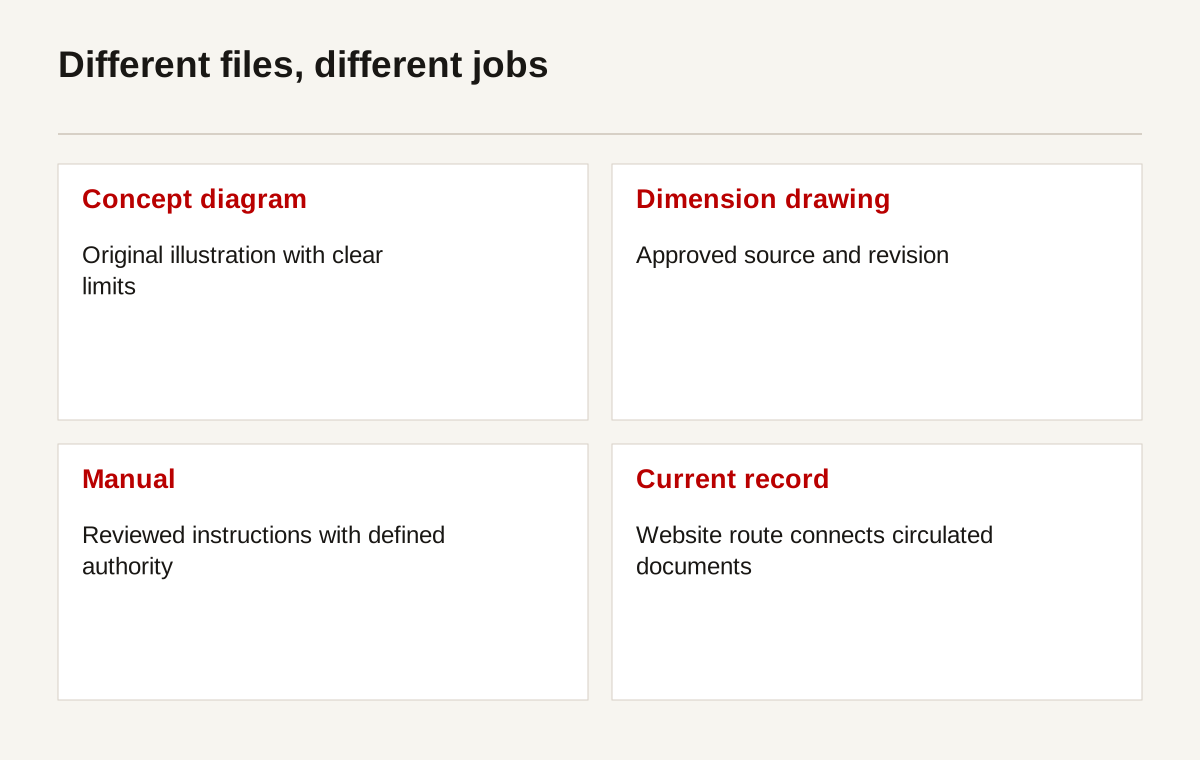
Check downloaded files as files, not just links. Open them on a phone and a desktop. Verify the model, text, revision and file name. Test whether readers can find the relevant page without printing the whole document. If a drawing is large, provide enough context before the download to help someone know it is the correct file.
Maintain a route from old files to current information where practical. A PDF may circulate outside your control long after the website is updated. Put a current-record URL in the document. Avoid silently changing the content behind a revision-labelled file while retaining the same issue details.
Carry the requirement into the enquiry
An enquiry should preserve the product context. If someone selected a model and two criteria, include those values in a visible summary and the submitted record. Let them correct the information. Do not rely solely on a hidden field the user cannot review.
Ask for the information needed to begin assessment. That may include intended use, conditions, required programme and a relevant drawing. Avoid collecting unrelated personal information. Explain file limits and acceptable file types before upload. Sensitive documents may require a separate approved route.
Use clear labels, meaningful errors and accessible controls. W3C's forms tutorial is a useful reference. A form that works only with a mouse can block a technically informed buyer just as surely as a missing specification.
Test delivery to the responsible team. A success message proves that the website accepted a submission, not that sales received it. Check the internal record, notification, attachments and acknowledgement through a complete visitor task. Record the routing owner and what happens if notification fails.
Provide a fallback contact route. A person dealing with an unusual requirement should not be forced into a catalogue choice that does not fit. The next step can be a discussion with a specialist. Describe what information will help that specialist, without promising suitability before review.
Maintain revisions, languages and withdrawn records
The product page needs an owner after launch. Set review triggers such as a specification change, discontinued model, new document or altered distribution arrangement. A regular check can help, but it should not replace responding to known changes when they happen.
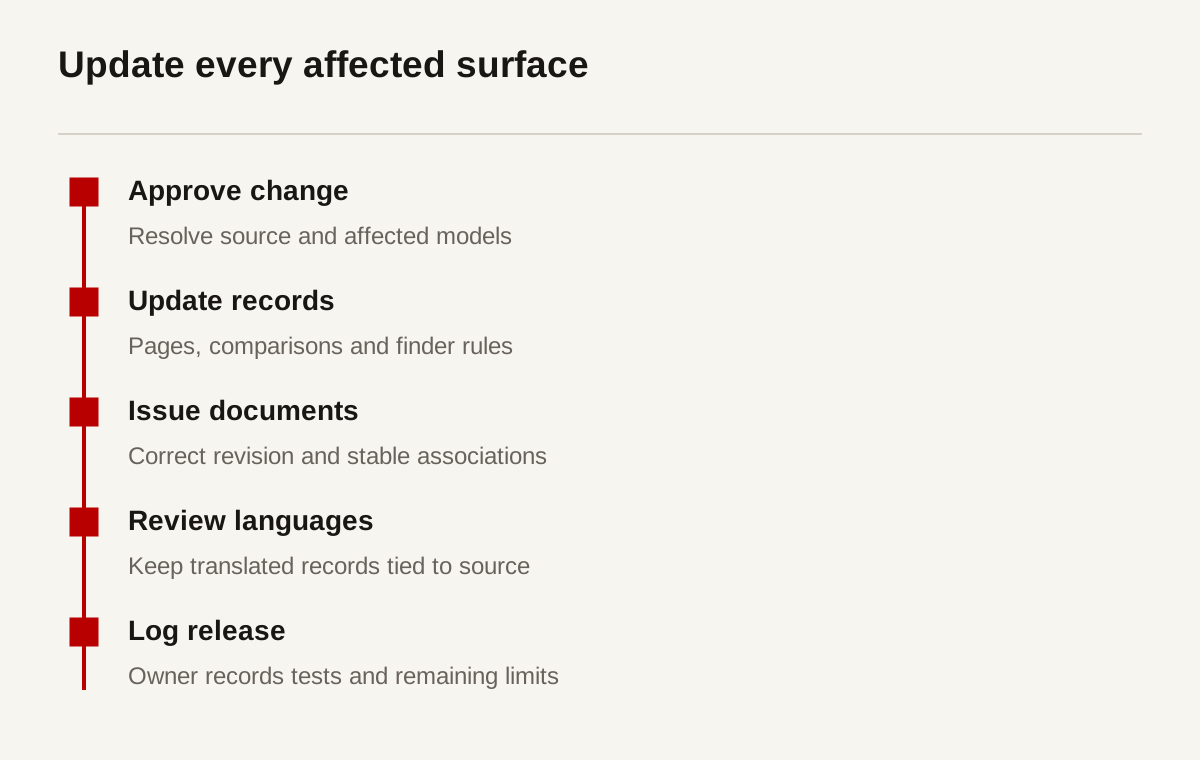
Keep translations connected to the source revision. A translated page can be clear but out of date. Identify technical terms that require specialist review and preserve model codes. Do not publish automated translations of technical conditions without the level of review the content requires.
Avoid duplicating the entire catalogue to create disconnected country sites. Shared data with maintained local context may be more practical. Google's guidance for multi-regional sites explains relevant search considerations. It does not decide which languages or markets your business can support.
Withdrawn products may still need a page for existing customers. State the status and the assessment route. Preserve useful historical references where policy permits. Redirecting every discontinued model to the homepage loses context and can leave maintenance staff unable to identify what they have.
Support search without distorting the product facts
Use a descriptive page title, readable URL and visible product identity. Include the information an engineer would need, not a repeated string of keywords. Search discovery is helped by understandable pages; it is not a reason to exaggerate operating conditions or invent applications.
Use descriptive image names and alternative text that explains the pictured information. Google's image guidance covers discoverability considerations. W3C's image tutorial provides the accessibility context. A photograph's alternative text should not become a list of unrelated search phrases.
Structured data must match visible, current information. Schema.org's Product vocabulary describes a product record. Google's product structured-data guidance explains its search features and requirements. Not every B2B catalogue page is eligible for every feature. Do not invent an offer, price or review to complete a schema template.
Do not promise that technical markup guarantees an AI citation or a search position. The ongoing work is maintaining evidence, documents, links and technical access. Monitor indexing and relevant enquiries. A well-formed record still needs useful content and a company able to assess the requirements it receives.
Test selection tasks and review meaningful actions
Write a small set of realistic tasks. Find a known model from its code. Identify the current drawing. Compare a defined property. Discover whether an accessory has verified compatibility. Send an assessment request without losing the selected model. Include a task where the correct answer is “not enough information.”
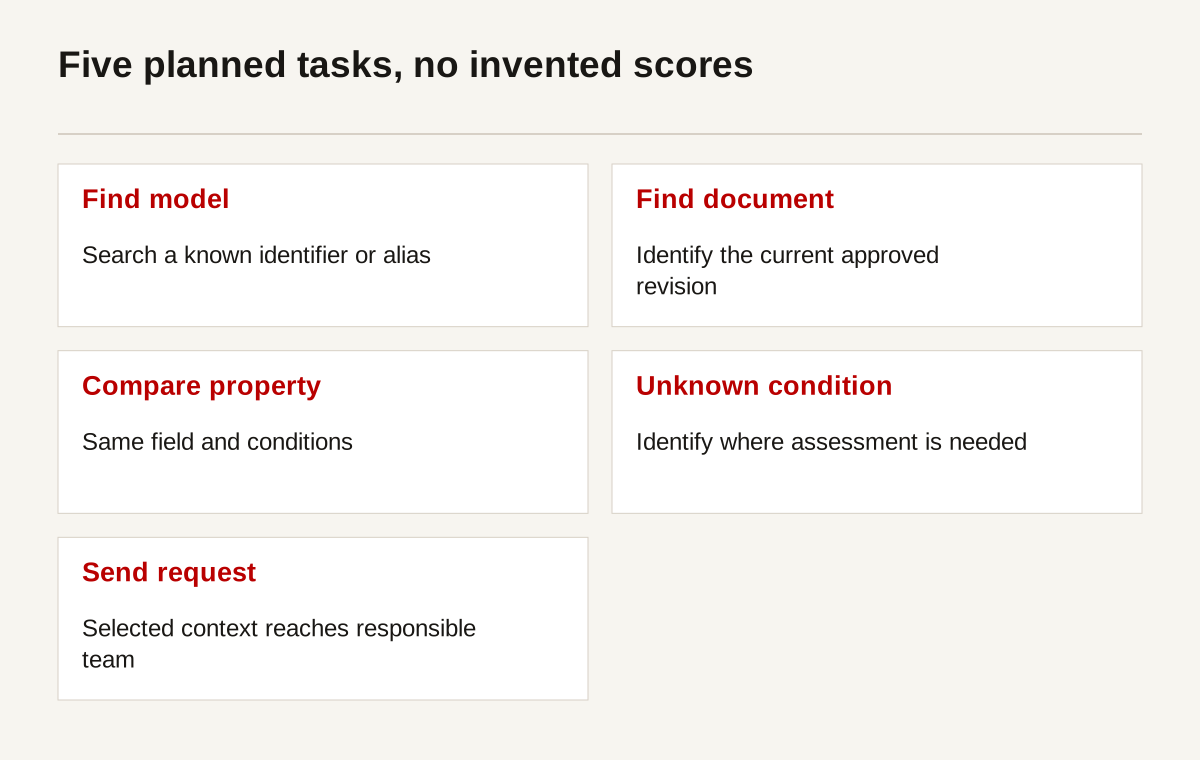
The diagram is a proposed test set, not a chart of measured success rates. Run the tasks with relevant readers and record where they hesitate or misunderstand. GOV.UK's usability-testing guidance can help plan neutral sessions. Explain the sample and materials if you report findings.
Record useful actions, not just clicks. A document download might mean that a buyer found the information. It might also mean the page lacked a useful summary. Review actions with enquiry context where permission and policy allow. Avoid treating every download as a qualified lead.
| Action | Possible meaning | Event to define | Responsible owner |
|---|---|---|---|
| Known model found | Search route may be useful | Model search result selected | Catalogue owner |
| Current document opened | Information requested | Document identifier and revision | Document controller |
| Comparison viewed | Buyer is assessing differences | Comparison opened | Product marketing |
| Assessment submitted | Requirement sent for review | Submission received and routed | Sales operations |
| Zero results reached | Criteria or data may need attention | Anonymous criteria state | Product owner |
Use an event plan that avoids sending confidential specifications or personal data into analytics. Google Analytics recommended events provide technical naming guidance where that platform is used. The business still needs to decide what the event means and whether collecting it is appropriate.
Keep exceptions visible rather than forcing certainty
A useful catalogue tells readers when assessment is required. If a value varies by configuration, show the configuration dependency. If a property is not published, explain how to request the information. Do not fill the gap with broad reassurance such as “suitable for demanding applications.”
Create an exception record for recurring questions that the public data does not answer. The record can identify the question, relevant model, missing evidence and responsible reviewer. It should not expose customer requirements publicly. Review whether a maintained public explanation would help future readers without disclosing confidential information.
Watch for internal disagreement about authority. Sales may have a presentation with a newer claim than the controlled drawing. The website team should not choose the more attractive version. Resolve the conflict with the technical owner and document controller. Publish only after the source of authority is clear.
Give the maintainer a release checklist. Confirm affected models, pages, translated records, documents, filters and enquiry summaries. A change to one data field can affect several surfaces. Reviewing the product page alone may miss an outdated comparison or finder rule.
Audit a representative family before scaling the catalogue
Take the five most useful buyer tasks and trace the information behind each one. For a known-model search, inspect the identifier and aliases. For a document request, inspect the association between model and revision. For a comparison, inspect field definitions. For an enquiry, inspect the visible requirement summary and internal routing record.
Mark every gap as a data issue, a presentation issue or an ownership issue. An empty dimension cannot be fixed with spacing. A correct dimension buried in an image needs a presentation change. A current drawing that nobody can approve needs an ownership decision. Keeping these categories separate prevents a website project from being blamed for unresolved technical records.
Test the next family against the same model before importing the entire range. It may introduce a configurable assembly, a different document type or a property that depends on operating conditions. Add a deliberate rule rather than squeezing the exception into an unrelated field. Record why the model changed and which existing records need review.
This staged audit gives management a defensible scope. It shows what is ready to publish, what needs specialist input and which features would be misleading until the records improve. It also gives the maintainer a repeatable procedure for adding products after the initial website work ends.
Questions catalogue owners usually ask
Is a PDF catalogue enough?
It can support a buyer, but it is rarely the whole route. Someone should be able to identify the right item and current document before downloading. A PDF needs clear revisions and a route to maintained information. Consider accessible on-page summaries for important properties and selection conditions.
Should every model have its own page?
Only where it provides a useful maintained record. A model with distinct specifications, documents or status may deserve one. Superficial variants can sometimes share a page with an explicit selection. The decision should follow data structure and buyer tasks, not a target number of indexed URLs.
Can we automatically recommend a product?
Only within approved decision rules and stated limits. A shortlist is not a suitability approval. Unknown operating conditions should lead to an assessment route rather than a guessed recommendation. Record the selection logic and its owner before choosing the interface or writing a confident result message.
What is the first improvement to make?
Choose a representative family and audit its information. Check identifiers, units, conditions, documents and enquiry context. Fix the gaps and test a few tasks. This gives you evidence for a wider rebuild instead of committing the entire catalogue to a visual template that cannot handle its exceptions.
Start with the product information problem
Creatif Work can help organise a technical website around maintained product information and buyer tasks. Where the approved selection logic calls for a finder, comparison tool or portal, the work may need a web application. Neither route should be chosen before the records and decisions are understood.
Bring one product family, its current documents and a few recurring buyer questions. We can examine where the information breaks down and what the smallest useful change would be. Start with the problem.
References and example limits
Sources were reviewed on 1 October 2026. The E120 and E180 records are fictional examples for information design. Their dimensions do not establish technical suitability, certification or compatibility. No installation instruction or measured buyer test is provided.
- BIPM: SI Brochure
- W3C: tables tutorial
- W3C: forms tutorial
- W3C: images tutorial
- Schema.org: Product
- Google Search Central: product structured data
- Google Search Central: image guidance
- Google Search Central: multi-regional sites
- GOV.UK: moderated usability testing
- Google Analytics: recommended events