

Marine Equipment Website Design: Product Data and Enquiry Routes

Marine equipment buyers arrive with a vessel, package or problem in mind. They need to know whether the product fits, what evidence exists, how it will integrate and who supports it.
Website design should shorten that path. It should not force buyers to search an unlabelled PDF library or send a generic enquiry for basic data.
What should a marine equipment website include?
Include one structured page per meaningful product family, with application, range, ratings, conditions, interfaces, materials, standards, options, documents, service coverage and project evidence. Add a qualified enquiry that captures vessel, package, duty, location and programme, then moves sensitive information into a controlled exchange.
The French Ministry's maritime decarbonisation chain spans shipowners, yards, ports, energy and naval technology. Suppliers need pages that show where their equipment and support fit inside that wider system.
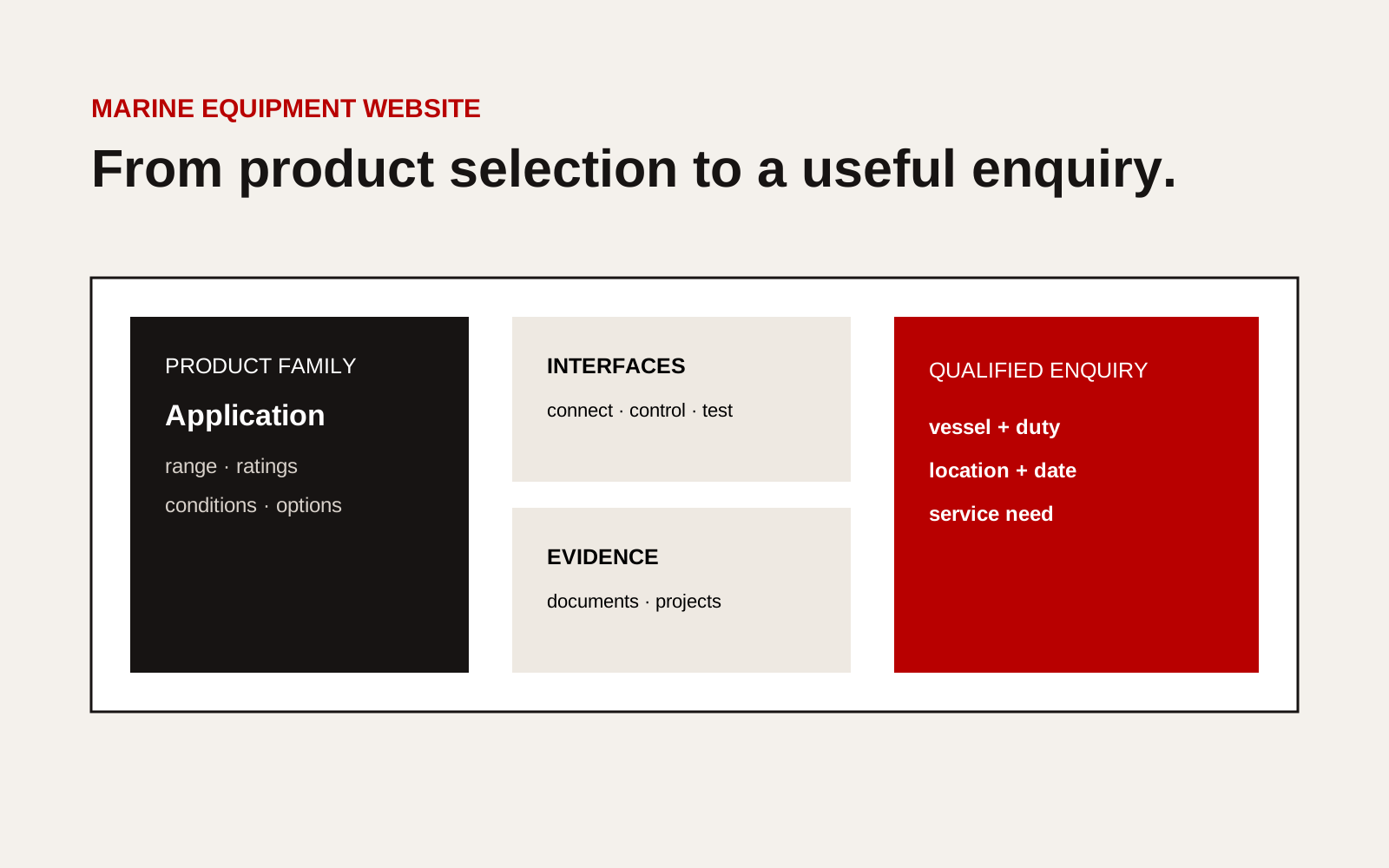
Marine equipment website flow from product selection and technical data to service and qualified enquiry.
Use a consistent product data model
| Field | Buyer question | Publishing rule |
|---|---|---|
| Application | Is this intended for my duty? | Name vessel and operating context |
| Range | Which model fits? | Use units and selection limits |
| Performance | What will it do? | Add condition and test basis |
| Interfaces | What connects to it? | Name utilities, signals and physical boundary |
| Compliance | Which route applies? | State market, scope and date |
| Support | Who installs and maintains it? | Name coverage, partner and escalation |
Do not paste a sales brochure into the page. Structured fields help buyers compare models and help search systems understand the topic.
Put conditions next to performance
A flow, power, efficiency, noise or emissions figure needs operating conditions. State medium, temperature, pressure, load, tolerance and test method where relevant.
If performance changes by configuration, show the selection input instead of one best-case number. Link to the current data sheet and put a revision date on the download.
Remove obsolete files or clearly mark superseded material. An old PDF can remain visible in search after the page changes.
Show interfaces before installation
Create a representative diagram with mechanical, electrical, controls, safety and documentation boundaries. Label what the supplier provides and what the yard or another package provides.
Our guide to shipyard supplier integration points gives the content and responsibility fields for that diagram.
Keep detailed dimensions, network designs and project calculations inside the controlled engineering exchange. The public version should support selection, not construction.
Make downloads usable
Group documents by product and purpose: selection data, drawings, certificates, manuals and support. Show format, language, revision and date.
Do not hide every useful document behind a form. Basic selection information should be easy to access. Use a request route for controlled or configuration-specific material.
Check that filenames are descriptive. “datasheet-v7-final2.pdf” gives the buyer no confidence and creates internal confusion.
Connect projects to exact products
Project pages should identify the model or package, vessel context, supplier responsibility, constraint, decision, test and result. Link back to the product and service pages.
Avoid using a vessel image with no explanation. A technical buyer needs the installed context and boundary. If confidentiality limits disclosure, use an approved general description and do not imply endorsement.
Design the enquiry route
Ask for:
- buyer organisation and role;
- vessel type or project;
- product family and application;
- duty or selection inputs;
- location and required date;
- support or documentation need.
Explain who reviews the enquiry and what happens next. Do not ask for sensitive drawings or security information through the public form.
Route product enquiries differently from service emergencies, careers and supplier offers. A single inbox delays every category.
Maintain the site with product control
Assign a product owner to each page. Trigger review after a design revision, certification change, partner change, new document or withdrawal.
Once a quarter, sample published figures against the approved source. Test document links and forms. Review search and enquiry language for missing buyer terms, then improve the main page rather than creating many thin variants.
Support distributors without losing control
If distributors or agents reuse product material, provide an approved content and document set with version dates. Define which claims they can adapt and which require manufacturer review.
Publish the relationship clearly. A buyer should know whether the contact sells, installs, commissions, stocks parts or provides warranty support. “Local partner” is too vague when those roles differ.
Create a withdrawal process. When a model, certificate or data sheet changes, notify channel partners and replace the public source. Search can continue surfacing copied obsolete documents, so consistent filenames, revision labels and canonical manufacturer pages help buyers find the current record.
Test a product-selection task
Ask someone outside the product team to identify a suitable family for a defined vessel duty, locate the current data sheet, find the main interfaces and send an enquiry. Observe without explaining the site.
Record where the person guesses. Those points reveal missing labels, units or selection inputs. Fix the page before adding more visual effects or campaign traffic.
Repeat the task on mobile and with keyboard navigation. Buyers may review equipment between meetings or on managed devices with limited bandwidth.
Keep the task and result in the quarterly review record.
Creatif Work designs marine websites that connect product evidence to yard and owner decisions. Our website service can build a maintainable product system with clear interfaces, current documents and enquiry routes for each buyer need.