

Marine Maintenance Website Design: Emergency Work and Planned Work

Emergency repair and planned maintenance are different buying journeys. Emergency users need triage, coverage, access and response. Planned-work buyers need scope, method, programme, spares, documentation and project evidence.
A marine maintenance website should separate those routes while using one controlled source for equipment, facilities and qualifications.
How should a marine maintenance website be structured?
Create separate emergency and planned-work routes, then connect both to equipment or system coverage, operating regions, facilities, response process, certifications, projects, enquiry fields and controlled document access.
| Emergency route | Planned route |
|---|---|
| Fault, safety condition and deadline | Asset, maintenance scope and window |
| Immediate contact and triage | Survey, planning and quotation |
| Attendance and access assumptions | People, parts and work sequence |
| Temporary repair or restoration | Inspection, overhaul and test |
| Status updates and escalation | Programme, hold points and handover |
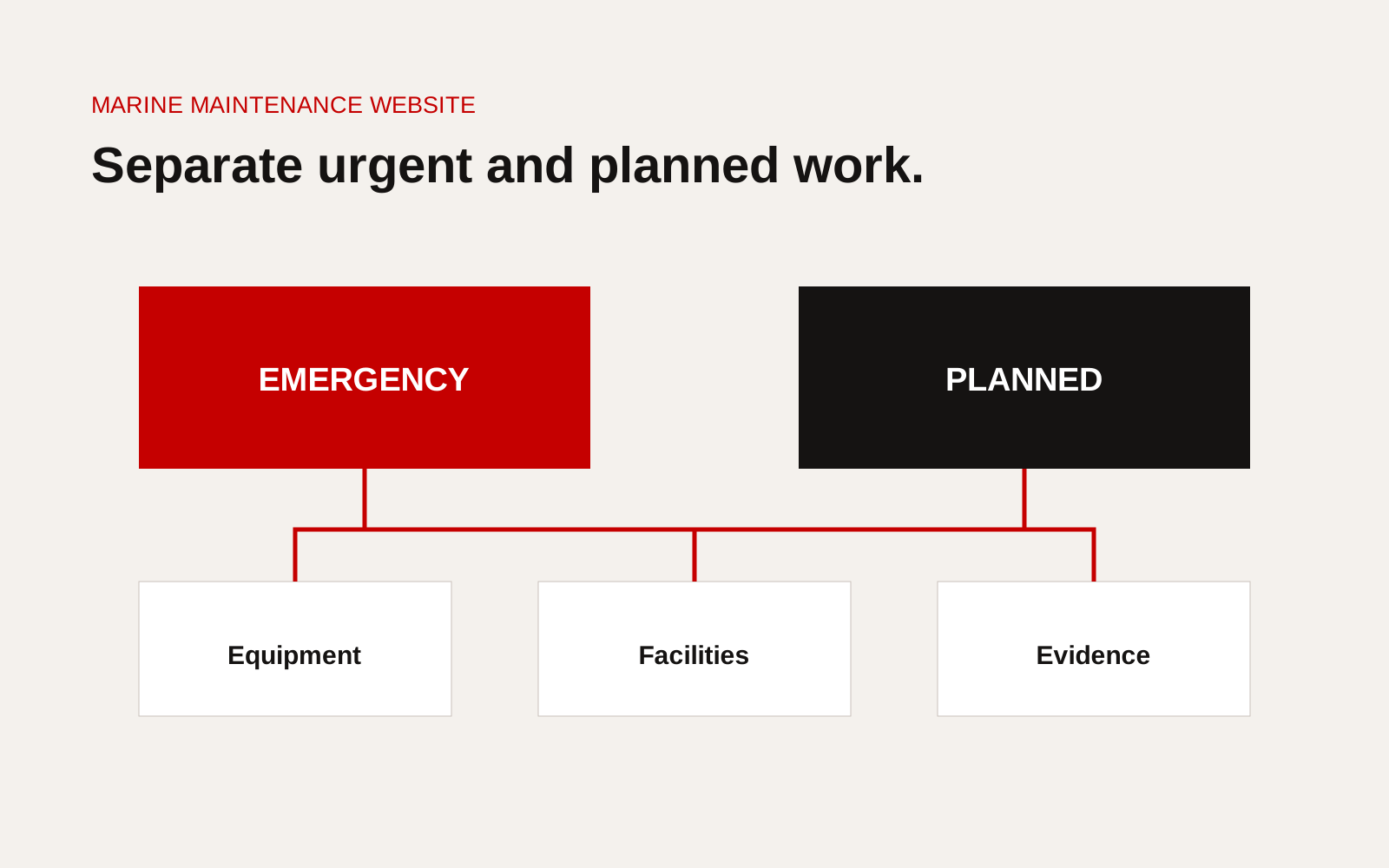
Marine maintenance website split into emergency response and planned maintenance routes with shared equipment and evidence.
Build emergency pages for action
State service, supported equipment, locations, monitored contact, response stages and what to send. Keep the urgent path fast and mobile.
Do not promise 24/7 work when only a voicemail is available. State whether the team provides human acknowledgement, technical triage or physical attendance around the clock.
Build planned pages for scope
Explain inspection, preventive maintenance, overhaul, repair, installation, commissioning and service agreements separately where the deliverables differ.
State client inputs, asset access, isolation, parts, test, documentation and completion criteria.
Organise by equipment and task
Buyers may search by equipment maker, type or fault. Create equipment-family pages only when the company can maintain accurate model coverage and service limits.
A useful page can show:
- supported systems and variants
- inspection and service scope
- parts basis and exclusions
- tools and test capability
- workshop or onboard route
- certifications or authorisations
- related work examples
- request checklist
Avoid implying manufacturer authorisation without current documentation.
Explain response and escalation
Break response into acknowledgement, triage, mobilisation, attendance, make-safe and completion. Define locations and assumptions. Give a backup route when the duty contact fails.
Our guide to port service response and escalation provides a detailed buyer checklist.
Show facilities and resources
Publish workshop location, principal equipment, access, lifting, test and storage relevant to the service. State whether assets are owned, hired or partner-provided.
Use dates for capacity and documents that change. A facility gallery without dimensions or capability does little for a technical buyer.
Publish project evidence carefully
Emergency examples should avoid revealing vessel status, location or security information. Planned projects can show asset class, scope, constraints, duration and approved result.
State whether a repair was temporary, restored function or completed a permanent modification. Do not call a make-safe attendance a full repair.
Keep operational records private
Work orders, live defects, crew data, service settings and vessel-specific drawings belong in controlled systems. Public pages can explain the process and evidence available during qualification.
AMSA's safety management system guidance is one example of why working vessel records must remain connected to the operator's actual risk and maintenance system.
Design the close-out evidence
State what the client receives after attendance: service report, fault finding, parts used, measurements, photographs, test, temporary limitations and recommendations. Distinguish a technician's field note from an approved final report.
For planned work, connect hold points, client witness and acceptance to the report. For urgent work, state when the final document follows and who receives interim status.
Maintain maker and model coverage
If pages name equipment manufacturers or models, assign an owner and review date. Record whether support comes from direct authorisation, technician experience, independent service or a partner. Do not imply an official relationship through logo placement.
When a model reaches end of support, update the page and explain the assessment or replacement route rather than silently removing it.
Include parts and logistics
Explain whether common parts are stocked, sourced locally, imported or manufactured. State that availability is confirmed per request. For planned maintenance, ask for serial number, existing records and required completion date early enough to check parts.
This operational detail makes the website more credible and reduces calls that cannot be fulfilled.
Website checklist
- Emergency and planned routes clearly separated
- Monitored contact status accurate
- Equipment coverage and limits maintained
- Regions explain real mobilisation
- Response stages and escalation defined
- Planned services name deliverables and tests
- Facility evidence supports the scope
- Projects distinguish temporary and permanent outcomes
- Controlled vessel information remains private
- Enquiry carries equipment, location and deadline
Map two complete customer journeys
For emergency work, begin with a superintendent on a phone who knows the vessel, location, symptom and operational impact but not the exact repair. Follow the journey through acknowledgement, triage, access, mobilisation, make-safe action, estimate, permanent repair and close-out evidence.
For planned work, begin with a scope or maintenance window. Follow the route through technical review, survey, parts, schedule, permits, execution, testing and handover. Mark where the website must provide information, collect context or transfer responsibility to an operational system. Test both journeys with staff who receive the enquiries. If the public promise, form fields and duty process do not agree, fix the operating boundary before adding visual content. These two maps also show which proof belongs on service pages and which records must remain in the work-order system.
Give each handoff a named owner and a fallback. Record the information passed, the decision expected and the next customer update. This prevents the journey from ending at a generic inbox just when operational responsibility should become clearer.
Creatif Work designs marine websites around the way urgent and planned buyers work. Our website service can organise service, equipment and project evidence, while custom software can support work-order and approval workflows behind the public site.