

A Marine Service Page That Works at 2am on a Mobile Phone
A marine service page used at 2am should help a superintendent or agent decide whether the supplier fits and start the right response. It needs a visible call route, service limits, coverage and the information required for triage. It does not need a cinematic introduction.
Design the urgent path first, then add deeper qualification evidence below it.
What should a mobile marine service page show first?
Show the exact service, urgent contact status, operating coverage, response basis, essential request information and a fallback escalation route within the first screen or two.
| Mobile priority | Content | Design need |
|---|---|---|
| Identify | Plain service name and equipment or task | Large readable heading |
| Contact | Call or message route with hours | Tap target and labelled action |
| Qualify | Coverage and principal limits | Short factual block |
| Prepare | Information needed for triage | Scannable checklist |
| Escalate | Backup route if no response | Separate, visible action |
| Verify | Certifications, projects and details | Lower-page evidence |
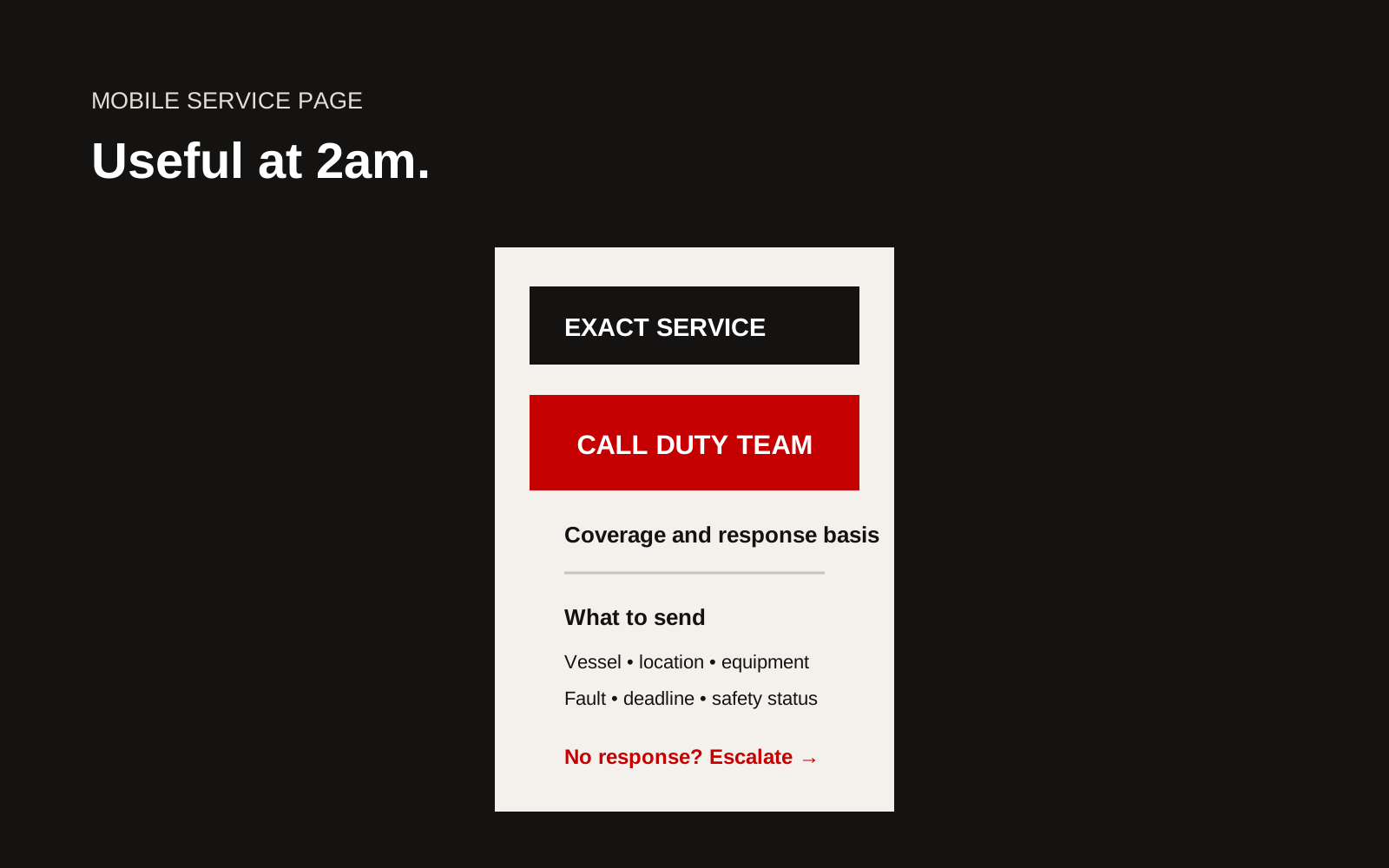
Annotated mobile marine service page with urgent contact, scope, coverage, required information and escalation.
Use the service name buyers use
"Marine solutions" is not useful during a fault. Name the work: propulsion service, electrical troubleshooting, automation support, underwater inspection, riding squad, spare delivery or another specific task.
Put model, vessel or system limits near the scope. A caller should not discover after submitting that the supplier does not support the equipment.
Design a real urgent contact
Label whether the number is monitored 24/7, during stated hours or through a duty roster. State whether WhatsApp or another channel is accepted and what information should not be sent there.
The tap action should show the number in text as well as an icon. Provide a normal enquiry route separately so the urgent line is not filled with routine requests.
State coverage and response basis
Explain port, anchorage, berth or regional coverage and whether a launch, agent or access permit is needed. Do not state a response time without the start event and assumptions.
For Singapore operations, link to current official information from the Maritime and Port Authority of Singapore where relevant. The website should not paraphrase changing port procedures as permanent rules.
Ask for the minimum useful information
Use a compact form or checklist:
- vessel name and location
- contact onboard and ashore
- equipment, maker and model
- service or fault description
- alarms, photos or document attachment
- safety and isolation status
- sailing deadline
- agent and access arrangement
Preserve the service page and selected equipment in the submission. Do not make the user retype context.
Make the page work under pressure
Test on a small phone, slow connection and bright or low light. Keep core contact details as text rather than an image. Compress media and avoid interaction that blocks the contact route.
Use:
- high contrast
- readable type and spacing
- large tap targets
- clear focus and screen-reader labels
- no hover-only information
- short forms with useful input types
- visible error messages that preserve entered data
The W3C Web Content Accessibility Guidelines provide the technical accessibility standard.
Add qualification evidence below the urgent path
After the action section, explain deliverables, process, equipment coverage, people, certification scope, example calls and close-out report. This supports planned work and procurement without obstructing the urgent user.
Handle language and time clearly
Use plain English and avoid internal abbreviations in the urgent path. If other languages are supported, let users switch without losing the service or form state. State Singapore time and monitoring hours for regional callers.
Use dates and deadlines in an unambiguous format. A sailing time should include time zone, and the response team should repeat it during triage.
Protect operational information
The form should not request passwords, security plans or unnecessary crew data. Explain how attachments and contact details are handled. Restrict internal access to the people running the case.
If a user starts typing incident detail into an ordinary contact channel, provide a safe alternative rather than publishing a warning after submission.
Connect the page to a case number
After successful submission, give a reference and expected next event. Send confirmation through the agreed channel. If submission fails, preserve entered data and keep the phone route visible.
This is where page design meets service operation. Without a case owner and acknowledgement, the interface has only made the failure look better.
Test the escalation path
Run a drill from the public page. Confirm the number works, duty person receives context, backup activates, updates are sent and the completed request becomes a record. A perfect page cannot rescue an unowned operating process.
2am page checklist
- Service is named precisely
- Urgent and routine routes separated
- Monitoring hours and response basis stated
- Number is visible text and tappable
- Coverage and access assumptions clear
- Form carries vessel and service context
- Fallback escalation visible
- Core page works on slow mobile data
- Accessibility tested without hover
- Duty workflow tested end to end
Conduct a five-minute deck test
Give a crew member or agent a phone with a weak connection and one urgent scenario. Ask them to identify the service, confirm likely coverage, call the monitored contact and send the minimum useful details within five minutes. Do not explain the page first.
Watch for practical failures: a number hidden by a banner, a form that resets, unclear time-zone wording, an image that blocks loading or a menu that requires careful tapping. Confirm that the call reaches the intended duty path and that the submitted context appears in the case record. Then test the fallback when the primary contact does not answer. Record the result, fix the highest-risk obstruction and run the test again. This small exercise is more valuable than reviewing a desktop mock-up because it tests the page, device, connection and human escalation as one service.
Creatif Work designs marine websites around the decisions crews, agents and buyers make. Our website service connects urgent mobile paths to deeper service evidence, and our article on Singapore marine fleet pages shows how operational asset information can remain maintainable.