

A Maritime Emissions Monitoring Page Buyers Can Actually Use

Most emissions-monitoring pages begin with a dashboard screenshot and a promise to simplify compliance. A marine superintendent or emissions manager needs different information: which ships and activities are covered, where each input comes from, what happens when data is missing and what record reaches the verifier.
The public page should make the service assessable. It should not expose live vessel data or pretend to replace an approved monitoring plan.
What should a maritime emissions monitoring page show?
Show the regulatory and operational scope, supported vessel and fuel data, monitoring methods, calculation ownership, quality controls, correction process, outputs, integrations and service limits. State whether the system records, calculates, verifies or only transfers data. Link each claim to a dated technical document or representative implementation.
The UK Environment Agency’s maritime UK ETS guidance names four monitoring routes: three calculation-based methods using fuel records, tank monitoring or flow meters, and a direct-emissions measurement method. A credible supplier page should say which methods its product supports and which work remains with the operator or verifier.
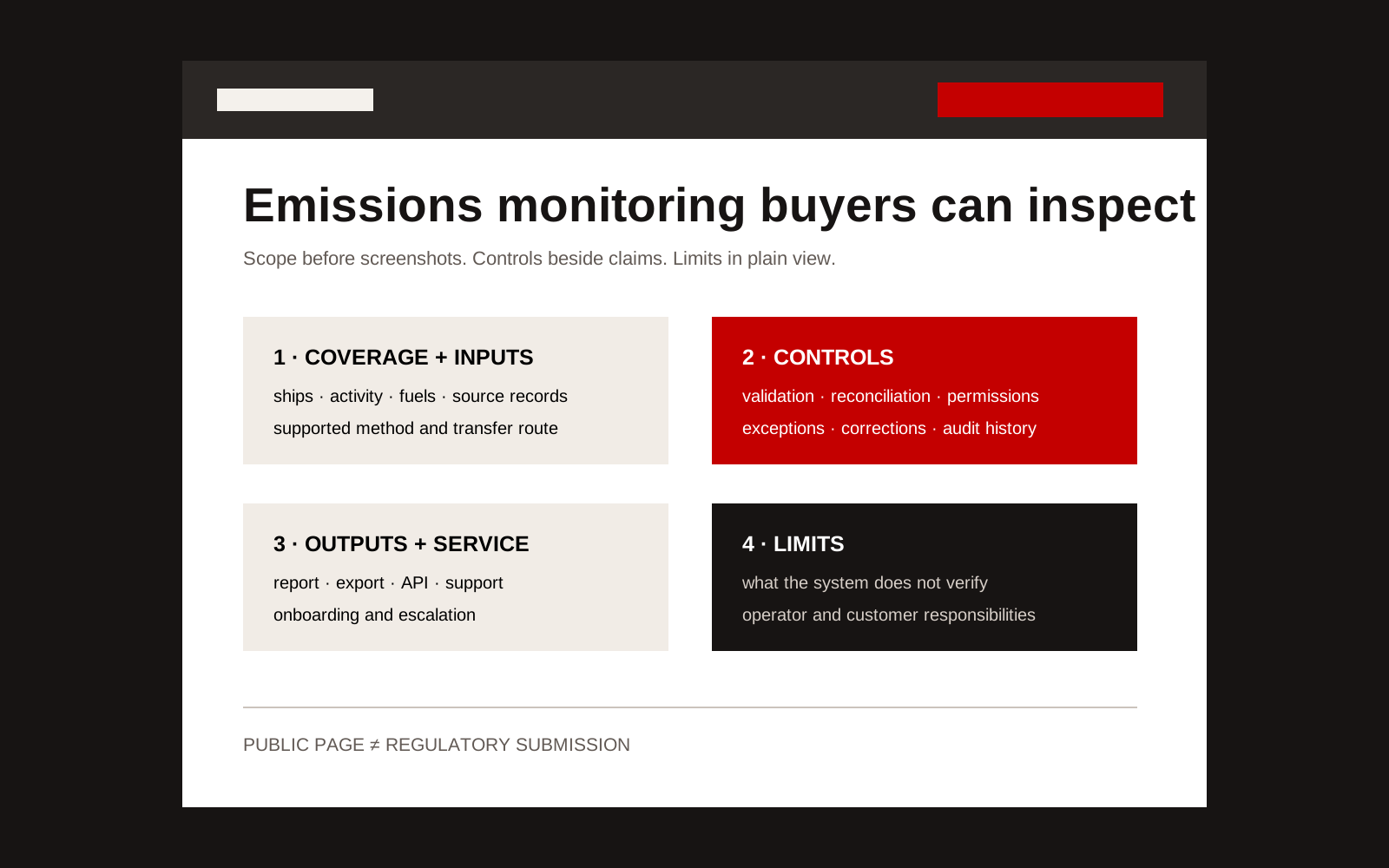
Annotated structure for a maritime emissions monitoring web page showing scope, inputs, controls, outputs and limitations.
Lead with scope, not the interface
The first section should answer six questions:
- Which vessel types and activities are supported?
- Which schemes or reporting jobs are covered?
- Which gases, fuels and emission sources are handled?
- What source systems or documents provide the data?
- What output does the operator receive?
- Which party remains responsible for approval and submission?
If a service supports UK ETS, say whether it covers operator-level monitoring-plan data, activity records, annual-report preparation, allowance forecasting or an export into METS. These are different jobs.
Use a page structure buyers can audit
| Page section | Evidence to publish | Keep in a controlled system |
|---|---|---|
| Coverage | Vessel, activity, fuel and reporting scope | Customer fleet list and live positions |
| Inputs | Source types, required fields and accepted formats | Bunker records, meter feeds and contractual data |
| Method | Supported calculation or measurement route | Ship-specific factors and uncertainty records |
| Controls | Validation, reconciliation, permissions and audit history | Exception queue and user activity logs |
| Outputs | Report, export, API or dashboard examples | Actual submissions and verifier correspondence |
| Service | Onboarding steps, support hours and escalation | Named customer contacts and incident details |
| Limits | Explicit exclusions and customer responsibilities | Security design and sensitive configurations |
This split lets a buyer judge fit before an NDA while keeping operational and personal data out of the public site.
Explain the data path
A useful diagram should show each handoff:
Source record → validation → calculation → exception review → approval → export or report
For every step, name the owner and retained evidence. If a bunker delivery note conflicts with an onboard reading, who sees the difference? Can that person correct the record? Does the original value remain visible? Does a recalculation use the same factor version?
Those details tell a technical buyer more than a list of dashboard features.
Put controls beside the claim they support
If the page says “accurate data”, show the control that supports accuracy. This might be a reconciliation rule, calibration record, required-field check or uncertainty value.
If it says “audit-ready”, show what the audit trail records: source, timestamp, original value, amended value, reason and approver.
If it says “integrated”, list the data objects and transfer direction rather than displaying customer logos. An integration that imports noon reports is not the same as one that writes an approved annual figure into a regulator’s system.
The GOV.UK UK ETS overview confirms that annual maritime emissions reports require accredited verification. A software page should not describe automated checks as regulatory verification.
Provide one representative evidence pack
Show a fictional or fully approved example with:
- one vessel and reporting period;
- sample input-field list;
- a visible validation exception;
- the correction and approval path;
- example summary output;
- version and generation date;
- clear labels stating that the data is illustrative.
An annotated example is more useful than an unlabeled product screenshot. It also helps search systems identify the service’s scope because the terms sit in readable text rather than inside an image.
Questions the page should answer directly
Does the software make us compliant? No. The operator remains responsible for meeting the scheme requirements. The system can support specific monitoring, calculation, control and reporting tasks.
Can suppliers upload data? State the supported route, permissions, validation and approval process. Do not answer with “collaboration”.
What happens when data is missing? Explain detection, notification, estimation rules if supported, approval and retention of the exception record.
Can we leave the platform? State the export format, retention policy and handover process. Reporting history should not become unusable when a contract ends.
A well-built page supports procurement without turning a compliance service into marketing theatre. Creatif Work designs marine websites that connect technical scope to buyer evidence. We also build custom operational software when the real problem is the monitored workflow, not the public explanation.