

Do You Need a Mobile App or a Web App?

Choose a mobile app when the task depends on device features, reliable offline work or repeated use in the field. Choose a web app when people need broad access, links, fast updates and no installation. Many business systems work best as a responsive web app first, with a native app added only for a proven device or offline need.
The decision should follow the work, not the prestige of having an app in a store.
What is the difference between a mobile app and a web app?
A mobile app is installed on a device and can use platform capabilities through native operating-system interfaces. A web app runs through a browser and is reached by a URL. Modern web apps can support some offline and device features, but availability varies by browser and platform.
MDN's Progressive Web Apps guide explains that installable web experiences can use service workers and manifests to provide app-like behaviour. It also notes that capabilities and installation differ across browsers, so requirements should be tested on the actual devices in scope.
| Decision factor | Web app tends to fit | Mobile app tends to fit |
|---|---|---|
| Access | Many users, devices or external partners | Managed or known mobile users |
| Distribution | Link and sign-in | Store or enterprise distribution |
| Updates | One deployed version | App release and user update process |
| Offline work | Limited or designed data cache | Deep, frequent offline workflow |
| Device features | Camera and basic supported APIs | Background, sensor or platform-specific use |
| User frequency | Occasional or task-based | Frequent, repeated field use |
| Interface | Desktop and mobile tasks | Phone-first task with focused steps |
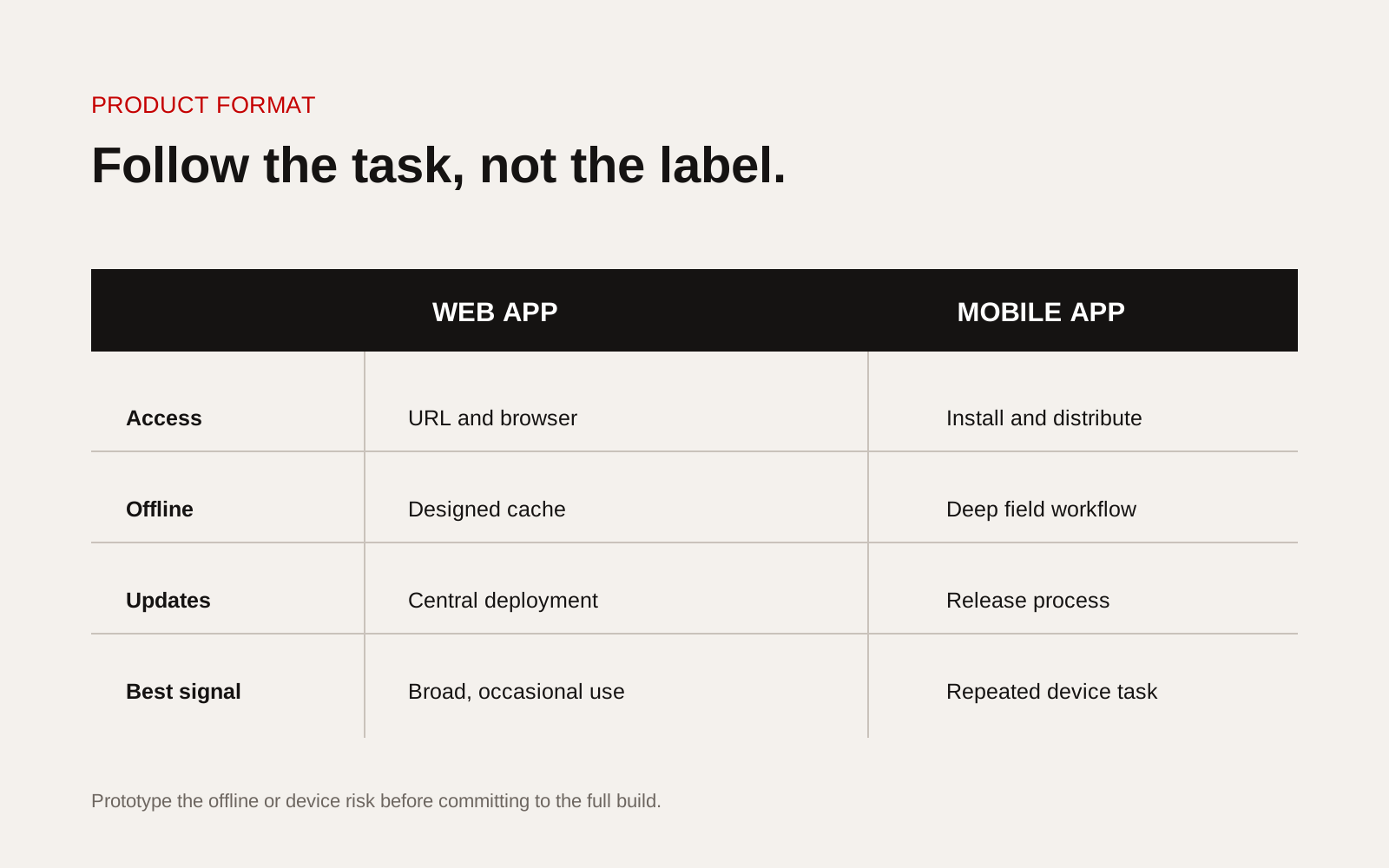
Decision matrix comparing mobile apps and web apps across offline use, device access, distribution and updates.
Start with the critical task
Write the task in one sentence: who is doing what, where, with which information, and what happens when the network fails. Then observe the current process.
A warehouse inspection may use a camera, scanner and offline queue all day, which can support a mobile-app case. A client portal opened monthly to approve documents may be better as a web app. An internal dashboard with large tables should not be forced into a phone-first interface.
Test the offline requirement honestly
"May have poor signal" is not enough. Define how long users can be offline, which records they need, whether several people can edit, and how conflicts are resolved when connectivity returns.
Ask:
- What must users read while offline?
- What must they create or change?
- How much media or data is stored?
- Can the device be shared?
- What happens if a device is lost?
- Which action requires server confirmation?
- How are conflicting changes handled?
Offline capability is a data and security design problem, not a checkbox.
List the device capabilities that matter
Separate essential capabilities from convenient ones. Camera capture, location, notifications, Bluetooth, background activity, biometrics and specialised sensors may influence the choice. Test permissions, operating-system restrictions and battery impact.
If the only requirement is taking a photo during a form, a web app may be sufficient. If the workflow needs reliable background location or integration with specialised hardware, a native app may be justified.
Include distribution and support
A mobile app needs a route to users and a process for releases, store review where applicable, supported operating systems and forced or optional updates. An enterprise deployment also needs device management and access removal.
A web app still needs browser support, responsive testing and clear sign-in. Its central deployment makes version control simpler, but changes must still be tested and communicated.
Decision workshop table
| Requirement | Importance | Web evidence | Mobile evidence | Decision |
|---|---|---|---|---|
| Complete task offline | High/medium/low | Prototype result | Prototype result | Fit or gap |
| Use named device feature | High/medium/low | Browser test | Native test | Fit or gap |
| External-user access | High/medium/low | Link and identity route | Distribution route | Fit or gap |
| Desktop work | High/medium/low | Responsive flow | Companion web need | Fit or gap |
| Release control | High/medium/low | Deployment process | Store/device process | Fit or gap |
Consider one product with two interfaces
The choice is not always exclusive. A field team may use a mobile app for capture while managers use a web app for planning and review. Both can share an API and data model, but only if roles and ownership are designed first.
Do not build two complete interfaces by default. Identify the smallest interface each role needs.
Prototype the risky part first
Test offline synchronisation, device integration, authentication or a demanding field workflow before committing to the full build. A clickable screen mock-up cannot prove these technical risks.
Final checklist
- User, location and task observed
- Offline duration and data actions defined
- Essential device capabilities tested
- Desktop and external-user needs considered
- Distribution and update ownership agreed
- Lost-device and access-removal process defined
- Shared data and integration boundaries mapped
- Riskiest technical assumption prototyped
- Accessibility included on both routes
- Success measured by task outcome, not downloads
Creatif Work designs web apps and custom software around the users, decisions and exceptions in the real process. If the format is still unclear, we can prototype the riskiest workflow before the technology choice hardens into an expensive assumption.