

What Should a Website Maintenance Plan Include?

A website maintenance plan should state what is checked, how often, who acts, what response is included and what counts as additional work. "Updates and support" is not a sufficient scope.
The plan also needs to cover the website as a business asset. Software updates matter, but so do backups, forms, domain settings, analytics, content accuracy, accessibility and the route for an urgent change.
What should a website maintenance plan include?
Include named ownership, software and dependency updates, security monitoring, backups and restore tests, uptime and form checks, performance review, content changes, analytics checks, incident response, reporting and an exit process. State frequencies and boundaries for each item.
| Area | Plan should define | Evidence you should receive |
|---|---|---|
| Ownership | Responsible company and contact | Current contact and escalation route |
| Updates | Platforms, plugins, packages and test process | Update record and exceptions |
| Backups | Frequency, retention, location and restore owner | Successful backup and restore-test result |
| Monitoring | Uptime, errors, forms, certificates and security alerts | Alerts, response record and monthly summary |
| Content | Included time, approval route and publishing standard | Change log or completed request list |
| Recovery | Severity, response, rollback and communication | Incident timeline and corrective action |
| Improvement | Performance, accessibility, SEO and conversion review | Prioritised recommendation, not a vague score |
| Handover | Access, code, content, data and documentation | Export and ownership checklist |
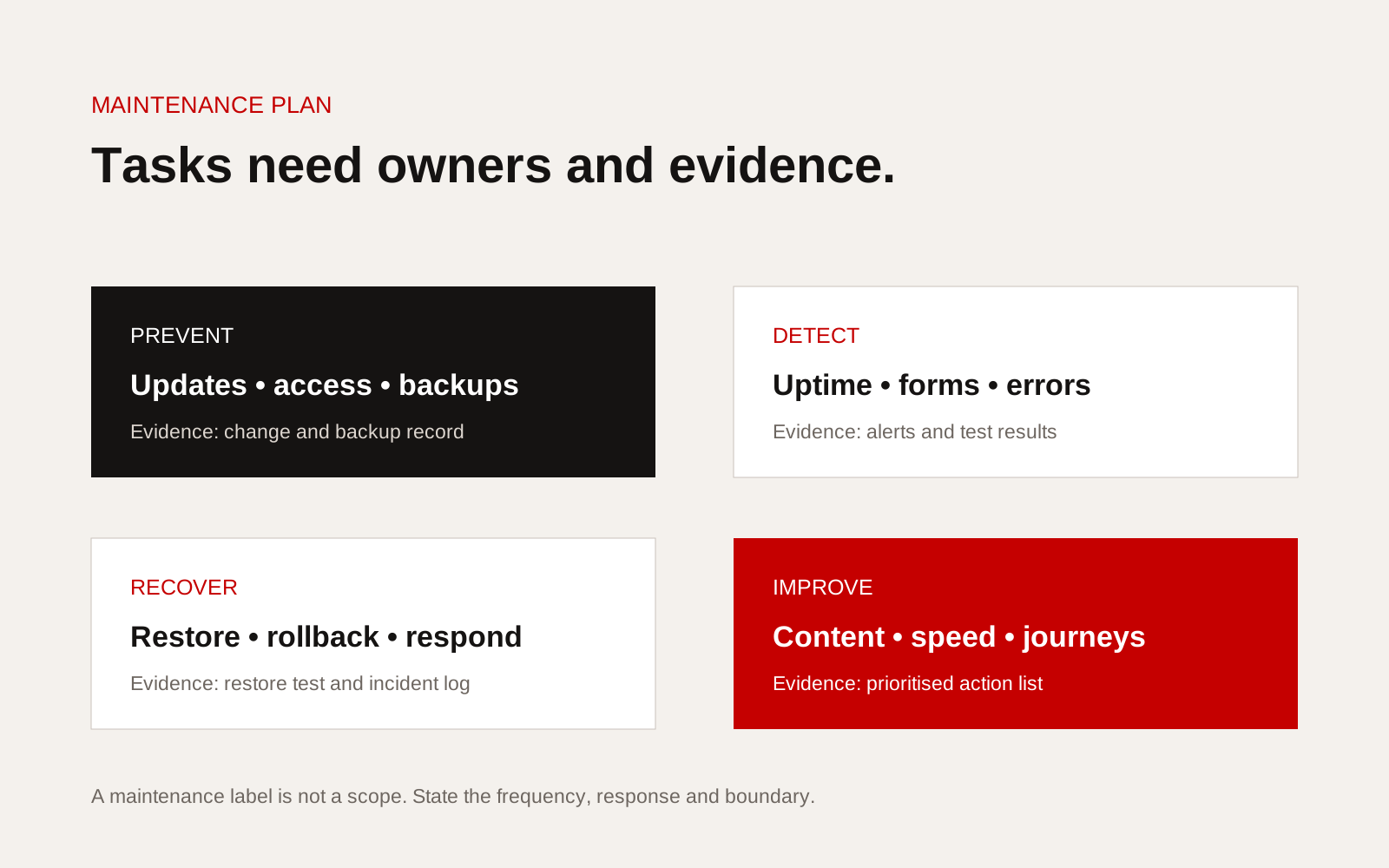
Website maintenance plan divided into prevention, detection, recovery and improvement responsibilities.
Name the assets and owners
List every component that keeps the site available: domain, DNS, hosting, content system, source repository, analytics, forms, email delivery, third-party services, certificates and paid extensions. Record who owns each account and who can approve changes.
This avoids a common failure where the supplier maintains the website code but nobody notices that a domain, mailbox route or payment method belongs to a former employee.
For each asset, record:
- business owner
- technical administrator
- renewal date where relevant
- recovery method
- approved supplier access
- location of current documentation
Define update and testing work
An update should not mean pressing every available button on the live site. The plan should state how changes are reviewed, backed up, tested and released. High-risk changes may need a staging environment and rollback point.
The UK's National Cyber Security Centre advises organisations to keep software and devices up to date because updates include security fixes. Its guidance on software updates supports the basic principle, but the exact process must suit the site's stack and business risk.
Ask whether the scope includes:
- content-management system updates
- plugins, themes and libraries
- runtime and server updates
- compatibility testing
- removal of abandoned components
- licence and support-status review
- a record of deferred updates and reasons
Treat backups as a recovery system
A successful backup message does not prove the site can be restored. Define what is backed up, how often, how long it is retained and where copies are stored. Include databases, uploaded media, configuration and source code where relevant.
Run a restore test on a planned schedule. Record the time taken, missing dependencies and any manual steps. The recovery target should reflect the cost of the site being unavailable or losing recent data.
Monitor the journeys that produce work
An uptime check may report success while an enquiry form fails. Monitor key pages and transactions from the user's side.
Useful checks include:
- homepage and critical service pages load
- enquiry or booking form submits and delivers
- confirmation messages and emails work
- SSL certificate remains valid
- site search and filters return results
- analytics tags still receive data
- error rates and performance have not changed sharply
- consent choices behave as intended
Specify who receives an alert and how quickly they acknowledge it. Response time and resolution time are different. A supplier can respond promptly while a complex third-party outage continues.
Separate maintenance from improvement
Maintenance keeps the current system dependable. Improvement changes how it performs for the business. The plan should explain how much content, design or development work is included and how extra work is approved.
Use separate queues:
- incidents and urgent defects
- routine maintenance
- small content requests
- planned improvements
- new features or integrations
This makes reporting honest. A month with no incident work can be used for an agreed improvement only if the commercial arrangement says so.
Require a useful report
A good report is short and specific. It lists work completed, incidents, deferred risks, backup and restore status, key monitoring results and recommended next actions. Raw plugin counts and automated scores are not enough.
Maintenance plan checklist
- Assets, accounts and owners listed
- Routine tasks and frequencies stated
- Update, testing and rollback process defined
- Backup scope, retention and restore tests included
- Critical user journeys monitored
- Incident severity and escalation route defined
- Included content time and approval process stated
- Improvement work separated from maintenance
- Monthly evidence and recommendations agreed
- Access and handover process documented
If a redesign is being considered, our guide to redesign versus continuous improvement helps separate structural problems from routine upkeep. Creatif Work provides website hosting and support alongside website design, with responsibilities tied to the actual stack and business risk rather than a generic maintenance label.