

Website Design for B2B Companies: A Practical Brief Template

A useful website brief does not tell a studio to make the company look modern. It explains what is not working, which people use the site to make a decision and what evidence the business can provide.
That is enough to start a serious conversation. Page count, platform and visual direction can follow after the problem is understood.
What should a B2B website design brief include?
Include the business problem, priority audiences, decisions the site must support, current evidence, required content and functions, ownership constraints, internal project team, timing and measurable outcomes. Separate fixed requirements from assumptions. Do not prescribe pages, features or a platform unless a verified business, user, legal or technical constraint requires them.
The GOV.UK Service Manual’s discovery guidance makes the same distinction for digital services: define the problem and user need before committing to a predefined solution. A company website is smaller than a government service, but bad briefs fail in the same way. They specify an interactive map before checking what visitors are trying to find.
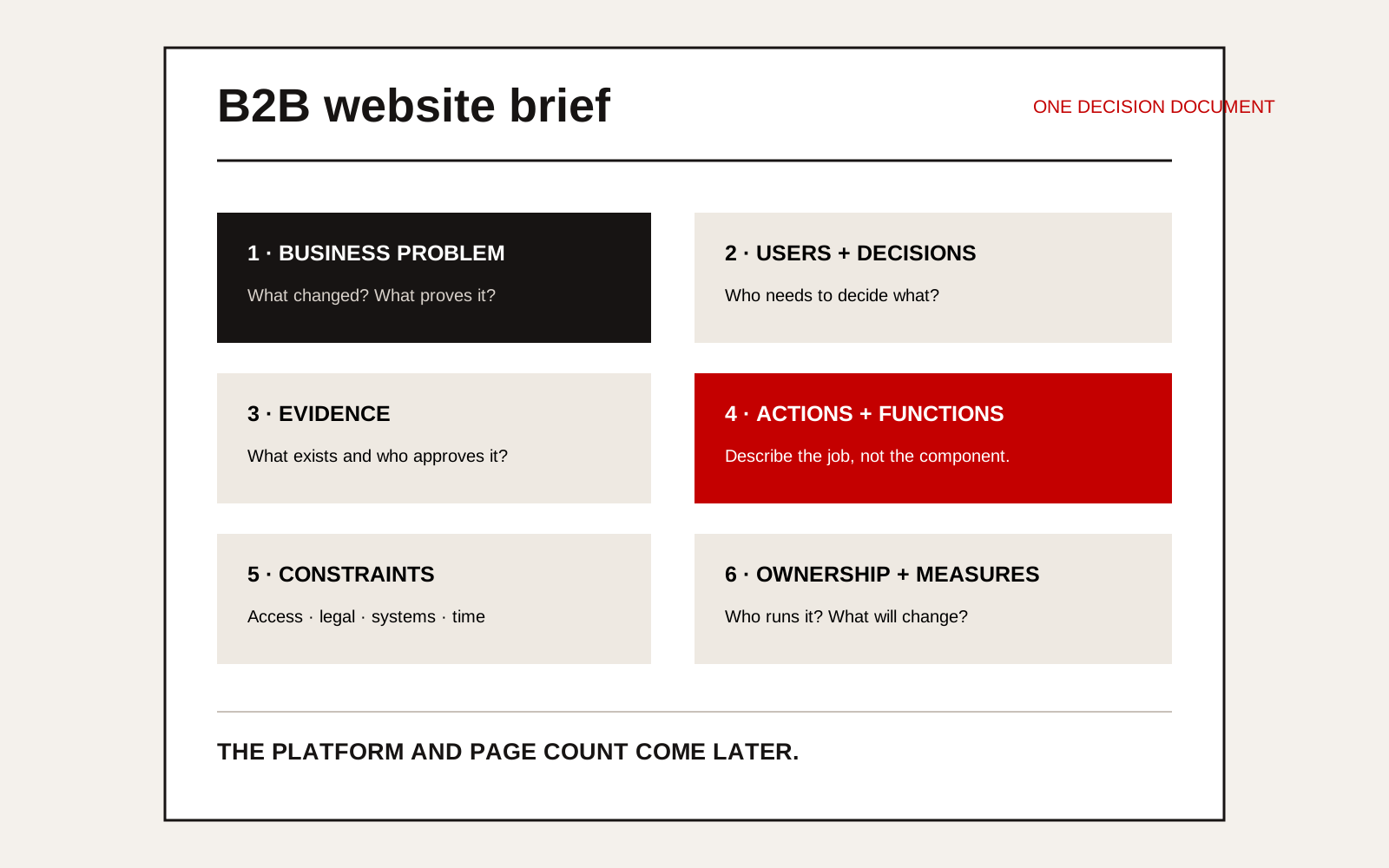
Annotated one-page B2B website brief template covering problem, buyers, decisions, evidence, scope, constraints and success measures.
Copy this brief structure
1. The business situation
Explain what changed. Examples:
- The business now serves larger buyers, but the site still reflects its early-stage offer.
- Sales receives enquiries outside the company’s actual scope.
- Procurement teams request basic qualifications that should be easy to find.
- Product information exists in PDFs but cannot be searched or compared.
- Recruitment depends on job boards because the site shows no projects or roles.
Add evidence where available: enquiry quality, repeated sales questions, search data, lost tender feedback or content-maintenance delays.
2. The priority users and decisions
Name roles rather than broad groups.
| User | Decision they are making | Evidence they need |
|---|---|---|
| Managing director | Is this company credible enough to meet? | Position, relevant work, leadership and contact route |
| Procurement manager | Should the supplier enter qualification? | Scope, certifications, locations, capacity and project proof |
| Technical manager | Can the firm perform this package? | Parameters, systems, standards, interfaces and limits |
| Candidate | Is this role and employer worth pursuing? | Actual work, team, progression, location and application process |
| Existing customer | Where do I get service or documents? | Support route, responsibility and current resources |
Prioritise. A website that treats every visitor as equal usually answers nobody well.
3. The evidence available
List what exists and who can approve it:
- project records and photographs;
- service descriptions and technical data;
- certifications and expiry dates;
- customer approvals or testimonials;
- drawings, diagrams and process records;
- team biographies;
- market and location information;
- analytics, search queries and enquiry data;
- brand files and image licences.
Mark information that is confidential, outdated or unverified. Do not promise 12 case studies if only three clients have approved publication.
4. Required actions and functions
Describe the job, not the component. “Help a buyer find the correct product by operating condition” is better than “add a filter”. “Route an urgent service enquiry to the duty team” is better than “add a chatbot”.
For each function, state:
- user and task;
- information required;
- business owner;
- system or person receiving the result;
- exception path;
- success measure.
This is where a website request may reveal a software or process problem. Keep that finding visible rather than hiding it inside the web scope.
5. Content and search requirements
Name the products, services, markets and questions the company needs to explain. Include existing search performance and priority queries where known.
Google’s Search Essentials recommends helpful, reliable, people-first content and language that people use to search. A brief should therefore provide access to subject-matter experts and source material, not just a keyword list.
Add the languages required, the person who approves each language and whether the translation must be technical or legally reviewed.
6. Accessibility, performance and compliance
State the accessibility target and who will review it. W3C’s accessibility planning guidance recommends defining goals, scope and responsibilities early because late changes are more constrained and expensive.
Also record:
- privacy and consent requirements;
- account or form security;
- browser and device needs;
- markets with specific legal requirements;
- performance or availability needs;
- retention rules for form data;
- content that must stay out of search results.
7. Ownership and working constraints
Name the domain, hosting and existing platform owners. List integrations, licences and systems that must remain. State who will edit the site, who maintains it and what must be handed over.
Read the website ownership handover checklist before asking for proposals. It is easier to agree ownership at the start than to recover accounts later.
8. Success measures
Choose measures connected to the original problem:
- qualified enquiries by service or market;
- reduction in repeated pre-sales questions;
- use of technical downloads;
- completion of a product or service path;
- content publishing time;
- recruitment conversion;
- search visibility for named buyer questions;
- accessibility and performance results.
Avoid “more traffic” unless traffic is the problem. A smaller number of relevant procurement visits may be more valuable than a large rise in unrelated sessions.
What should stay out of the first brief?
Leave out copied competitor features, a platform chosen without an ownership reason, a fixed page count before content is audited and subjective instructions such as “premium”, “bold” or “modern”. Provide examples of what the company likes, then explain the useful quality in each example.
The brief should create comparable thinking, not identical quotes. Our guide to reading a web design quote helps evaluate what each proposal assumes and leaves out.
Creatif Work’s website service starts with the problem, buyer decisions and evidence before interface design. If the brief still feels like a list of requested pages, use our diagnostic to identify what the new site actually needs to change.