

B2B Website Lead Generation: From Visitor to Qualified Enquiry

B2B website lead generation is a sequence of decisions, not just a contact form. The right people need to find the page, recognise a suitable service, assess evidence and contact a team that responds. Diagnose where that sequence breaks before changing the design or buying more traffic. Count qualified enquiries separately from visits and form events.
Your website can be busy and still fail the business. A popular article attracts students rather than buyers. A service page does not explain the scope. A promising enquiry reaches an unattended inbox. A mobile reader cannot attach the drawing needed for assessment. These are different faults, even when they appear in the same monthly report.
This guide is for B2B service companies, technical suppliers and professional teams. It includes industrial examples, but the method also applies to websites, applications and other business services. The goal is to make the complete enquiry journey understandable and testable.
The diagrams, form examples and measurement model are original planning examples. They are not a conversion study, an audit of client accounts or a claim of improved sales. No universal conversion benchmark is used.
Download the enquiry planning workbook, or use the CSV template pack. Both are free, without an email gate. The article explains the same decisions in ordinary language.
Agree what a useful lead means
Start with the people who assess enquiries. Ask them to describe the information that makes a request worth reviewing. Useful criteria might include an in-scope requirement, an identifiable organisation, a relevant location and enough context to choose the next conversation.
Do not turn every preference into an absolute qualification rule. A genuine buyer may not have a finished brief. They may be exploring whether the business can help define one. Distinguish “not ready yet” from “not a fit”. Those states need different follow-up, not automatic rejection.
Agree a written definition with sales and business leadership. Include exclusions and examples. Keep the definition separate from the website's technical event names. A recorded form submission can be spam, a duplicate, a job application or a useful business request. Software cannot resolve that distinction without a maintained process.
| Stage | Working definition | Possible record | Responsible owner |
|---|---|---|---|
| Relevant visit | A visit to a page intended for a suitable buyer task | Page activity, subject to measurement limits | Marketing and analytics owner |
| Enquiry received | A request reaches the receiving system or team | Submission and confirmed delivery record | Website and receiving team |
| Qualified enquiry | Reviewed request fits agreed scope and assessment criteria | Lead qualification record | Commercial owner |
| Opportunity | An assessed requirement has an agreed commercial next step | Opportunity record | Sales owner |
| Proposal | A defined response has been sent for consideration | Proposal record and date | Responsible account team |
| Work agreed | The business's actual acceptance conditions have been met | Contract or agreed appointment record | Commercial authority |
Google's recommended analytics events offers lead-related event names. That can support consistent implementation. Your business must still define each stage, verify the transitions and maintain the commercial records behind them.
Avoid a definition that rewards bad work
If marketing is judged only by raw contacts, it can be rewarded for unsuitable traffic. If sales records every uncertain request as lost, the report may hide research-stage buyers. Agree the definitions before selecting targets or evaluating a supplier.
Set a review owner for those definitions. A new service, changed coverage or different client segment may change the meaning of suitability. Keep historical reports understandable by recording when the qualification rules changed.
Find the break before proposing the fix
Use four starting questions. Are suitable people finding the website? Can they understand the offer? Can they assess whether the company is credible for their requirement? Can they make contact and receive a useful response?
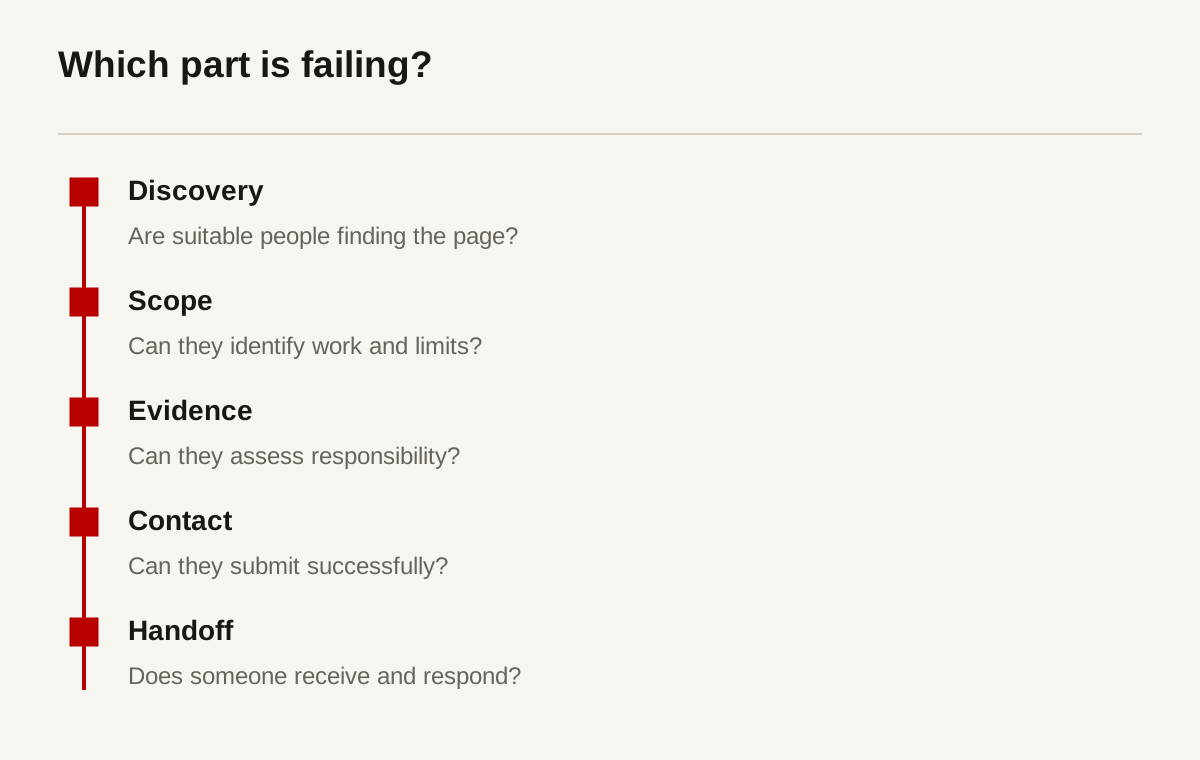
| Observed symptom | Possible cause | Useful check | What the check cannot prove |
|---|---|---|---|
| Few relevant visits | Weak discovery or small relevant audience | Review queries, referrals and page purpose | That every low-traffic page is a failure |
| Visitors ask what you do | Unclear scope or naming | Ask readers to explain the page in their words | A population-wide conversion rate |
| Repeated credibility questions | Missing or hard-to-read evidence | Observe a project-assessment task | That adding a testimonial will fix every concern |
| Form starts but few submissions | Field burden, errors or attachment friction | Test the owned form on real devices | Why every past visitor left |
| Submitted messages get no reply | Delivery or ownership failure | Confirm receipt and assigned follow-up | That the website itself caused lost business |
| Many unsuitable requests | Broad targeting or unclear exclusions | Review qualification reasons | That all traffic from a channel is unsuitable |
Treat these as hypotheses. The same symptom may have several causes. A low contact rate could mean the audience is still researching, the scope is unsuitable or the next step is confusing. Analytics alone often cannot tell which explanation applies.
Inspect a few real requests with permission. Remove personal and confidential information from the diagnostic notes. Look for repeated questions and routing failures. A small review can reveal an operational fault. Do not present it as an industry survey.
Use the least disruptive test that can answer the question. You do not need a full redesign to check whether a page explains scope. You may need an observed task, a content change or a delivery test. Spend the effort on the suspected break.
Map the buying group, not one fictional visitor
B2B buying often involves several people with different responsibilities. A founder may approve the appointment. A manager defines the problem. A technical reviewer checks compatibility. Procurement evaluates the company. A colleague may circulate your page without ever contacting you.
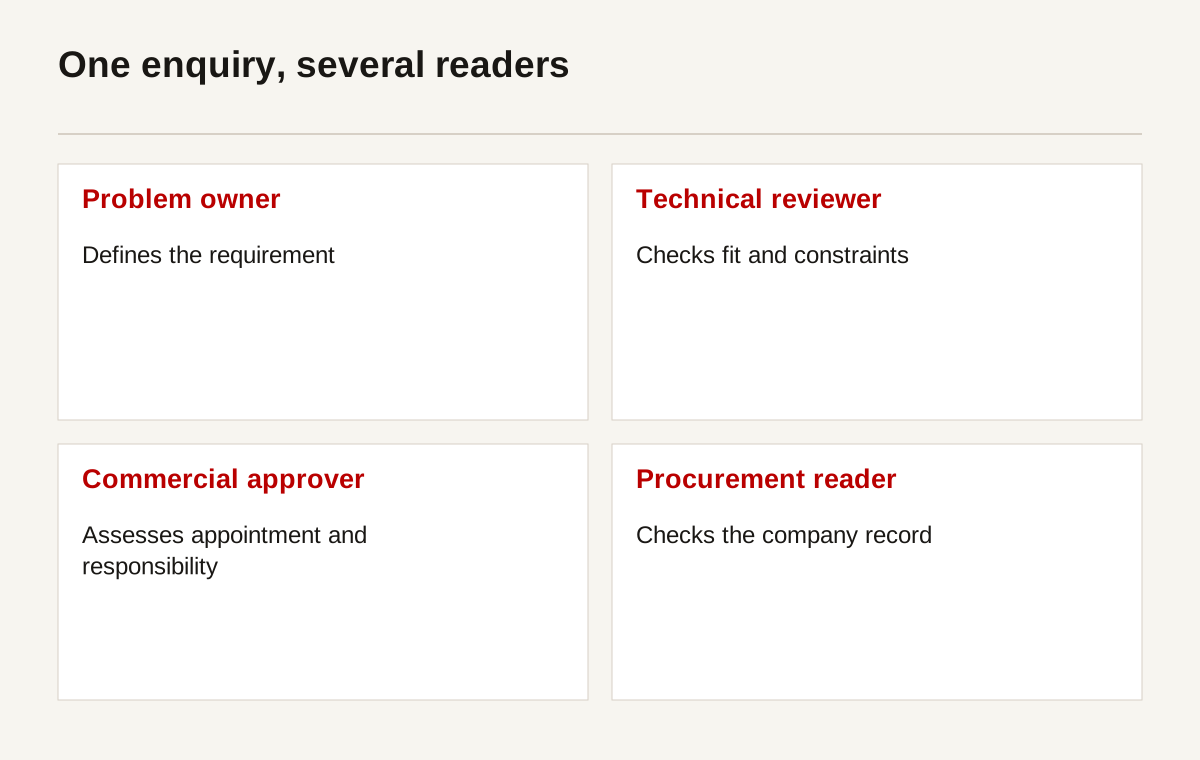
Write down what each reader must establish. Keep the list grounded in the work you sell. For a software project, it might include workflow fit, security review, ownership and maintenance. For a manufacturer, it might include process limits, drawings, inspection and delivery conditions.
Do not force all of them through the same sales narrative. A technical reader needs detail they can inspect. A commercial approver needs the responsibility and next step. A procurement reader needs a maintained company record. Connect those routes rather than hiding each inside a different presentation.
Help someone make the internal case
A useful page can be forwarded. Its claims still make sense outside the original visit. It names the company, scope, relevant proof and the information needed for assessment. A colleague should not have to reconstruct the missing explanation from a homepage animation.
Provide a short, controlled document when circulation is part of the buying process. Keep it aligned with the live pages. A downloadable pack is not automatically a lead magnet. It can simply be a practical record for someone who has to brief a team.
Do not make the document gate do the job of qualification. Requiring an email before a reader can see basic scope may increase recorded contacts while reducing useful assessment. Test whether the gate serves a real business purpose and whether the receiving team can support the follow-up it creates.
Match the page to the question
A person searching for a specific capability should land near its explanation, not at the beginning of a generic company story. A person comparing approaches may need a guide. A returning buyer may need an updated document or contact route.
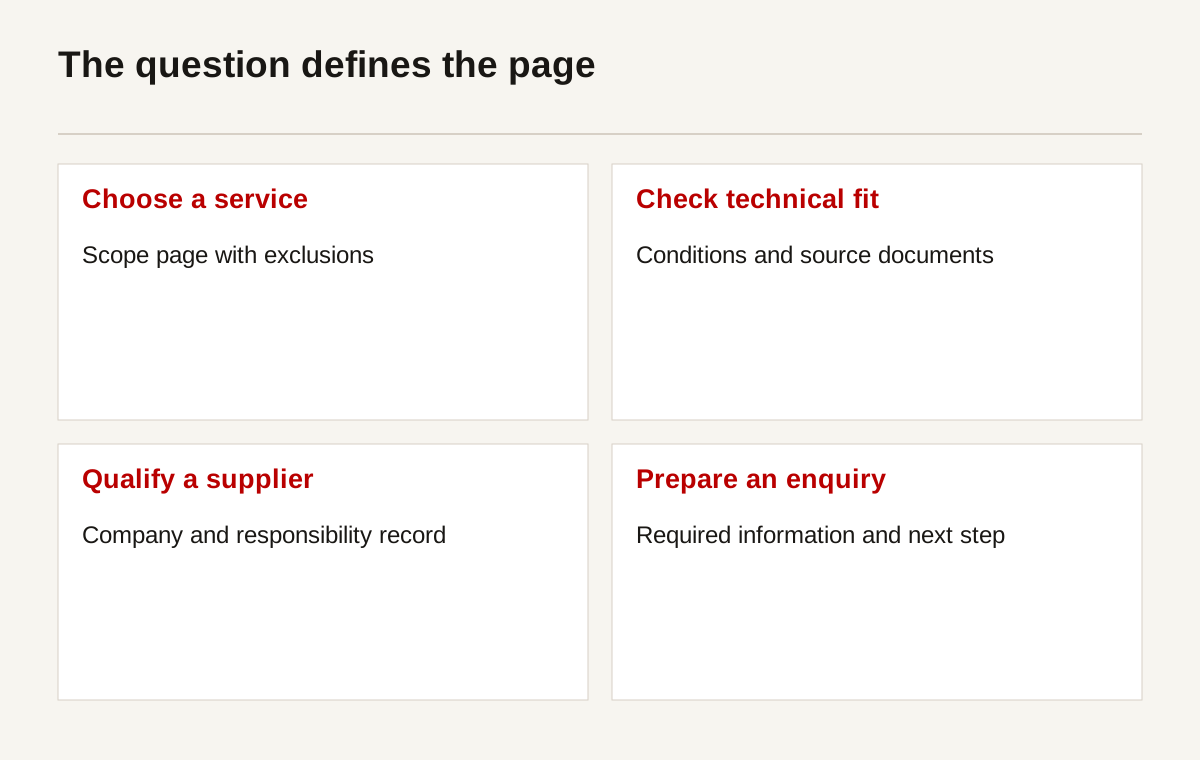
Write a page purpose before writing its headline. “Help an operations manager assess whether a booking workflow can be built around their existing process” is specific. “Generate leads” does not tell the author which question to answer.
The page should confirm the context quickly. Explain the relevant work, who it fits and an important boundary. Follow with evidence and the next step. The main heading and title should describe the actual content. See Google's title-link guidance for the search implementation, rather than stuffing repeated phrases into the title.
Use different pages only for genuinely different decisions
Separate pages can be useful when the buyer questions differ. A website rebuild and a custom application have different requirements. A product page and a maintenance service page have different evidence. Repeated local pages with the same text may simply scatter the information.
Avoid duplicating the offer with minor keyword changes. Ask whether each page provides a distinct answer, example or assessment route. If it does not, consolidate it or give it a real purpose. More URLs are not a substitute for clearer content.
Check internal links in the order a reader uses them. The service page should lead to relevant work. That work should explain the company responsibility. The contact route should preserve the context without requiring a visitor to repeat every detail.
Make proof inspectable
Evidence should answer a question, not decorate the page. A project record can show the role, constraints and work delivered. A current product document can establish conditions. A maintained company record can help procurement identify the entity. A testimonial is only one possible type of evidence.
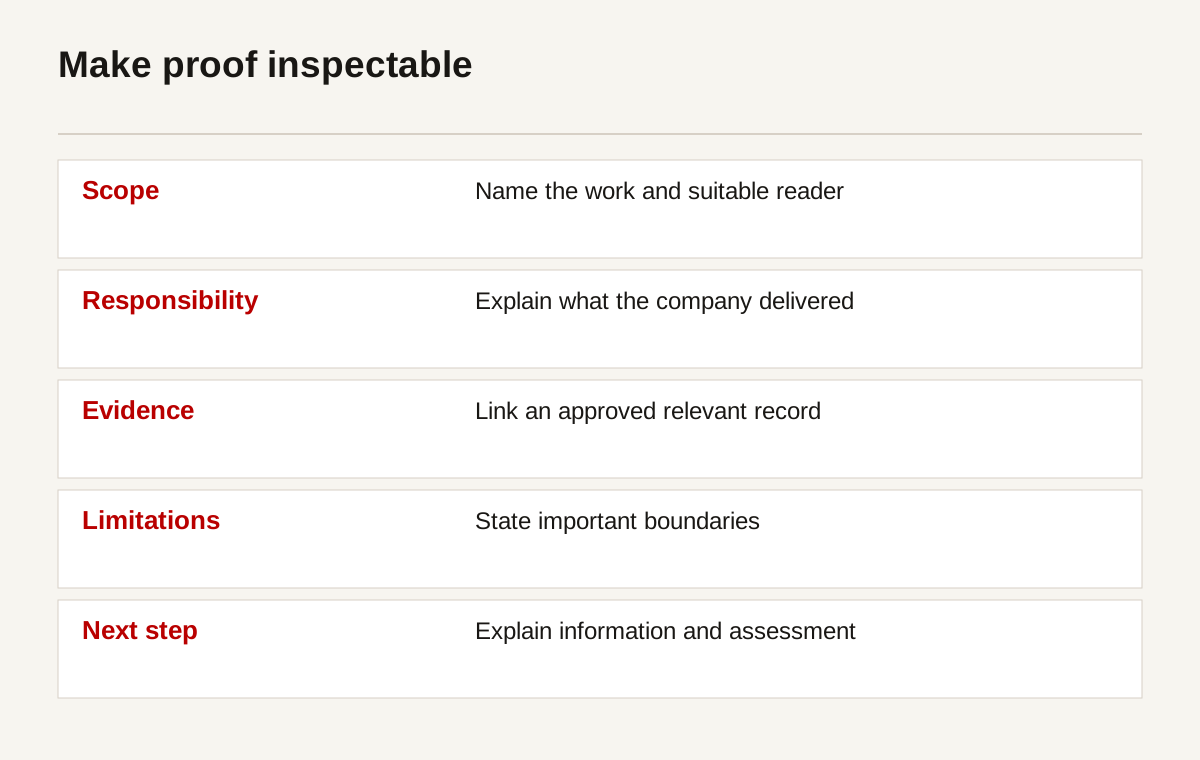
Use real, approved examples. If you cannot publish a client name, explain the permitted context and scope. Do not invent results or show an unrelated stock image as if it depicts the work. A clearly labelled planning diagram is better than a misleading visual.
State what a result means. “The team can update product pages without a developer” is a capability claim that needs a relevant editing demonstration. “The site increased leads” needs a defined period, comparable counts and limitations. Do not use the second claim merely because the first sounds less dramatic.
Keep the evidence readable on mobile
Long documents and large comparison tables can be difficult to assess on a phone. Put the important summary on the page. Give tables descriptive captions and labelled headers. Offer a usable wider view where the data genuinely needs horizontal space.
Use W3C table guidance for the implementation. For images, follow the W3C image tutorial: explain informative images and avoid forcing decorative content into alternative text. A chart also needs its meaning in surrounding copy or an accessible data equivalent.
Recheck evidence after changes to the service. An old screenshot can describe a workflow that no longer exists. A certificate may cover a different entity or scope. Assign ownership so the website does not remain persuasive at the expense of accuracy.
Give the next step a purpose
A reader who is learning about a problem may not be ready to commission work. Give them useful information without pretending that every article reader is a sales opportunity. A buyer who has a requirement needs a clear assessment route, not another general newsletter invitation.
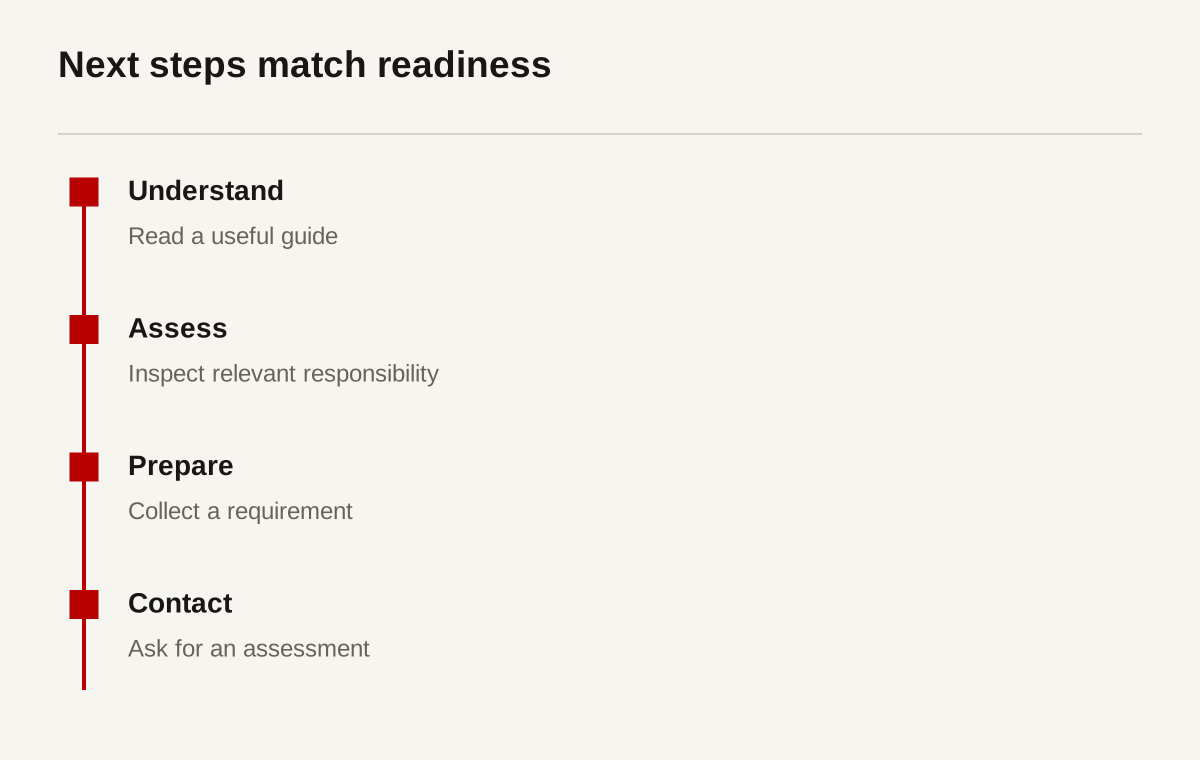
Use clear link wording. “Read the project scope” explains what follows. “Send a requirement for assessment” explains the purpose of contact. Avoid several buttons competing for different actions in the same small section.
Explain what happens after contact. Does someone review the request, arrange a conversation or send a document? State only a process the team actually maintains. Do not promise an immediate response because it sounds reassuring if there is no coverage to provide one.
Do not manufacture urgency
False countdowns and vague scarcity can produce contacts without creating trust. In a B2B setting, the reader may need internal review before making any commitment. Help them prepare that review instead of pushing a decision they cannot responsibly make.
Where urgency is real, explain the route and limitation. A time-sensitive service enquiry may need a maintained phone contact. A website form is not an emergency channel unless the business has verified that arrangement. The visible message must reflect the actual operating process.
Keep the primary business contact route consistent. Different labels are useful when the tasks differ, but they should not imply different offers that the company does not provide. The design should make the next decision easier to understand.
Ask for enough information, not everything
Every form field should have a reason. Identify who uses it and which decision it supports. A field that nobody reviews is friction and unnecessary information collection. A field needed to route the request may be worth keeping, provided its purpose is clear.
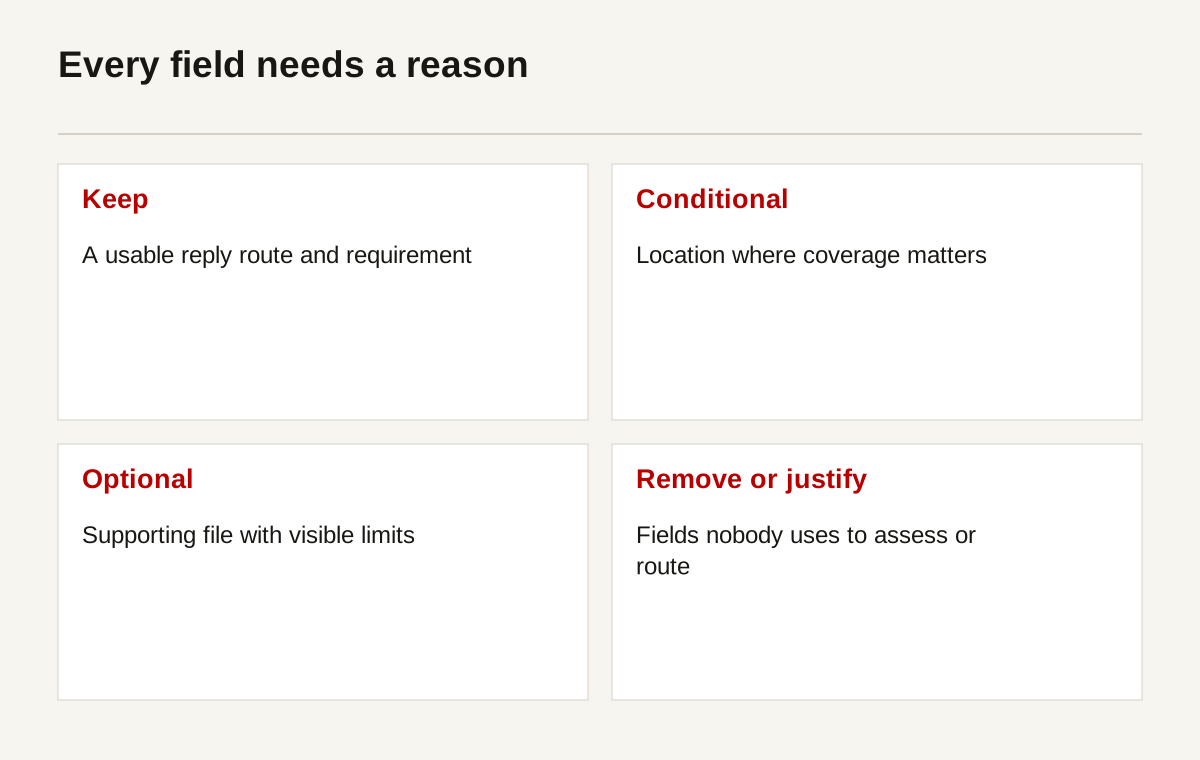
| Field | Reason to collect | Required status to consider | Privacy and handling question |
|---|---|---|---|
| Name | Address the person making the request | Required only where needed for the process | Who can access the enquiry? |
| Business email or maintained contact | Reply to the request | At least one suitable reply route | Will it be used only for the stated purpose? |
| Company | Understand the business context | Optional where early assessment can proceed without it | Is a full company profile necessary? |
| Requirement | Identify the problem and scope | Usually needed for a meaningful assessment | Could the free text contain confidential information? |
| Location | Check delivery or service coverage | Required only for location-dependent work | Is a country or region enough initially? |
| Timing | Understand a material constraint | Optional unless it determines feasibility | How will an uncertain date be represented? |
| Attachment | Assess supporting material | Optional unless genuinely essential | What limits, retention and access controls apply? |
This is a planning table, not a universal form prescription. An urgent marine enquiry and a website discovery request need different information. Match the fields to the actual review process.
For implementation, use the W3C forms tutorial. Provide persistent labels rather than placeholders alone. Explain required fields, accepted attachment types and size limits. Preserve entered information when a correctable error occurs.
The UK ICO's data-minimisation guidance provides one jurisdiction-specific reference for collecting information relevant to a purpose. Its page notes that the guidance is under review. Do not treat it as a complete legal assessment for Singapore or every overseas market. Check the requirements that apply to your organisation and processing.
Test the mobile journey as a real task
Choose a realistic requirement. Ask a participant to find the relevant service, assess one piece of evidence and prepare an enquiry on a phone. Observe what happens. Do not tell them where every control is or turn the session into a design presentation.
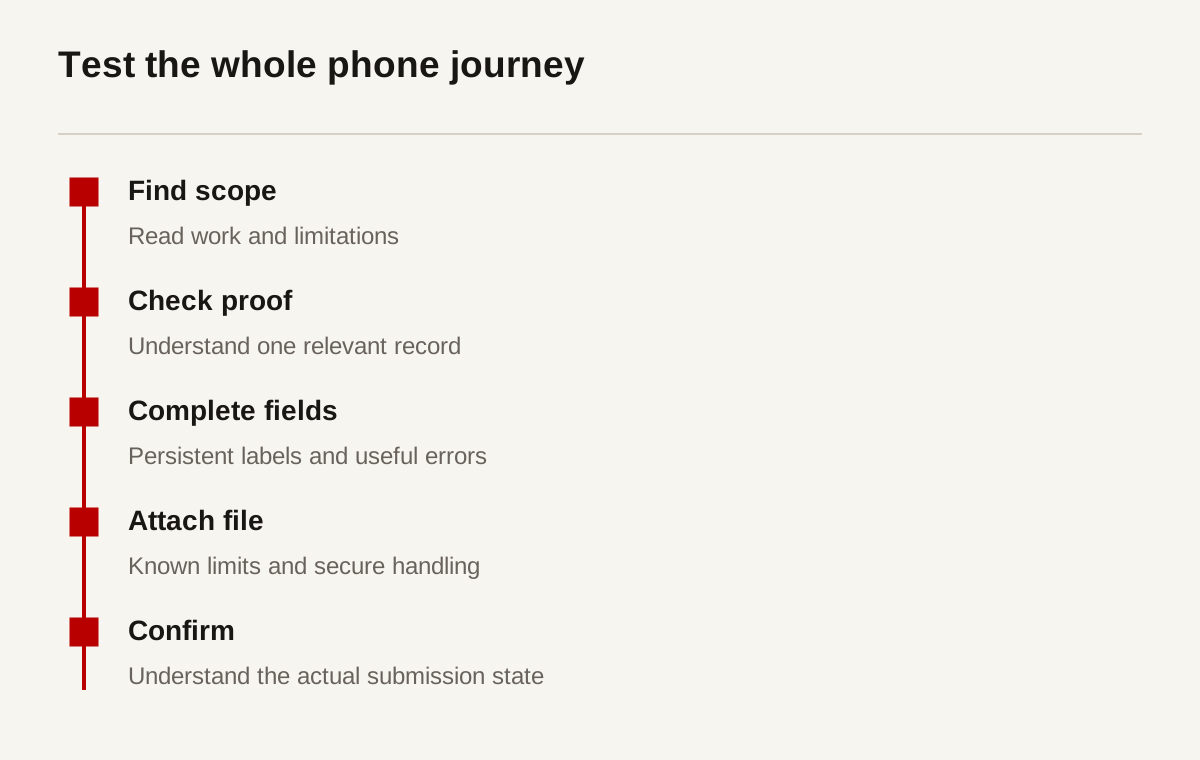
Test long names, narrow screens, keyboard behaviour and errors. A sticky banner should not cover a submit button. A fixed header should not hide the heading reached by an anchor. A tap target should remain usable when adjacent controls are close together.
The W3C target-size guidance explains the relevant accessibility criterion and its exceptions. Use it as an implementation reference. Do not reduce mobile review to one pixel threshold while ignoring labels, focus, scrolling or error handling.
Keep performance separate from visual preference
A slow or unstable page can interfere with a task. Check real field data where available and use laboratory tests for diagnosis. Web Vitals guidance distinguishes the measures and their evaluation. A favourable test on one laptop does not establish every visitor's experience.
Do not remove useful content merely to improve a score. Resize and compress images, avoid unnecessary scripts and preserve readable evidence. The goal is a functioning task path. An empty, fast page that does not explain the service is not a useful lead-generation improvement.
Record the devices and conditions used in testing. An attachment problem on one browser may need a targeted fix. A small participant sample can identify friction. It cannot prove a precise uplift across the whole buying audience.
Verify receipt, assignment and reply
The most overlooked break may happen after the visitor presses submit. A website can show a confirmation while the message fails to reach the team. A message can arrive while nobody owns it. A salesperson can reply while the customer receives no usable next step.
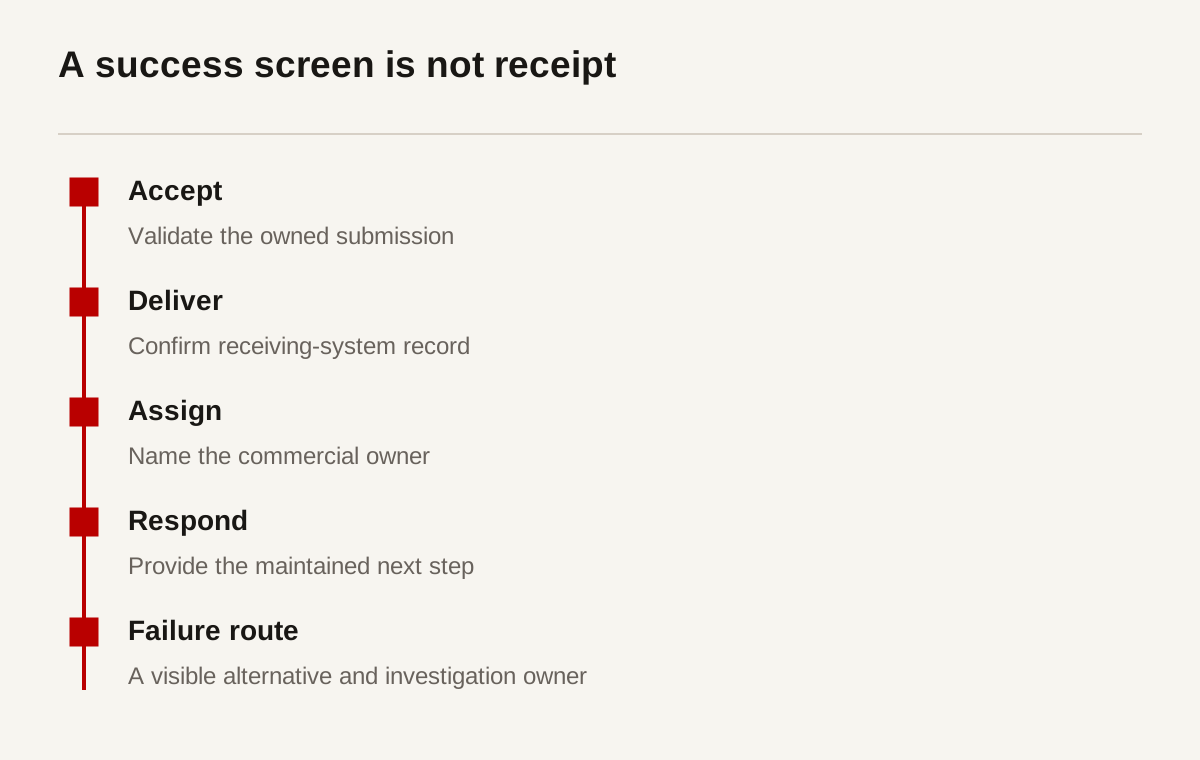
Test on the website you own, with receiving-team agreement. Clearly label the message as a test. Check the successful route, validation errors and the handling of an unavailable service where appropriate. Do not send test enquiries to unrelated companies.
Verify the actual receiving system. Inspect the inbox or authorised CRM record, not just a browser response. Check whether attachments survive, the sender can be replied to and the request is assigned. Keep a dated test record without copying sensitive content into a public report.
Use an honest confirmation. “Your request has been received” should correspond to the system's known state. If only technical acceptance is known, do not claim a person has reviewed it. Provide a maintained alternative when the submission fails.
The W3C notification guidance is useful for presenting success and errors accessibly. The operating process still needs an owner. Accessibility markup does not replace receipt or follow-up verification.
Check a request that arrives without its attachment
Consider an owned test where the form accepts the message, but the receiving team cannot open the drawing. This is a diagnostic example, not a client incident. Do not mark the test successful because the message text arrived. The attachment is part of the assessment task and needs its own pass condition.
Inspect the file type and size, the upload result, the receiving record and the permissions available to the intended reviewer. Check whether the team receives a file, a link or only a filename. A link that works for an administrator may still fail for the salesperson who must assess the request.
Repeat the test with a permitted file from a phone and a desktop. Keep the test material free of confidential project information. Record the actual failure and responsible system owner before proposing a replacement upload service.
If the company cannot support attachments reliably, give the reader an accurate alternative process. Explain how supporting material will be requested after initial contact. Do not leave a broken field visible merely because the design includes it.
Give failed delivery a route
Name who checks form health and who investigates missing messages. Decide how the business will notice delivery faults. Avoid a process that depends on a customer complaining after several days.
Check the contact route after deployments, mailbox changes and CRM changes. A previously successful test is not permanent proof. Keep the website, receiving system and team ownership in the same change checklist.
Measure stages without inventing a clean funnel
Use compatible units and time periods. Users, sessions, submissions and companies are not interchangeable. One person can have several sessions. One company can send several requests. One form can fire duplicate events. Define the denominator before calculating a rate.
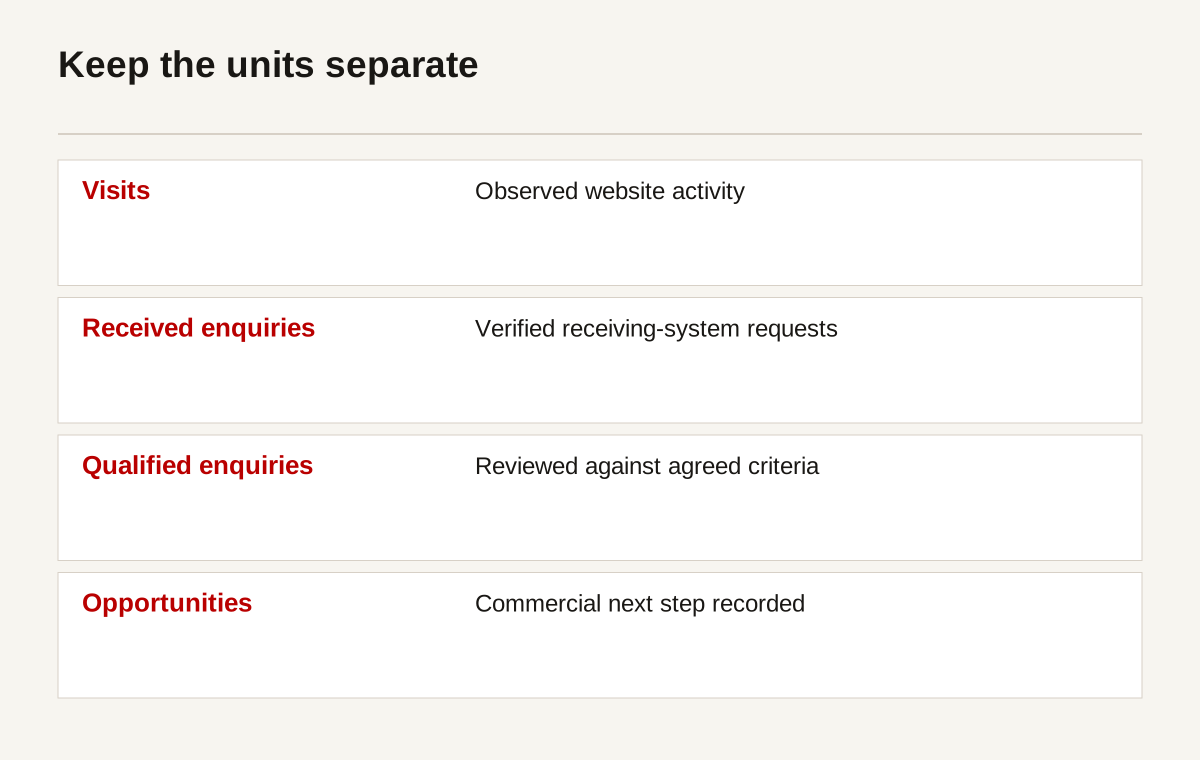
Start with records you can verify. Count submissions in the receiving system and qualification decisions in the commercial record. Compare them with website events to find implementation differences. A mismatch may indicate blocked measurement, duplicated events or failed delivery, not necessarily a marketing change.
Do not treat every untracked visitor as irrelevant. Consent choices, browser restrictions and cross-device activity limit observation. Document the measurement basis. A report should state whether it describes observed website activity, receiving-team records or a combined model.
Avoid sending contact names, emails or requirement text into analytics labels. Keep identifiable enquiry details in the appropriate business system under its access and retention rules. Measurement should answer the business question without exposing the request itself.
Attribution is a description, not a verdict
A buyer may discover the company through a colleague, read several pages and contact weeks later. One recorded source cannot capture every influence. Ask about discovery where appropriate, but distinguish self-reported information from automatically recorded channel data.
Use attribution to inform decisions, not to manufacture certainty. If a page helps a buyer assess a company, that is useful even when the final contact is attributed elsewhere. If an advertising source generates unsuitable requests, a large event count does not resolve the problem.
Run improvements with an explicit hypothesis
Write the suspected problem, proposed change, primary measure and guardrail before testing. “Make the button red” is a change. “Readers cannot identify the assessment route; clearer wording should improve successful task completion without increasing unsuitable requests” is a hypothesis that can be examined.
| Proposed experiment | Hypothesis | Primary measure | Guardrail |
|---|---|---|---|
| Clarify scope above evidence | Buyers currently cannot identify suitable work | Correct scope identification in task tests | Do not remove important limitations |
| Explain attachment limits before form | Failed uploads interrupt otherwise useful requests | Successful completion of owned upload task | Maintain secure handling and file checks |
| Move relevant project evidence near service | Buyers cannot find comparable responsibility | Evidence located and understood | Do not invent or overstate results |
| Clarify assessment link wording | Next step is misunderstood | Correct next-step explanation and task completion | Monitor unsuitable contacts |
| Change enquiry assignment | Received requests have no clear owner | Verified assignment and follow-up | Avoid exposing enquiry details unnecessarily |
Choose a method appropriate to the volume. Controlled split testing may not be informative when useful enquiries are rare and sales cycles are long. Task testing and phased changes can still identify problems. State the method and its limits rather than pretending every change produced statistically established gains.
The GOV.UK moderated usability guidance supports observation of defined tasks. Keep participant consent, recruitment and notes appropriate to the exercise. Do not report a few sessions as representative of every founder or manager.
Keep unrelated changes out of a test where possible. If the offer, traffic source and form all change together, attribution becomes harder. Record the dates and concurrent changes so the review remains interpretable.
Put the first month into a work list
Start with faults that block useful enquiries or misrepresent the service. Repair delivery before investing in more visits. Clarify scope before adding more persuasive copy. Obtain permission before publishing new proof.
| Period | Action | Dependency | Priority | Evidence of completion |
|---|---|---|---|---|
| Days 1 to 5 | Agree lead stages and scope criteria | Sales and leadership participation | Essential | Written definitions with examples |
| Days 6 to 10 | Verify submission, receipt and assignment | Owned test route and receiving-team access | Essential | Dated delivery and ownership record |
| Days 11 to 15 | Review service and evidence task paths | Approved content and test participants | High | Observed findings, not preference votes |
| Days 16 to 20 | Repair fields, errors and mobile blockers | Clear field purpose and development access | High | Successful task checks on relevant devices |
| Days 21 to 25 | Check measurement implementation | Agreed definitions and privacy review | High | Event-to-record comparison |
| Days 26 to 30 | Select the next controlled improvement | Reliable baseline and known constraints | Planned | Hypothesis, measure, guardrail and owner |
The workbook contains lead definitions, field purpose, routing checks and an experiment log. Its rows are marked examples. Replace them with your process, and assign unknown items to owners rather than guessing an answer.
Use the routing checklist after changes to the website or receiving systems. Use the experiment log before making the next improvement. The files contain no private enquiry data, macros or promised benchmark.
Questions to ask before commissioning a redesign
Should we buy more traffic first?
Not if messages fail to arrive or the page misstates your scope. More visitors can amplify an existing fault. If the journey works and relevant discovery is genuinely the constraint, additional search or advertising work may be appropriate. Diagnose the condition rather than applying a fixed order to every business.
Should the form be as short as possible?
It should collect the information needed for the next decision. Removing an unused field can help. Removing a field required to assess service coverage may create extra follow-up. Test the actual task and receiving process, not the length alone.
What is a good B2B conversion rate?
There is no universal figure that makes different services, traffic sources and lead definitions comparable. Define your stages, verify the data and examine suitable outcomes over a relevant period. A higher rate can be worse when it consists of unsuitable requests.
Can we tell whether the website caused a sale?
You can record observed visits, enquiry delivery, qualification and reported influences. Causal claims need a defensible method and consideration of other factors. Do not call a sequence of events proof that the website alone won the work.
Start with the broken handoff
At Creatif Work, we review the complete path from buyer question to receiving-team action. The right answer may be clearer evidence, a better form, working assignment or more relevant discovery. A cosmetic refresh cannot resolve all four.
We can turn that diagnosis into website work the team can maintain, with human-led review of the information and interaction. If the main issue is unclear, start with the journey rather than a list of page changes.
Sources and scope
References were reviewed on 1 October 2026. This is a diagnostic planning guide, not a legal assessment or a report on client conversion performance.
- Google Analytics recommended events: available event definitions, not automatic qualification.
- Google title links: descriptive search titles.
- W3C forms and notifications: accessible fields, success and errors.
- W3C images and tables: accessible evidence presentation.
- W3C minimum target size: criterion and exceptions for controls.
- Google Web Vitals: performance definitions and evaluation.
- GOV.UK moderated usability testing: task observation method.
- ICO data minimisation: UK-specific guidance, noted by its publisher as under review.
There are no client analytics, participant findings or invented funnel counts in this article. The diagrams describe tasks and ownership. Use authorised business data before drawing conclusions about your own performance.