

Can a Company Website Be Built Without WordPress?
Yes. WordPress is one way to manage a company website, not a requirement for publishing on the web. A site can use a hosted builder, a headless content system, a static-site generator, a custom application or plain files with no editing interface at all.
The better question is not “Can we avoid WordPress?” It is “Who needs to change what, how often, and who will maintain the system after launch?”
Can a business website work without WordPress?
Yes. A business website can use custom code, a hosted website builder, a headless content system or a static generator. The right choice depends on editing needs, integrations, ownership, security responsibility and available technical support. Avoiding WordPress removes some trade-offs but introduces different ones.
WordPress is open-source software released under the GNU General Public License. It gives non-technical teams a familiar publishing interface and has a large plugin ecosystem. Those strengths do not make it the right choice for every job.
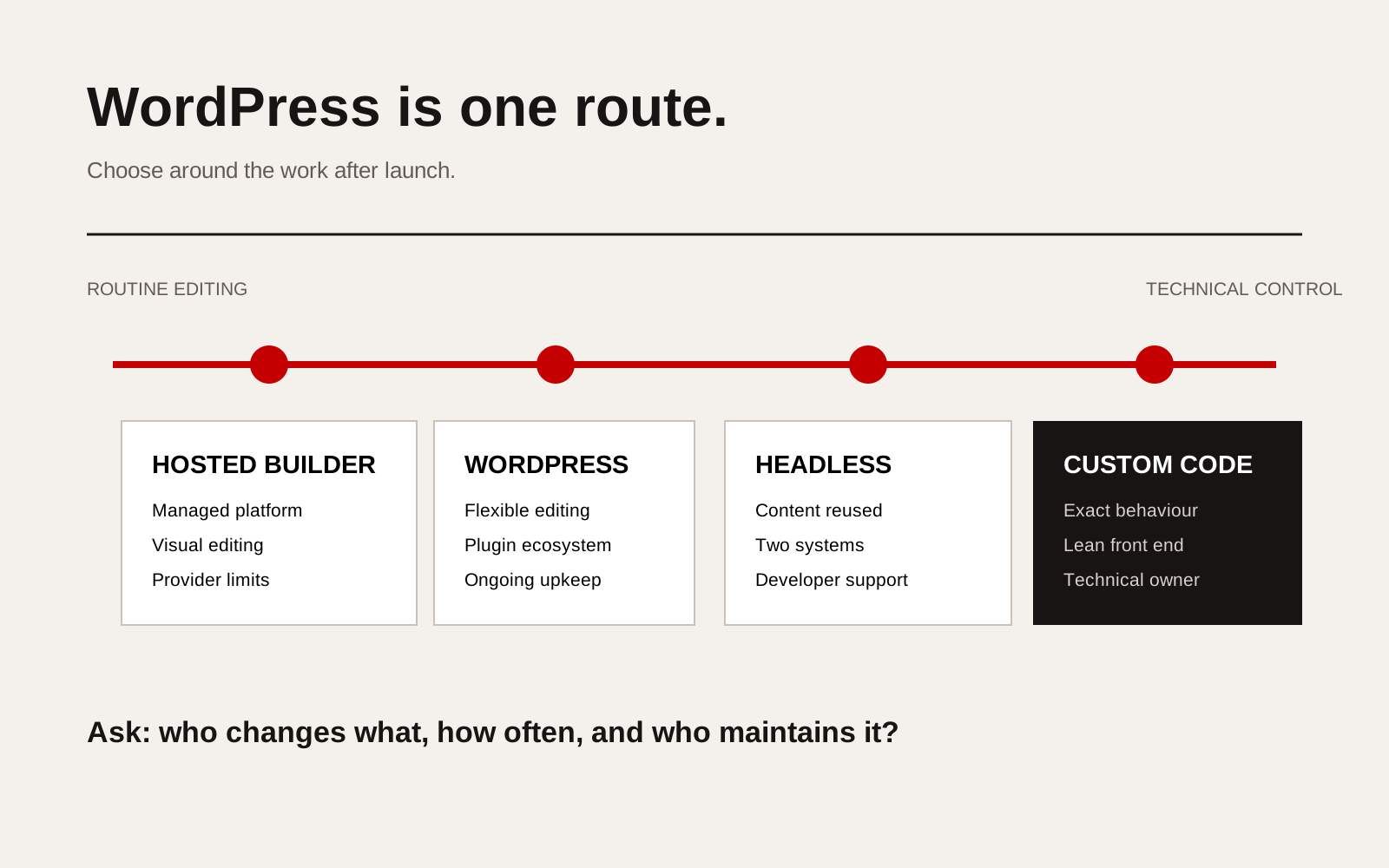
Decision map comparing WordPress, a hosted website builder, a headless content system and a custom coded website.
Four common routes
| Route | Best fit | Main advantage | Main responsibility |
|---|---|---|---|
| WordPress | Marketing site with regular editing and standard content types | Editors can manage pages, posts and media in one system | Core, plugin, theme, backup and security maintenance |
| Hosted website builder | Small team that values a managed service and visual editing | Hosting and platform updates sit with one provider | Platform limits, subscription terms and migration options |
| Headless content system | Content reused across a website, app or multiple markets | Content is separate from the front end | Two systems, preview workflow and developer support |
| Custom or static build | Stable content, unusual interaction or tight performance needs | The front end can contain only what the project requires | Changes may need a developer unless an editor is added |
None is automatically faster, safer or cheaper. A poorly maintained WordPress site can fail. So can custom code that only one former developer understands. The platform name does not replace operating responsibility.
Start with the editing jobs
List the changes the company expects to make in an ordinary month:
- add a project;
- update a team member;
- publish a technical article;
- change a service detail;
- replace a downloadable document;
- add a language version;
- edit structured product data;
- connect a form to a sales or operations system.
Then assign each job to a real person. If the answer is “the agency” for every line, ask whether that dependency is intentional. If the answer is “our marketing team”, the system needs safe editing controls, preview and an approval path. If updates are rare and technically reviewed, a simpler static build may be enough.
Ownership is wider than source code
A company can own the design and content while still depending on a platform account, deployment service, plugin licence or developer toolchain. Before choosing a route, record who controls:
- the domain;
- the hosting or platform subscription;
- the source-code repository;
- the content database;
- administrator accounts;
- third-party licences;
- analytics and search accounts;
- backups and export files.
Our website ownership checklist explains why these assets need separate handover records. “Built without WordPress” does not mean “free from platform dependence”. Ask how the site moves, exports and runs if the current supplier relationship ends.
When WordPress remains sensible
WordPress is often a sound choice when the organisation publishes frequently, needs several editors and wants standard content types without funding a custom editorial interface. It is also useful when a team already knows how to operate it and has a named maintenance owner.
Choose it because those conditions fit, not because it was the default in the proposal. Confirm which plugins are essential, who owns their licences and what happens if a subscription ends. Compare the maintenance burden with the value the plugins provide.
When another route is stronger
A non-WordPress build may be a better fit when:
- the website is primarily a fast, stable set of approved pages;
- the public interface needs unusual interaction or application logic;
- the same structured content must feed a website and another product;
- the company already has a capable development team;
- security policy limits third-party plugins;
- the editing model is narrow enough to design directly around it.
For an operational portal, client workspace or workflow tool, the decision may no longer be a CMS decision. It may be a software-product decision. Our custom software service begins with users, decisions, permissions and data before selecting the technical stack.
Questions to put in the website brief
Ask every shortlisted studio:
- Which platform do you recommend and what project requirement led to it?
- Which changes can our team make without code?
- What requires your support?
- What recurring subscriptions or licences are required?
- How are backups, updates and security handled?
- Can we export our content and source files?
- What knowledge is needed to move the site to another supplier?
- What is included in the handover?
The answers should describe an operating model, not just a technology preference. Our comparison of Squarespace and WordPress applies the same principle: choose around the work the team must do after launch.
Creatif Work designs company websites on the system that suits the content, workflow and ownership requirements. We use WordPress when it fits. We use custom or code-based approaches when they fit better. The diagnosis comes before the platform.