

Website Migration SEO: What to Check Before and After Launch

Website migration SEO means preserving useful public content and routes while changing the system that serves them. Inventory the old site, map genuinely changed addresses, test the new output and verify the public release. Then monitor discovery and traffic separately. No migration checklist can guarantee unchanged rankings.
The new website looks ready. The homepage works, but a saved service link returns an error. A technical PDF has disappeared. The staging configuration still blocks an important page. These faults are preventable only when the migration is treated as a set of specific public routes and records rather than a visual launch.
This guide is for a planned move involving hosting, a CMS, a domain or page addresses. It explains preparation and acceptance, not retrospective attribution of an unexplained traffic drop. The worked example is an original fictional B2B website. Generated photographs illustrate testing. Numerical inputs describe an assumed URL inventory, not a client outcome or industry benchmark.
Use the URL mapping and launch workbook or editable CSV pack. Five captioned web tables make the working method available without downloading. Link the migration record to the after-launch operating guide so release evidence has an ongoing owner.
Define the move before setting the launch date
A hosting move can keep public URLs unchanged. A CMS change can keep them unchanged or alter paths. A domain move changes the host portion of addresses. A redesign can change content and navigation without moving the domain. Each has different preparation and test requirements. State which changes are actually included.
Google provides separate guidance for hosting changes without URL changes and site moves with URL changes. Use the document that matches the move. A generic migration checklist can miss the distinction and introduce unnecessary redirects or overlook changed addresses.
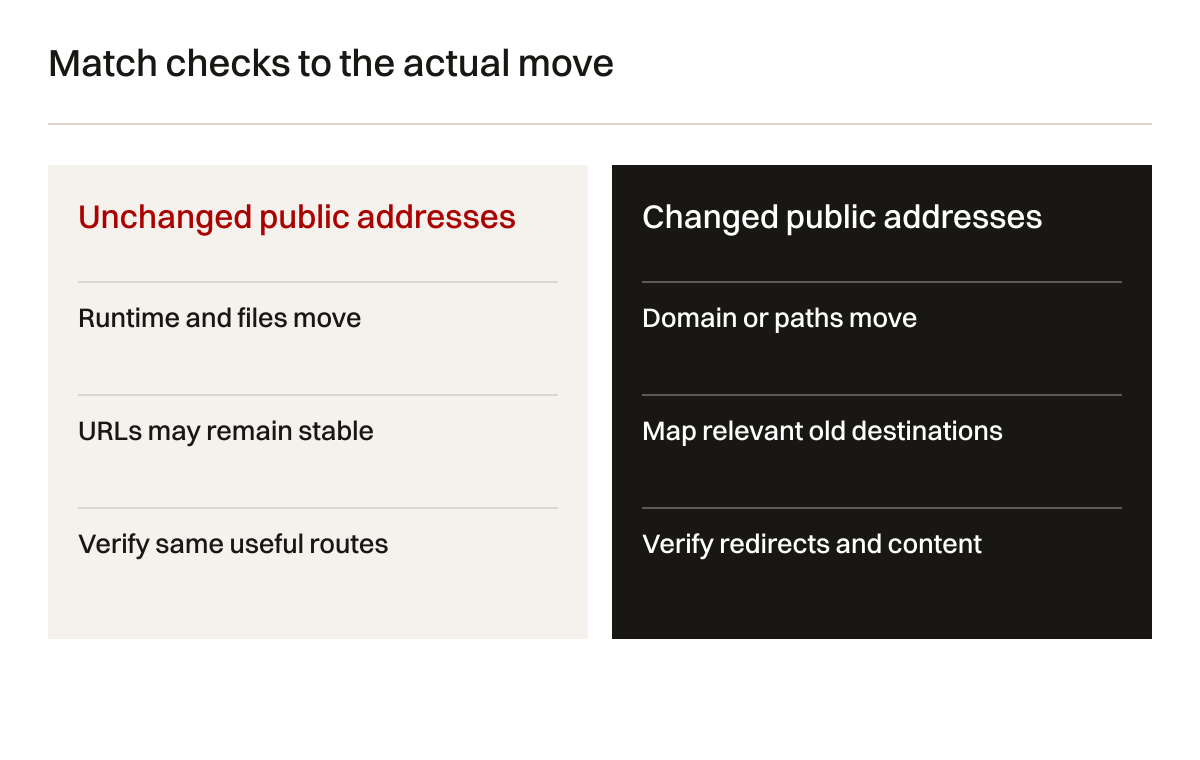
Table 1: move types. The actual project can combine several rows; record each affected component.
| Move | Public URL change | Primary preparation | Critical acceptance |
|---|---|---|---|
| Hosting change | Not necessarily | Copy runtime, files and configuration | Same routes return intended public content |
| CMS change | Depends on design | Content and output comparison | Templates preserve approved routes and signals |
| Domain change | Yes | Old-to-new mapping and domain setup | Relevant redirects and new destinations work |
| Path change | Yes for affected pages | Page-level mapping | Old address reaches equivalent usable content |
| Content consolidation | Usually for removed pages | Relevance and removal decisions | Merged content genuinely answers the old task |
| File relocation | Yes if file address changes | Download and image inventory | Saved file links have an approved outcome |
If several major changes can be separated, consider doing so. Google's URL-move guidance recommends changing one major aspect at a time where possible. A combined release may still be a business requirement. Record that decision and increase the clarity of component-level checks rather than presenting it as a universally safe shortcut.
Build an inventory from several views
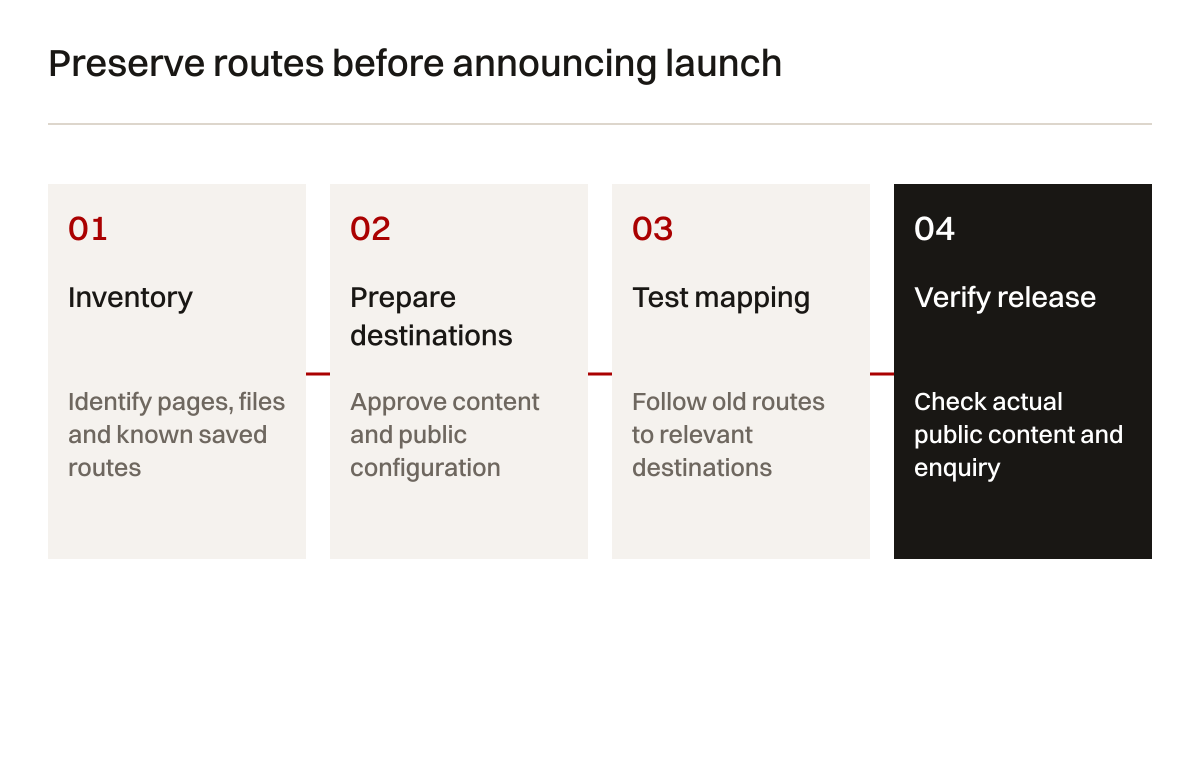
Use the available CMS records, public crawl, sitemap, search observations and analytics to identify existing addresses. No single view is guaranteed to be complete. A crawl may miss an orphan page. A CMS export may omit an independently stored PDF. A sitemap may include obsolete routes. Retain the source of each discovered address.
Include pages, images and downloads that matter to visitors. Technical PDFs can receive direct links from quotation emails or supplier directories. Old campaign pages can remain in saved bookmarks. Do not limit the inventory to the navigation because important routes may exist outside it.
Assign a purpose to each important address. A page qualifies a service. A PDF provides an approved specification. A project record supports capability. If the team cannot describe the purpose, mark it for review. Removal should be a deliberate decision, not a side effect of failing to find the old source file.
Record exact addresses with relevant variations. Trailing slashes, case and query parameters can behave differently in the implemented stack. Do not assume the new platform normalises them like the old one. Test the variations actually used in known links and observe the response before deciding the required rule.
Map destinations according to the task
An old service page should normally lead to an equivalent service page when it moves. An old specification should lead to the relevant current document or product explanation. Sending all addresses to the homepage may produce a technically working redirect while leaving the visitor unable to complete the original task.
For removed content, decide whether an equivalent exists. If several pages are genuinely consolidated, the destination should contain useful corresponding content. If a page has no replacement, an appropriate removal response can be more accurate than an irrelevant redirect. Google's site-move guidance describes both mapping and handling deleted content.
Table 2: fictional URL mapping. Example addresses are placeholders, not routes on the Creatif Work website.
| Old route | Decision | New destination | Acceptance evidence |
|---|---|---|---|
| example.com/services/precision | Keep equivalent service | example.net/services/precision | Redirect and matching approved service content |
| example.com/downloads/profile.pdf | Replace current document | example.net/downloads/profile.pdf | Current PDF opens and links work |
| example.com/projects/sample | Preserve approved evidence | example.net/projects/sample | Permission and project details retained |
| example.com/services/retired | Remove with no equivalent | No unrelated substitute | Approved removal response |
| example.com/process-a and process-b | Consolidate after review | example.net/processes | Destination covers both useful tasks |
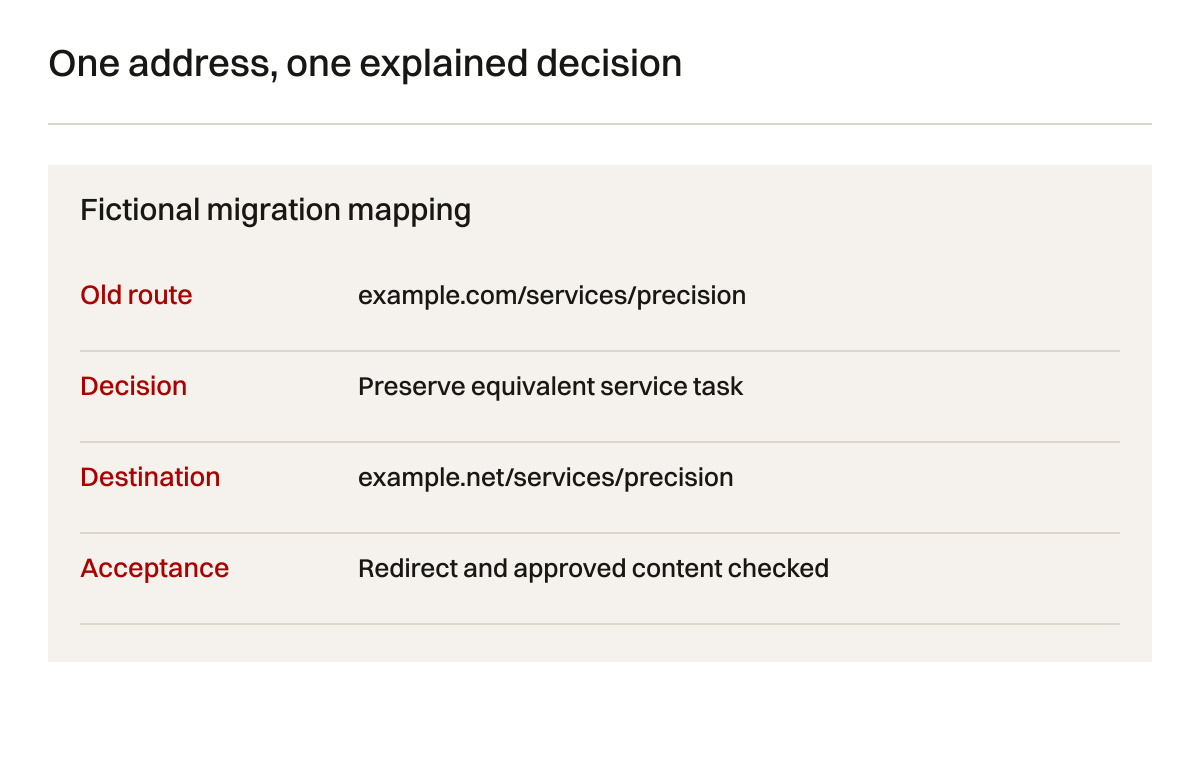
Give ambiguous mappings a business approver. A developer can implement a redirect but should not decide that two engineering services are equivalent. A search practitioner can identify an important old route but should not approve the technical claim on its replacement. Keep relevance and implementation decisions connected but distinct.
Preserve content as well as addresses
A page can retain its URL and lose the information that made it useful. Compare headings, specifications, evidence, images, captions, downloads and enquiry instructions. A redesigned card layout may omit important conditions because the content no longer fits. That is a content loss, even if every route returns a successful response.
Choose representative pages from each template and include exceptions. Inspect a detailed service page, a technical article, a page with a table and a download-heavy page. Use a source comparison rather than memory. Ask factual owners to review changed claims and retain approval references.

Do not copy invalid old material merely for continuity. If the old page contains an outdated claim, correct it with approval. Record that the content changed deliberately so later observations are not attributed only to the migration. Search interpretation becomes more difficult when the move, content scope and measurement definitions all change unnoticed.
Keep meaningful alternative text and captions with images. Check new crop behaviour at actual screen sizes. An equipment image can load correctly while losing the part a buyer needs to see. File availability, visual meaning and permission to publish are separate acceptance questions.
Protect staging without confusing production
A test environment needs a deliberate access and discovery arrangement. It may use authentication, restricted access and indexing controls according to its purpose. Do not rely on a guessed hidden address to keep unfinished or private material inaccessible. The staging plan should also define which settings must differ at public release.
Google's robots.txt introduction explains crawl-control behaviour. A robots rule is not access control and is not a dependable way to remove a known URL from search. Google's noindex documentation explains indexing prevention and the need for crawlers to encounter the instruction.
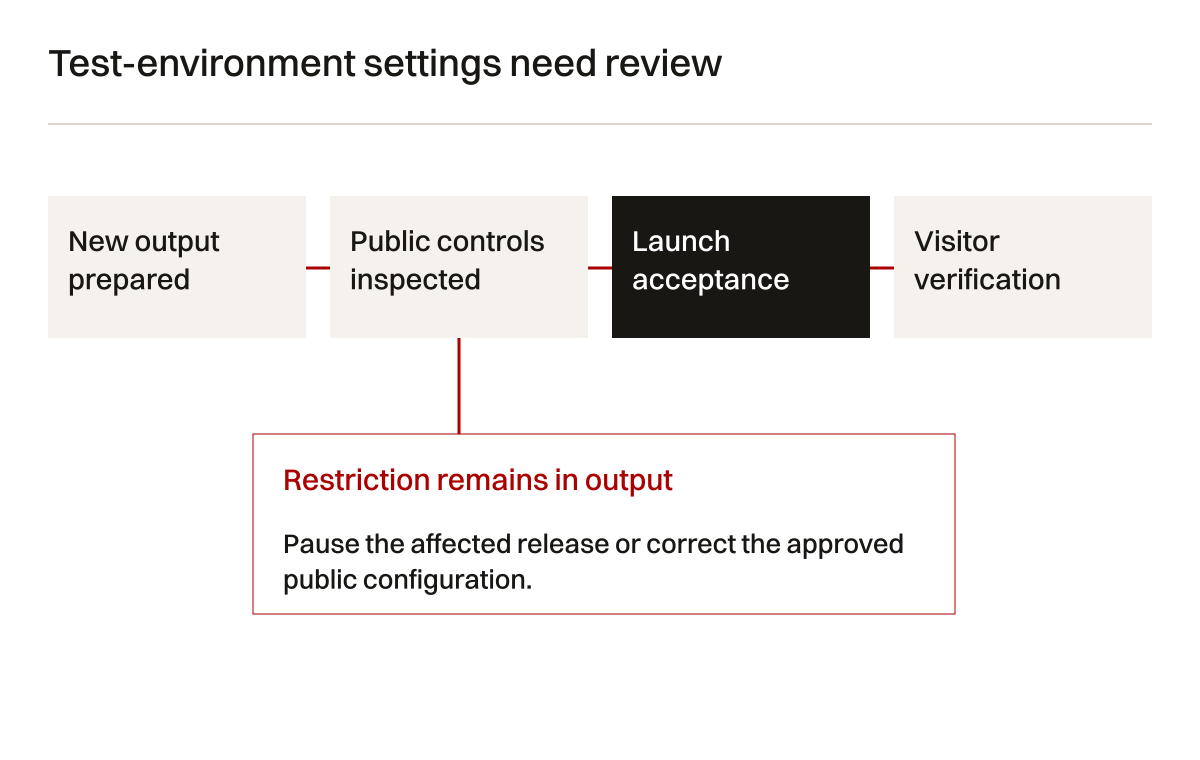
Make a release checklist of staging-specific settings. Include indexing instructions, canonical hosts, internal links, form recipients, analytics properties and file destinations. Test the actual public output after release. A configuration file that appears correct does not establish what the deployed page returns through its cache and routing layers.
A fictional failure demonstrates the distinction. The developer removes a noindex meta tag from the template but a response header still contains a noindex directive. The page looks normal to a visitor. The acceptance test must inspect the response and output, not only a screenshot of the page.
Test redirects through the whole route
For a permanent move, use the appropriate supported redirect mechanism. Google's redirect guidance distinguishes permanent and temporary behaviour. Server-side redirects are a common appropriate choice for URL moves where the platform supports them. Match the actual method to the intended change.
Check the first response, any intermediate responses and the final destination. Watch for loops, unnecessary chains and redirects to an inaccessible page. The destination should be an intended public page with correct content. A redirect that ends on another redirect still requires understanding of the whole path.
Test known variations, including the relevant old host, protocol and path. Old www links may behave differently from the root host. A legacy PDF can be handled outside the page router. A redirect rule that works for HTML pages may never apply to static files. Use the inventory to select tests rather than assuming one rule covers everything.
Keep evidence for rejected mappings. If the business removes a service, the record should explain why no equivalent destination exists. That helps a future maintainer avoid adding a broad homepage redirect later simply because an error report contains the old route. A removal can be correct under a documented content decision.
Align canonicals, links and sitemaps
The intended public destination should have consistent signals. Check its canonical URL, internal links and sitemap entry. A new-domain page that declares the old domain as canonical creates a conflict. A sitemap full of redirects does not accurately describe the intended current page set.
Google's canonical documentation describes several signals, including redirects and canonical annotations. The search system still selects a canonical according to its processing. Your task is to make the implementation consistent and observe the result, not to promise that a declaration forces selection.
Google's sitemap overview explains its discovery role. A sitemap is especially useful as one inventory and monitoring input. It does not guarantee that all listed pages will be crawled or indexed. Test the listed destinations and update the file to reflect intended current public URLs.
Update current navigation and body links directly. Do not leave every internal link pointing to an old address merely because redirects work. Retain redirects for older external and saved routes while making current material use current destinations. Check links inside downloads where they are part of the business's working material.
Define launch acceptance by page type
Different templates can fail differently. A homepage check may miss a product specification table, PDF route or JavaScript-rendered service page. Group tests by meaningful behaviour. Include one representative and one exception where the template has variation. Document the sample's limits.
Table 3: launch acceptance tests. Passing a sample is specific evidence, not a claim that every possible route is perfect.
| Area | Test | Evidence | Stop or review when |
|---|---|---|---|
| Service pages | Compare approved content and enquiry route | Public page and received marked request | Scope missing or request not received |
| Old URLs | Follow mapped route | Response chain and relevant final content | Loop, unrelated destination or inaccessible page |
| Downloads | Open old and new known links | Current file content and response | File missing, stale or incorrectly restricted |
| Discovery controls | Inspect robots and indexing instructions | Actual public response and page output | Required page blocked or noindex remains |
| Canonicals and sitemap | Compare intended destinations | Public signals and valid route list | Old host or redirected URLs remain unintentionally |
| Measurement | Test agreed event definition | Expected event count under stated conditions | Definitions change without documentation |
Ask the business owner what blocks launch. Missing technical conditions on a service page can be more consequential than a small visual defect. A working old PDF may need immediate priority because buyers use it in quotations. The acceptance decision should explain consequence rather than count faults as if they were equal.
Keep release and rollback records
Record the deployed version, changed configuration and responsible working owner. Retain the approved mapping and tests with the release. A later investigator should be able to distinguish a planned removal from an accidental error and identify which change introduced a problem.
Rollback is not always a single button. Restoring code may not restore imported content or database changes. Reverting DNS may still leave cached answers. Returning to an old CMS may lose records entered in the new one. Explain these boundaries before the public move, while alternatives remain easier to evaluate.

Keep the old hosting or domain service for the agreed period where it supports continuity. Domain renewal may be needed to maintain redirects from the old identity. Do not retire it because the new homepage works. Google's move guidance discusses retaining redirects and allowing time for URLs to be processed; apply its current instructions to the actual move.
Choose who can authorise rollback or a partial repair. A small redirect fault may be corrected without reversing the whole migration. A widespread access failure may need a different decision. An escalation route should allow the team to act on observed consequences rather than wait for everyone to agree on an ambiguous launch status.
Assign ownership to each stage
The website owner approves public scope. The developer implements routing and output. The content owner approves facts and documents. The search practitioner reviews discovery signals and observations. The commercial owner confirms that enquiries arrive and can be handled. One person can hold several roles, but the responsibilities remain distinct.
Table 4: migration ownership. The record should identify real people or contracted roles before release.
| Responsibility | Decision owner | Working owner | Handover evidence |
|---|---|---|---|
| Content preservation | Business and technical leads | Content migration owner | Approved comparisons and exceptions |
| URL equivalence | Relevant service owner | Search and developer owners | Mapping decisions and tests |
| Domain and hosting | Authorised account owner | Deployment administrator | Current access and configuration record |
| Public enquiry | Commercial lead | Form and delivery owners | End-to-end marked test |
| Search observation | Commercial decision maker | Search practitioner | Properties, ranges and limits recorded |
| Recovery decision | Launch approver | Technical maintainer | Rollback boundary and preserved records |
This arrangement prevents a common gap. The developer may assume the search practitioner approved the destination relevance. The search practitioner may assume the developer tested the actual redirect. Record both pieces of evidence. Neither role should close the other role's task through assumption.
Use a synthetic inventory to test reconciliation
The guide's teaching inventory contains thirty old routes. Eighteen retain equivalent public addresses, eight have approved changed destinations and four are removed without equivalent content. Eighteen plus eight plus four equals thirty. These categories describe decisions, not a ranking prediction.
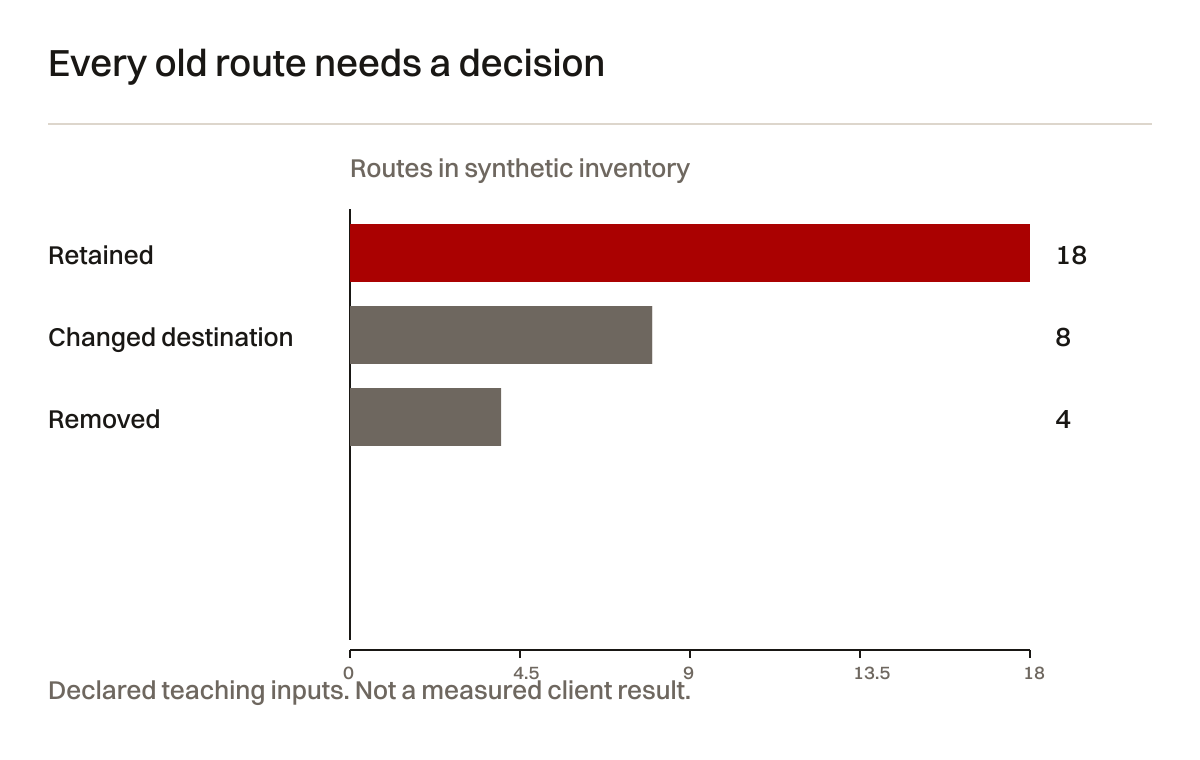
The CSV preserves these declared inputs. A real site may have many more addresses and different categories. Do not use the proportions as an acceptable migration target. A single unmapped high-use technical file could matter more than the chart's apparent completion rate. Track relevance and unresolved exceptions in addition to totals.
When the real inventory grows, preserve new discoveries rather than hiding them to maintain a completed percentage. An old link found after launch should enter the mapping review. Decide whether it needs preservation, a relevant destination or a valid removal. The record remains useful because it can explain changes to its own scope.
Numeric reconciliation is a basic consistency check. It does not prove that every destination is useful or every file is correct. Combine it with representative content tests and actual enquiry checks. The chart's purpose is to make the assumptions inspectable and prevent missing categories, not to declare migration success through arithmetic alone.
Monitor the move after technical acceptance
Technical release checks can happen immediately. Search systems need time to discover and process changes. Google explains that URL moves occur through crawling and indexing and can involve temporary ranking fluctuations. Keep that distinction visible to the business. A correct public redirect is evidence of implementation, while later search observations address processing and visibility.
Use Search Console with access to the relevant properties. Check current indexing and inspection information against the actual page output. Record when the tool's observation was generated. Historical indexed information and a current live page describe different moments.
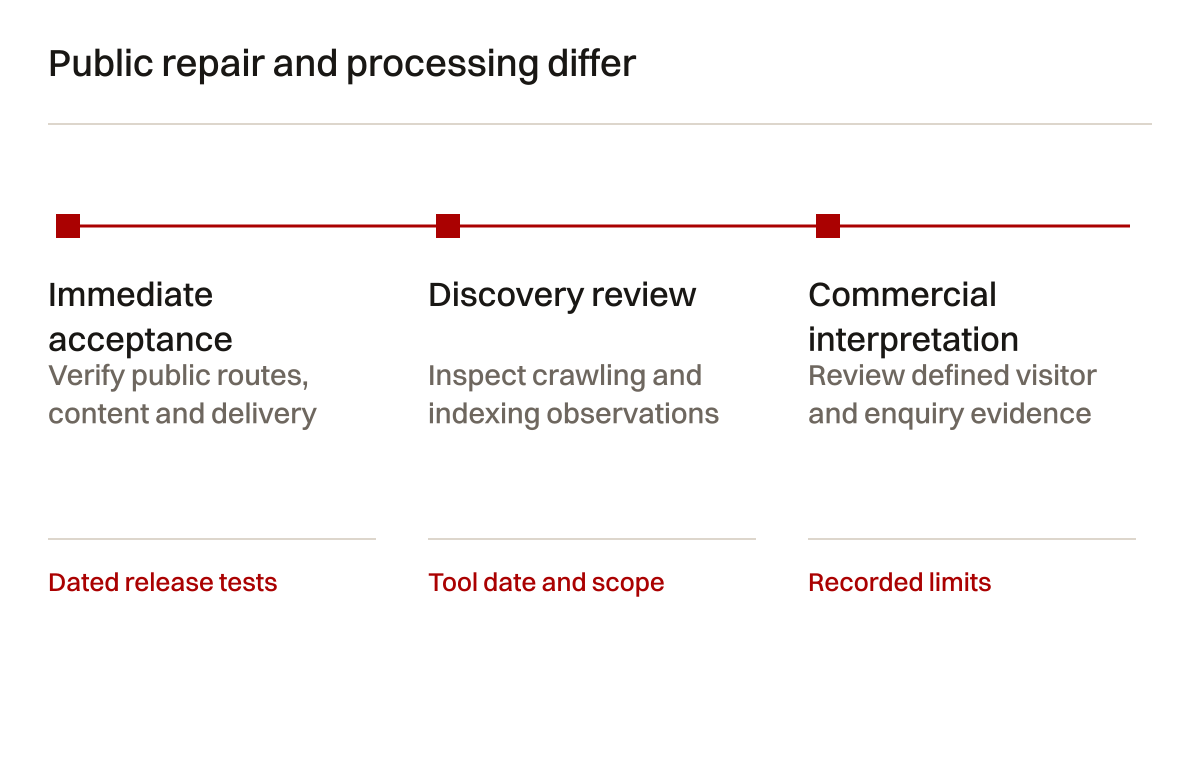
Table 5: follow-up observations. Each signal supports a bounded conclusion and a possible next test.
| Observation | Possible question | Next check | Limit |
|---|---|---|---|
| Old URLs still appear | Has the move been processed? | Inspect relevant mappings and crawl observations | Search presentation can lag public changes |
| New page excluded | Is implementation inconsistent? | Check response, content and canonical signals | Exclusion categories need page-level interpretation |
| Clicks decline | Which pages and queries changed? | Segment old and new properties and release changes | Timing alone does not establish cause |
| PDF requests fail | Was a file omitted? | Open known old and new links | Logging may not cover every request |
| Enquiries fall | Is the journey functioning? | Test form, delivery and handling before attribution | Search clicks and qualified requests differ |
Do not respond to every fluctuation with a new redesign. First investigate the affected route and the evidence behind the signal. A lingering old URL might simply need processing time, while an accidental noindex needs correction. Different diagnoses lead to different actions.
Work through a missed specification file
A fictional manufacturer moves its website to a new CMS and domain. The team maps the visible pages but discovers a technical PDF through an old quotation email. The file has no link in the current navigation, yet it supports an active service. It belongs in the inventory before the source host is retired.
The technical owner approves an updated PDF. The team maps the old file address to the new current file. During testing, the page router redirects correctly but the old static-file route still returns an error. The implementer adds the required file-level rule and repeats the request through the actual old host.
The new PDF opens, but its footer points to an obsolete contact page. The document owner corrects the source and republishes the approved version. The commercial owner submits a marked enquiry from the resulting route. The team retains the request receipt as evidence of the journey beyond the file.
This example shows why page inventory, download content and enquiry delivery need separate checks. It does not claim a measured traffic recovery. The final record establishes the tested visitor route and documents the remaining search observation work. That is a more useful handover than a statement that migration SEO was completed at launch.
Check a template family rather than one page
A CMS migration can preserve some routes and fail others that look similar. The fictional website has three content families: services, project evidence and technical downloads. Each uses a different output path. The service template generates metadata. Project pages include permissions and captions. Downloads are served from a static file store. One homepage test covers none of those differences.
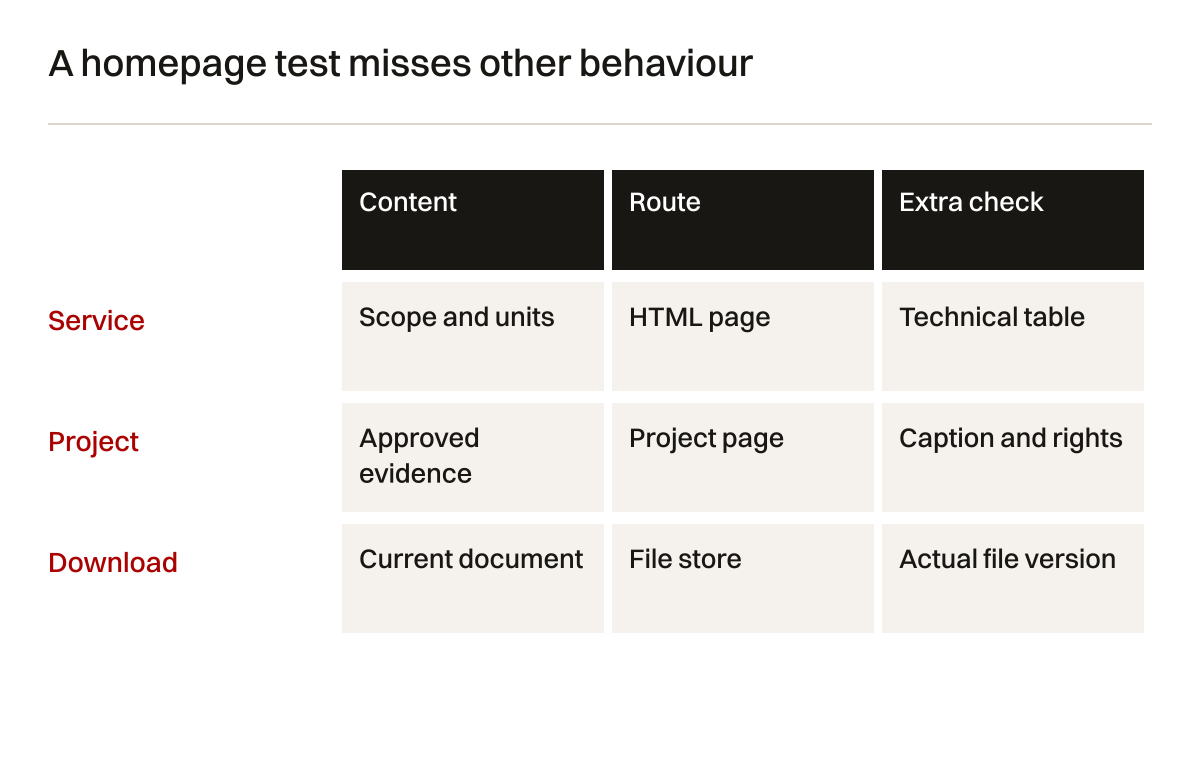
Select a representative record from each family and an exception that exercises its variation. For services, choose one page with a technical table. For projects, choose one with an approved image caption and linked document. For downloads, choose a file used in known quotation links. Record why the sample was selected and which routes remain outside it.
The team compares approved source information with the public result. The service page keeps the values but loses a qualification below the table. The project page keeps the image but loses its permission-approved context. The download opens, yet its content is an old version. All three routes return successful responses. The response test passes while content acceptance fails.
The responsible owners approve corrections to the template and file source. The implementer then checks other records using the same patterns. A discovered shared failure justifies broader testing because it raises a concrete concern. It does not justify unrelated page changes that make the release harder to explain.
Keep the distinction between a sample result and complete coverage. A representative check can establish a pattern under stated conditions. It cannot prove that every legacy record is correctly formed. The migration register should identify unresolved unusual records and the procedure for adding discoveries after launch. That preserves useful evidence without making an impossible claim of universal completeness.
Reconcile a late content change
A website migration often has a content freeze or a defined late-change route. In the fictional project, the technical owner corrects a service condition after the first content copy. The old site receives the correction, but the receiving CMS still contains the earlier version. Without a late-change log, the public move would restore the wrong statement.
Record the changed source, approving owner, receiving destination and comparison result. The migration working owner applies the correction to the new source and checks its public output. The final inventory should distinguish an approved late change from a mismatch that requires investigation. A general statement that all content was copied does not answer whether later corrections arrived.
If production records continue changing during cutover, decide how the final difference is reconciled. A brochure site may have only a few approved edits. A site with customer requests or transactions needs a more specific record-entry boundary. The SEO migration record should identify those dependencies and hand them to the appropriate platform owner rather than pretend URL mapping solves stored-data continuity.
The launch approver receives the unresolved list. One approved edit is complete. Another attachment awaits technical review. The team can defer that attachment's new claim while preserving its existing valid route, if the business approves that choice. It should not invent missing facts to make the inventory appear closed.
After release, test a previously saved link and the current navigation route to the same content. They may pass through different caches or routing rules. Keep both results. If the saved link fails while the new link works, the correct next task is the old-route mapping, not another rewrite of the destination page.
This scenario gives the business a concrete reconciliation process: identify the change, approve the source, copy it deliberately and verify its public result. It avoids turning a content freeze into an assumption that nothing changed. The record remains useful because it explains which version should be current and where its authority comes from.
Include the final source version in the handover record. The receiving maintainer should be able to identify which approved statement belongs on the live page and which old copy is historical. If another discrepancy appears, that reference makes investigation possible without guessing whether the source changed, the copy failed or a cache still holds earlier output.
Frequently asked questions
Does a new CMS always require redirects?
Only when public addresses change or the implemented normalisation requires a rule. A CMS move can preserve URLs. Test the actual new output and known variations. Unnecessary redirects add work, while missing redirects on changed addresses break older routes.
Is the sitemap a complete migration inventory?
No. It is one input. Old files, orphan pages and saved campaign addresses may sit outside it. Combine CMS records, public inspection and available search or visitor evidence. Record where each important address was found and how its destination was decided.
Can the team guarantee stable rankings?
No. Correct implementation can reduce avoidable faults, but search processing and competition remain outside a migration checklist's control. Google explicitly describes possible fluctuations during significant moves. Make technical acceptance concrete and later observations honest about their limits.
Should every removed page redirect?
Only when a relevant replacement exists. An unrelated homepage destination can mislead the visitor. Record why a page is removed, merged or preserved. Use the appropriate response for content that genuinely has no equivalent, based on the approved decision.
When can the old provider be closed?
After its remaining responsibilities are identified and accepted. Redirects, old-host requests, archives and recovery material can depend on it. Website launch alone does not prove those dependencies ended. Check account and domain renewals before cancellation.
Start with the route you cannot account for
Bring the current site inventory, a known saved link and the intended move. The first useful decision is what must stay available and who can approve its destination. Build and test that record before treating the launch date as the definition of completion.
Creatif Work can coordinate website redevelopment, technical search work and hosting support around the inspected migration. The scope follows actual changed routes and operating dependencies. Start with the problem.
Sources and limits
Official sources checked on 4 October 2026. The URL inventory and worked example are original synthetic teaching material.