

Best Website Platform for a Growing Business in 2027?

There is no single best website platform for every growing business. Choose the platform that fits the content, publishing team, integrations, ownership, risk and expected change. The wrong decision usually comes from selecting a brand before defining these needs.
A small marketing site and a multilingual product library may need different systems even when both companies expect growth.
Which website platform is best for a growing business?
A hosted builder fits a straightforward site with limited custom behaviour. WordPress fits content-rich sites when the team can manage updates and extension choices. A headless CMS fits structured content used across channels. A custom build fits unusual workflows or performance needs when the business can support engineering ownership.
| Platform route | Strong fit | Main responsibility |
|---|---|---|
| Hosted builder | Simple pages, small team, standard features | Work within platform limits and export options |
| WordPress | Editorial site, common integrations, broad skills market | Updates, plugins, security and maintenance |
| Headless CMS | Structured content across sites or apps | Front-end build, preview and integration |
| Custom system | Distinct workflow or product experience | Long-term code, security and operations |
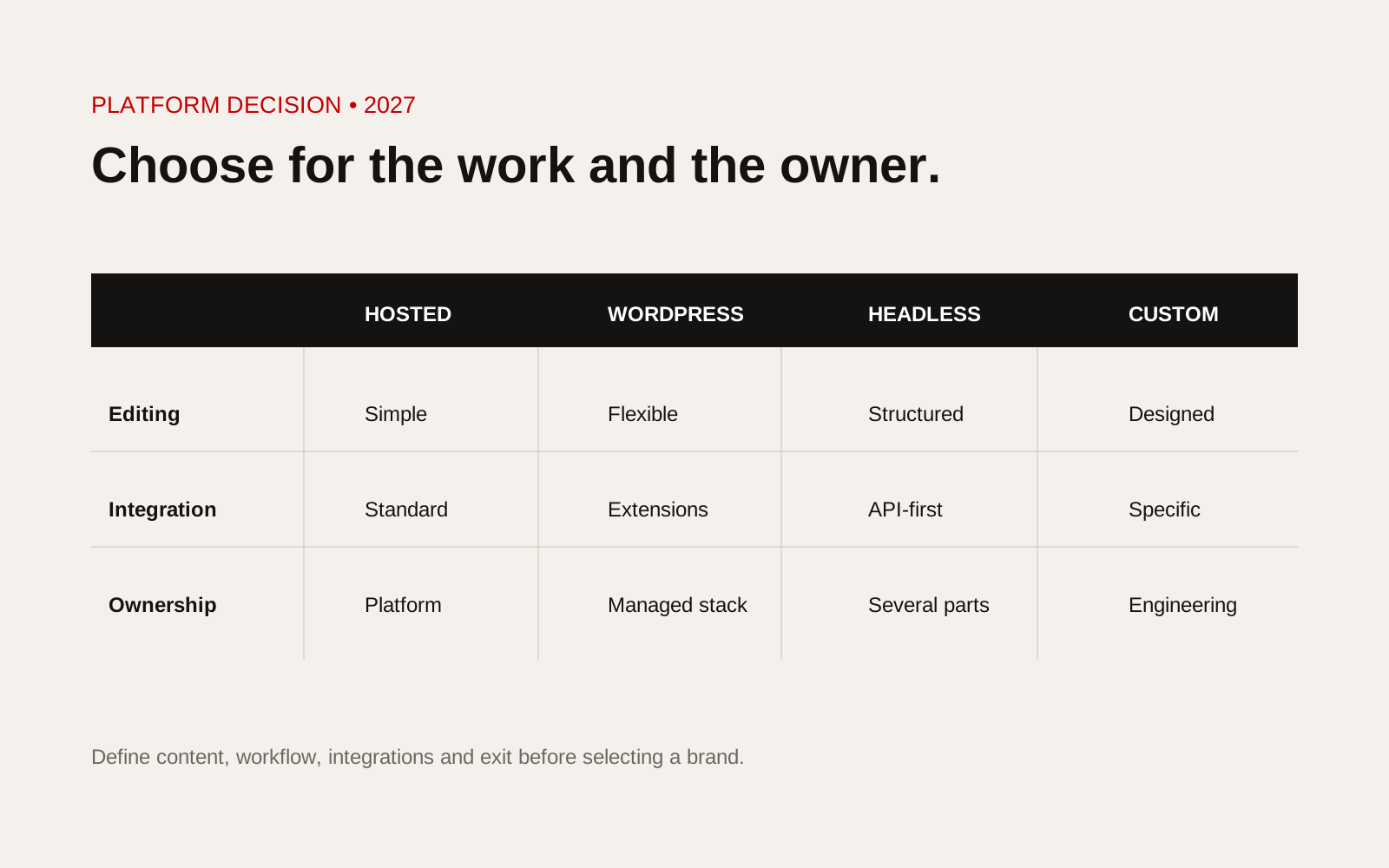
Website platform decision matrix comparing hosted builder, WordPress, headless CMS and custom system.
Define growth in practical terms
"We need something scalable" is not a requirement. State what is expected to grow:
- number of pages, products or projects
- publishing teams and approval steps
- languages and markets
- forms, accounts or transactions
- integrations and data volume
- traffic peaks
- brands or sites
- accessibility, security or audit needs
Different growth patterns create different platform pressure.
Separate content from functionality
List repeatable content types: services, projects, products, people, locations and articles. Define their fields and relationships. Then list functions: search, filters, accounts, calculators, portals, payments or workflows.
If the site mainly publishes structured content, a mature CMS may fit. If the core value is a business process, the project may be a web app rather than a website-platform decision.
Assess the editing team
Observe who will publish, how often and with which approvals. Test common tasks in a prototype:
- create a service page from approved components
- update a project record once
- replace an expired document everywhere
- preview and schedule a change
- manage translations
- restore an earlier version
A flexible system is not useful if routine publishing depends on a developer.
Review ownership and exit
Ask who owns the domain, content, code, design files, media, analytics and third-party accounts. Check export formats, API access, backups, redirects and what happens if the supplier relationship ends.
Our guide to website ownership and handover gives a detailed checklist. Platform convenience should not hide a difficult exit.
Include maintenance in the decision
Hosted platforms manage more infrastructure but still require content governance, access control and integration monitoring. WordPress and custom stacks require active update, testing, backup and recovery processes.
The UK's National Cyber Security Centre advises keeping software current because updates include security fixes. Its software update guidance supports the principle, while each platform needs its own maintenance plan.
Test integration risk
For CRM, product data, recruitment, payments or portals, obtain real API documentation and access information. Decide the source of truth, data direction, error handling and owner.
An advertised integration can still be too limited for the required workflow. Prototype the risky exchange before committing to the platform.
Check performance and accessibility with real templates
Platform demos usually show simple pages. Test the heaviest product, project or article template the business expects to publish. Include images, filters, forms, consent tools and third-party scripts. Measure on the devices and connections used by actual audiences.
Accessibility depends on the chosen theme, components, editor behaviour and content, not only the platform brand. Test keyboard use, focus, headings, forms, error messages, colour and zoom. Record who checks new content after launch.
Model operating effort
Compare the continuing work each option creates: updates, licences, developer support, content governance, backups, monitoring, integration maintenance and security review. A lower launch effort can create a higher dependency later.
Ask the team to run a six-month scenario: add a language, change a service taxonomy, replace an expired document, add a product field and move suppliers. The discussion reveals limits that a feature checklist misses.
Use a weighted decision table
| Criterion | Weight | Hosted | WordPress | Headless | Custom |
|---|---|---|---|---|---|
| Editing workflow | Set by team | Score | Score | Score | Score |
| Content structure | Set by model | Score | Score | Score | Score |
| Integration fit | Set by evidence | Score | Score | Score | Score |
| Ownership and exit | Set by risk | Score | Score | Score | Score |
| Maintenance capacity | Set by team | Score | Score | Score | Score |
Use evidence from prototypes and documentation, not a generic online comparison.
Platform-selection checklist
- Growth described with quantities and workflows
- Content types and relationships mapped
- Functions separated from content
- Editors tested routine tasks
- Integration access and limits checked
- Ownership and export route documented
- Accessibility and performance requirements included
- Update, backup and recovery ownership defined
- Risky assumptions prototyped
- Decision recorded with review triggers
Run a platform proof before procurement
Ask shortlisted suppliers to complete the same small exercise in the proposed platform. An editor should create a service page, reuse an approved case study, update a navigation label, schedule a change and restore an earlier version. A developer should explain how the site is backed up, monitored, secured and migrated.
Score what you observe rather than what a sales deck promises. Note the number of steps, required permissions, accessibility of the resulting page, performance with real media and whether the business can export its content in a useful form. Include one integration and one unusual content type in the proof. These are where platform assumptions often surface. Finally, model the operating effort for three years, including hosting, licences, maintenance, support, training and major upgrades. A platform that is cheap to launch but difficult to govern can become the more expensive choice as the team and content library grow.
Creatif Work designs websites and custom web apps without forcing every project onto one platform. We begin with the content, workflow and ownership requirements, then choose the smallest system that can be maintained by the people who will run it.