

Construction App Development: Site Reporting Without Another Spreadsheet

A construction reporting app should replace a broken workflow, not merely put spreadsheet fields on a phone. Start with the decision the report supports, the evidence needed and the exception path when work is incomplete.
The smallest useful app usually handles one report from field capture through review, correction, approval and retrieval.
What should a construction site reporting app include?
Include project and location context, role-based forms, required evidence, offline behaviour where needed, review and correction, approval, notifications, audit history, export, retention and a clear record owner.
| Workflow step | App requirement | Failure to design |
|---|---|---|
| Plan | Work package, location and expected records | Reports cannot be matched to programme |
| Capture | Fields, photos, measurements and author | Incomplete or untraceable evidence |
| Review | Assigned reviewer and due time | Reports sit unread |
| Correct | Comment, resubmission and version | Edits overwrite the history |
| Approve | Decision, conditions and authority | "Submitted" is mistaken for accepted |
| Retrieve | Search, filters, export and retention | Handover requires manual reconstruction |
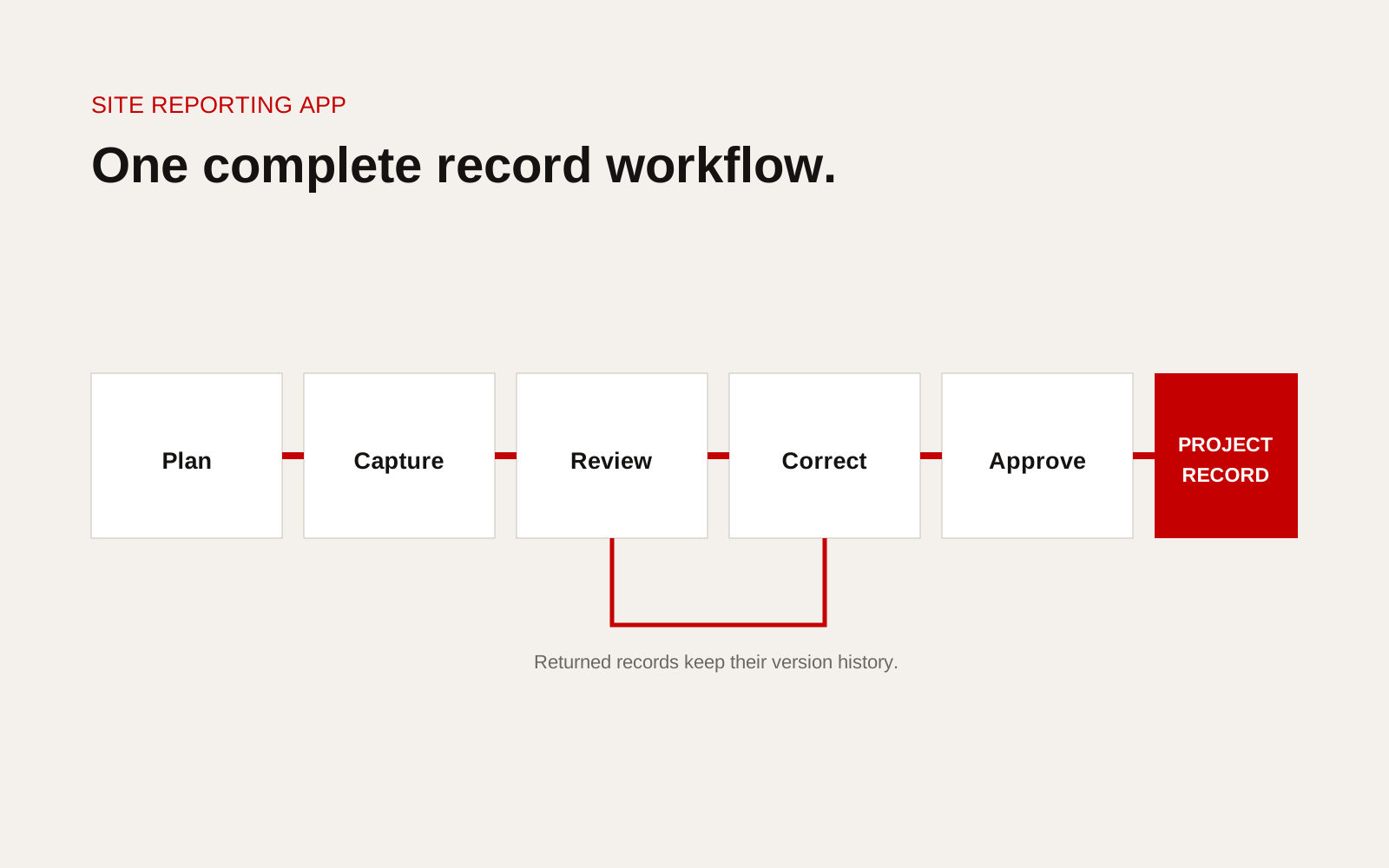
Construction site reporting workflow from field capture through review, correction, approval and project record.
Pick one report and map it end to end
Choose a high-volume or high-risk record: daily report, inspection, permit, delivery, test, defect or progress claim. Observe how site teams work now.
Record:
- who initiates the record
- trigger and deadline
- project, zone and work-package references
- evidence required
- field conditions and device
- reviewer and decision authority
- correction and escalation
- systems that receive the final record
- retention and handover requirement
Do not design from the existing spreadsheet alone. It may include fields no one uses and omit informal steps happening through chat.
Make location and context reliable
Use controlled project, asset, level, zone or work-package values. Avoid free text where the record must later be grouped or handed over. QR codes or preselected work packages can reduce entry, but they still need a controlled source.
Carry context into every photo, measurement and comment. A media file with no record, time or location is weak evidence.
Design for field conditions
Test gloves, sun, dust, noise, one-handed use, low signal and shared devices where relevant. Minimise typing and make required fields visible before submission.
If offline work matters, define which records can be created or edited, how media is queued, what users see before synchronisation and how conflicts are resolved. Offline is a data workflow, not a toggle.
Separate submitted, reviewed and approved
Use clear states and permissions. A supervisor may return a report for correction. A client representative may witness but not approve. Conditional acceptance may require an action.
Keep the original submission and every decision. Do not let a corrected field erase what was previously reviewed.
Integrate only where ownership is clear
Decide the source of truth for project lists, people, programme activities, documents and final records. For each integration, define data direction, frequency, error handling and owner.
The buildingSMART openBIM resources can inform structured construction information exchange, but a site-reporting app still needs project-specific data and handover rules.
Measure the process outcome
Track:
- time from work to submitted record
- first-pass completeness
- review turnaround
- corrections by type
- overdue approvals
- retrieval time during audit or handover
- duplicate entry removed
Do not measure success only by user logins.
Plan the pilot around one live team
Choose a representative project, work package and reporting period. Include site users, supervisors, reviewers, document control and the person who needs the final record. Train them on the process, not only the buttons.
Run old and new methods in parallel only as long as needed to validate the record. A permanent double-entry pilot hides whether the app removes work. Record support interventions and cases the product team resolves manually.
At the review, decide whether the workflow is ready, needs revision or should stop. Expansion to more projects should require evidence that access, review, export and support can scale.
Treat photos and signatures as records
Define image resolution, timestamp, location context, annotation and retention. A drawn signature on a screen may not carry the same meaning as authenticated approval, so legal and contractual owners should define acceptance.
Protect personal data and avoid collecting continuous location or device information without a real purpose. Give users a clear explanation of what the application records.
First-release checklist
- One complete report workflow selected
- Decision and evidence requirement defined
- Project and location fields controlled
- Field interface tested in real conditions
- Offline rules and conflicts designed
- Review, correction and approval separated
- Audit history cannot be silently overwritten
- Integration source and owner documented
- Export and retention meet handover needs
- Process measures agreed before launch
Specify acceptance before development
Write acceptance tests in the language of the site team. A supervisor can start a report offline, attach three photos, identify the work area, submit it once connectivity returns and see whether review is pending. A reviewer can return the report with a reason, while the original submission remains visible. An administrator can export the record with timestamps and attachments.
Test failure cases as well. What happens when two people edit the same draft, a photo upload stops midway, a worker selects the wrong location or an approver is absent? Decide whether the system blocks, warns, reroutes or records the exception. Include retention, device loss and permission removal in the same test pack. These scenarios define the real product more clearly than a screen list. They also give the pilot team a fair basis for deciding whether the app reduces reporting effort without weakening the record.
Creatif Work builds custom software and web apps around construction workflows. We begin with the site record, decision and exception path, then design the smallest release that removes duplicate work without weakening the project evidence.