

Manufacturing Website Design: Product Finder or Simple Catalogue?

A product finder is useful when buyers know the operating parameters but not the model name. A simple catalogue is usually better when the range is small, the categories are understood and each product has only a few meaningful variants.
The wrong choice creates work without helping the buyer. A filter interface built on inconsistent product data becomes frustrating. A long catalogue can also force an engineer to open twenty pages just to find the right pressure, material or certification.
Does a manufacturing website need a product finder?
Use a product finder when the range is large, attributes are consistent and buyers narrow options using technical constraints. Use a simple catalogue when the range is compact, categories match buyer language and selection needs discussion rather than filtering.
| Question | Simple catalogue fits | Product finder fits |
|---|---|---|
| How many products and variants? | Small, stable range | Large or highly configurable range |
| How do buyers begin? | Known category or model | Application, duty or specification |
| Is product data consistent? | Some narrative differences are acceptable | Required fields are governed across the range |
| Can filters remove valid options? | Selection needs advice | Rules are reliable and explainable |
| How often does data change? | Occasional manual updates | Structured, frequent updates with clear ownership |
| What is the next action? | Enquire about a known item | Shortlist, compare, configure or request a quote |
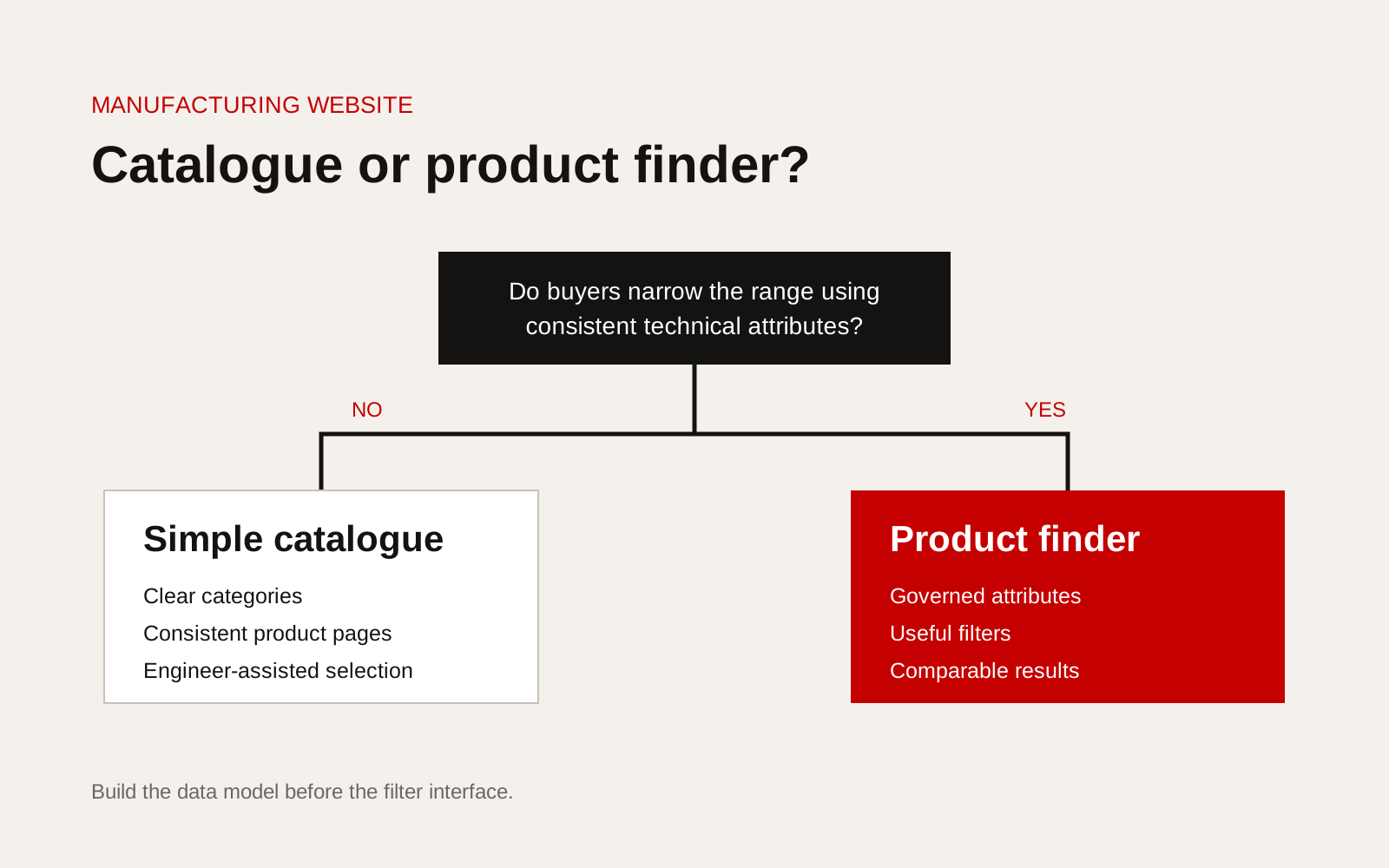
Decision tree comparing a manufacturing product catalogue with a filter-led product finder.
Start with the selection conversation
Ask sales engineers how a competent buyer chooses. Do they begin with medium, load, dimensions, temperature, material, compliance, connection, capacity or installation environment? Record the sequence and the exceptions.
Do not copy the internal product hierarchy without testing it. An organisation may divide products by factory, business unit or acquired brand, while customers think in applications and operating conditions.
Review recent enquiries and note:
- the first fact the buyer supplied
- information repeatedly missing
- attributes used to rule products out
- terms buyers use differently from the company
- when an engineer must intervene
- documents requested before quotation
This becomes the information model for both catalogue and finder.
A catalogue still needs structured product pages
Simple does not mean unstructured. Every product page should place comparable facts in the same order. A useful page may include:
- product name and plain description
- suitable applications and limits
- technical data with units
- materials and configurations
- certifications or test evidence with scope
- drawings, manuals and data sheets
- compatible accessories
- lead-time or availability process, if approved
- enquiry fields that carry the selected product
Google's Product structured data documentation explains how product information can be supplied to search systems. Manufacturers should only use properties that match visible, current information. Structured data cannot repair an unclear product page or inconsistent source data.
A product finder is a data product
The visible filters are the last step. Before interface design, define each attribute, unit, permitted value and owner. Decide how missing data behaves. A blank value must not silently mean that a product fails a requirement.
Use this readiness check:
- Every filter answers a real selection question
- Units and ranges are standardised
- Synonyms and legacy names are mapped
- Required fields are complete across relevant products
- Product status and revision dates are controlled
- Exceptions can be explained
- No filter implies certification beyond its scope
- Results have a useful comparison view
- The enquiry carries the selected parameters
- A person owns data quality after launch
If several boxes fail, begin with a well-structured catalogue. The same content model can support a finder later.
Avoid filters that create false certainty
Some products cannot be selected safely from public parameters alone. Media compatibility, duty cycle, site conditions and system interactions may require engineering review. The interface should show where selection ends and application advice begins.
Use phrases such as "matching these published criteria" rather than "recommended" when the result has not considered the full application. Provide a visible route to send operating data and receive confirmation.
Design the result, not only the filter panel
A finder succeeds when the result page helps the buyer decide. Show which criteria matched, material differences between options and documents needed for the next step. Let users compare a small shortlist without losing their filters.
Track useful events after launch:
| Event | What it can reveal |
|---|---|
| Filter applied | Common selection criteria |
| Zero results | Data gaps, wording problems or range gaps |
| Comparison opened | Products often evaluated together |
| Document downloaded | Evidence needed before enquiry |
| Enquiry submitted | Filters associated with qualified demand |
Do not treat raw searches as buyer intent without context. Review them with sales and product teams.
Choose the smallest useful version
A sensible first release may be a category index plus three strong filters. It can be more useful than a complex configurator that is difficult to maintain. The decision should follow buyer behaviour and data readiness, not a desire to make the website look advanced.
Our guide to organising technical specifications as web content covers the product-page foundation. Creatif Work designs engineering websites and custom web systems around the way buyers compare, shortlist and enquire. We can start with the content model, then build only the catalogue or finder the range actually needs.