

Marine App Development: When a Portal Is Better Than a Spreadsheet
A spreadsheet can run a marine workflow for years. It is fast to start, familiar to the team and easy to change. Replacing it too early can create a costly interface around a process that is still changing.
A portal becomes useful when the spreadsheet no longer holds one clear record. Copies circulate by email. Different people need different permissions. Exceptions disappear inside comments. Someone spends every Friday reconciling the same fields.
When is a marine portal better than a spreadsheet?
Build a portal when several parties must update one live record, access must vary by role, fields require validation, exceptions need owners, documents need version control, or data must connect to another system. Keep the spreadsheet when one accountable team can manage a stable, low-risk process without repeated reconciliation.
Digital systems are not automatically better. The International Maritime Organization describes a Maritime Single Window as one central platform for exchanging required port-call information. The value comes from a single entry point and defined data exchange, not from putting a web form in front of the same duplicate records.
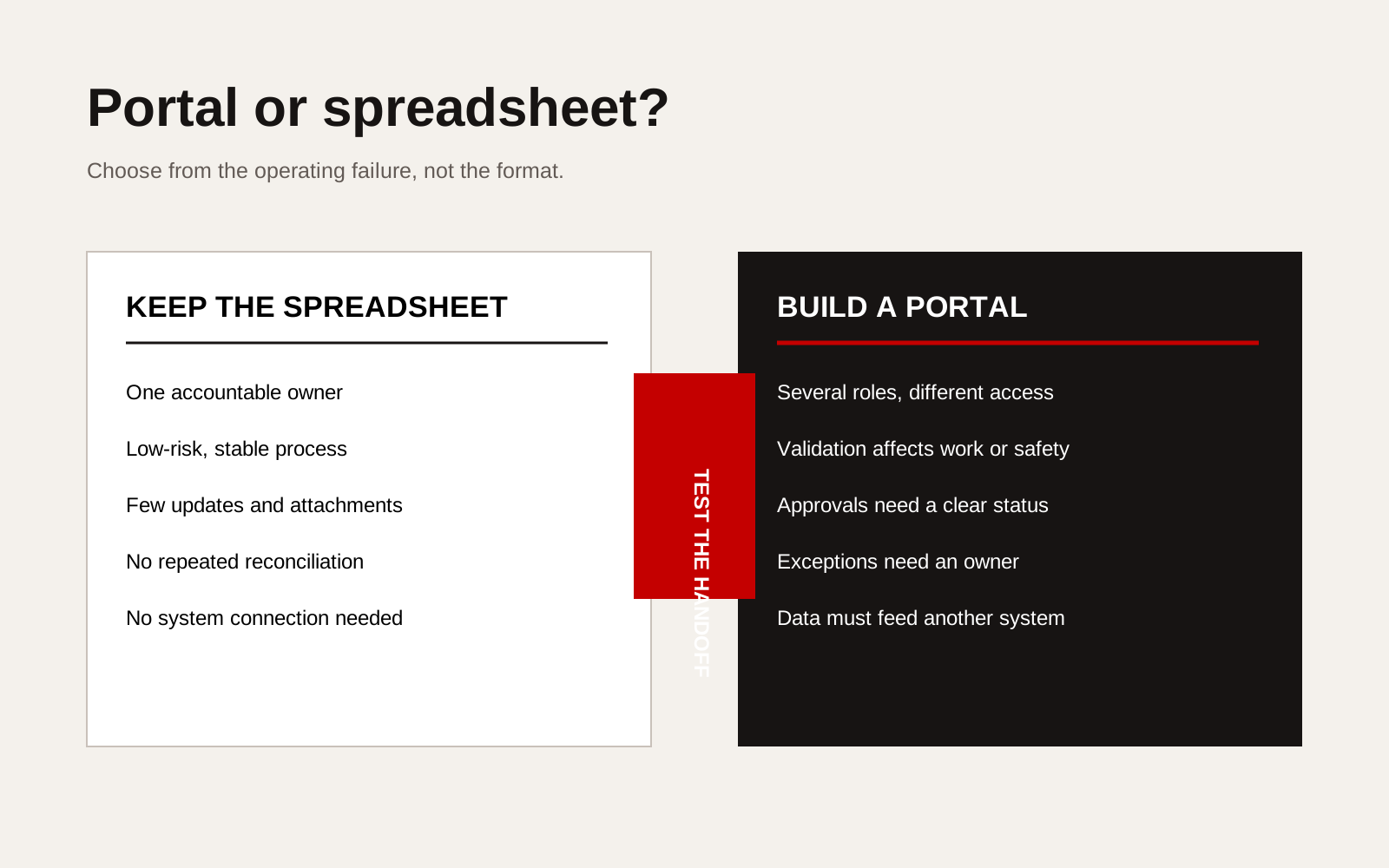
Decision matrix showing when a marine workflow should remain in a spreadsheet and when it needs a shared portal.
Use the failure pattern as the trigger
Look for repeated operating failures rather than a general wish to “digitalise”.
| Current pattern | Spreadsheet can still work when | A portal becomes useful when |
|---|---|---|
| Several file copies | One owner controls the master | No one can identify the current record |
| Repeated data entry | Volume is low and checking is quick | The same data enters multiple systems every job |
| Email approvals | Decisions are infrequent and low risk | Approval status affects mobilisation or safety |
| Shared access | Everyone can see and edit the same fields | Clients, crew, vendors and office teams need different rights |
| Attachments | Few files change after issue | Certificates, reports and photos require versions |
| Status tracking | One team understands every code | Other teams depend on a live, shared status |
| Exceptions | A named person resolves them immediately | Exceptions wait, recur or lack an owner |
Count the cost of the failure, not just the time spent typing. A missed certificate, wrong berth instruction or unapproved vendor can carry more risk than many hours of administration.
Map one job from request to close-out
Do not begin with screens. Choose one recurring job, such as service attendance, vessel inspection, crew-document collection or port-call coordination. Map:
- who starts the request;
- which fields are required;
- where reference data comes from;
- who checks and approves it;
- which exceptions stop progress;
- which notifications are necessary;
- what is produced at completion;
- which record must be retained;
- which systems receive the final data.
This map often reveals that only one part needs software. A controlled upload and approval step may solve the bottleneck without rebuilding the entire operating process.
Define the portal’s minimum useful record
Each job should have one identifier and one status that everybody interprets the same way. Around it, define:
- responsible company and named users;
- vessel, asset or location;
- requested and required dates;
- required evidence;
- current owner;
- approvals completed and outstanding;
- exceptions and their resolution;
- final output and close-out date;
- change history.
The portal should prevent ambiguous progress. “Submitted” must not mean submitted by the vendor, accepted by operations and approved by the client at the same time. Use separate states where the responsibility changes.
Keep offline and shipboard conditions in the decision
Marine users may work with poor connectivity, shared devices, gloves, bright light or limited time. A browser-based portal can still be the right format, but the interface and data flow should reflect those conditions.
Ask whether users need to:
- save a draft offline;
- upload compressed photographs;
- scan a code or document;
- resume after a connection loss;
- review only the fields relevant to their role;
- see urgent tasks without opening a desktop dashboard;
- export a printable record for a vessel or client.
If the workflow is mainly office-based and all users have reliable access, a responsive web app may be enough. Native mobile development should follow a device-specific need, not the word “app”.
A six-question go or no-go test
Score one point for every “yes”:
- Do three or more roles update or approve the same job?
- Does incorrect or missing data delay work or create safety risk?
- Is status reconciled manually more than once a week?
- Do users need different permissions?
- Must the process keep an audit history?
- Does the final record feed another system or formal report?
At zero or one, improve the spreadsheet and ownership first. At two or three, prototype the narrowest troublesome step. At four or more, a portal is likely worth investigating, but discovery should still test volume, exception rate and integration needs.
Singapore’s digitalPORT@SG demonstrates the wider principle at port scale: shared planning becomes valuable when parties exchange defined information around one operating event. An internal business portal should meet the same basic test in a much smaller context.
Creatif Work maps marine processes before building custom software. Our marine practice connects the operational tool to the service and evidence buyers see, so a new portal solves a real handoff instead of moving the old spreadsheet problem into a browser.