

M&E Contractor Website Design: What to Show Beyond Services

Most M&E contractor websites stop at a list: electrical, mechanical, plumbing, fire protection and maintenance. That tells a buyer the trade names. It does not show project scale, coordination ability, delivery responsibility or the evidence the contractor can produce.
The site should help a consultant, main contractor or facilities team answer one question: can this company take responsibility for this package under these conditions?
What should an M&E contractor website show?
Show the systems delivered, project stage, contract role, typical scale, standards, coordination method, commissioning evidence, service coverage and named project results. Keep tender documents private, but make the public proof specific enough for a buyer to decide whether to include the company in a shortlist.
Annotated M&E contractor website structure linking systems, projects, evidence and service coverage.
Organise services by buyer task
A flat service list hides the difference between design support, installation, testing, commissioning, maintenance and emergency response. Use system pages with a consistent set of fields.
| Field | What to publish | Why it matters |
|---|---|---|
| System | Exact equipment and interfaces | Defines the package boundary |
| Stage | Design assist, installation, commissioning or maintenance | Shows when the team joins |
| Project type | Data centre, plant, commercial, healthcare or other | Gives operating context |
| Capacity | Useful ranges with units | Helps early qualification |
| Coordination | BIM, builders' work, controls and other interfaces | Shows delivery complexity |
| Evidence | Tests, records and handover outputs | Supports technical review |
| Coverage | Locations, hours and escalation route | Sets service expectations |
Do not publish a capacity that only applied to one project as a company-wide limit. Label examples as examples.
Show responsibility, not just attendance
A project logo grid says the contractor was involved. It does not say what the team did. Each selected project should state:
- the building or facility condition;
- the exact work package;
- whether the company designed, supplied, installed, integrated or commissioned it;
- the interfaces coordinated;
- the records handed over; and
- one approved result.
If the company worked as a subcontractor, say so. Precision builds more trust than inflating the role.
Our construction case-study guidance explains how to separate the project story from unsupported claims. The construction sector page also shows how buyers move from capability to evidence.
Put commissioning at the centre
Commissioning is where a broad service claim becomes a checkable record. Create a page or section that explains the process without releasing client files.
A useful commissioning sequence is:
- approved test plan;
- pre-functional checks;
- system test;
- integrated test where relevant;
- defect and exception closure;
- witness and acceptance;
- training and handover; and
- seasonal or post-occupancy review where contracted.
Name the outputs. These might include signed test sheets, setpoint schedules, cause-and-effect records, balancing reports, equipment registers and operating manuals.
Make coordination visible
M&E failures often appear at interfaces. The website should explain how the company coordinates openings, spatial zones, power, controls, drainage, access and maintainability.
Do not fill the page with software logos. Show the information exchanged and the decision it supports. For example, an annotated coordination image can show how equipment clearance, cable route and maintenance access were resolved before installation. Remove project identifiers if permission is limited.
Separate planned and urgent work
Facilities buyers need a different path from construction procurement. Give maintenance its own structure:
- assets and systems covered;
- planned task types;
- service geography;
- stated availability, if contractually supportable;
- escalation process;
- parts and specialist support limits; and
- the information needed in an urgent enquiry.
Do not promise “24/7” unless a staffed process supports it. State any location, contract or response-time condition.
Build a useful document area
Publish current, approved documents only. A small register is better than a folder of unexplained PDFs.
Include licence and certification scope, validity date, issuer and the legal entity covered. For technical sheets, show revision. For policies, name the owner and review date. Keep insurance schedules, personnel records and tender-specific compliance forms behind a controlled request.
A homepage route that works
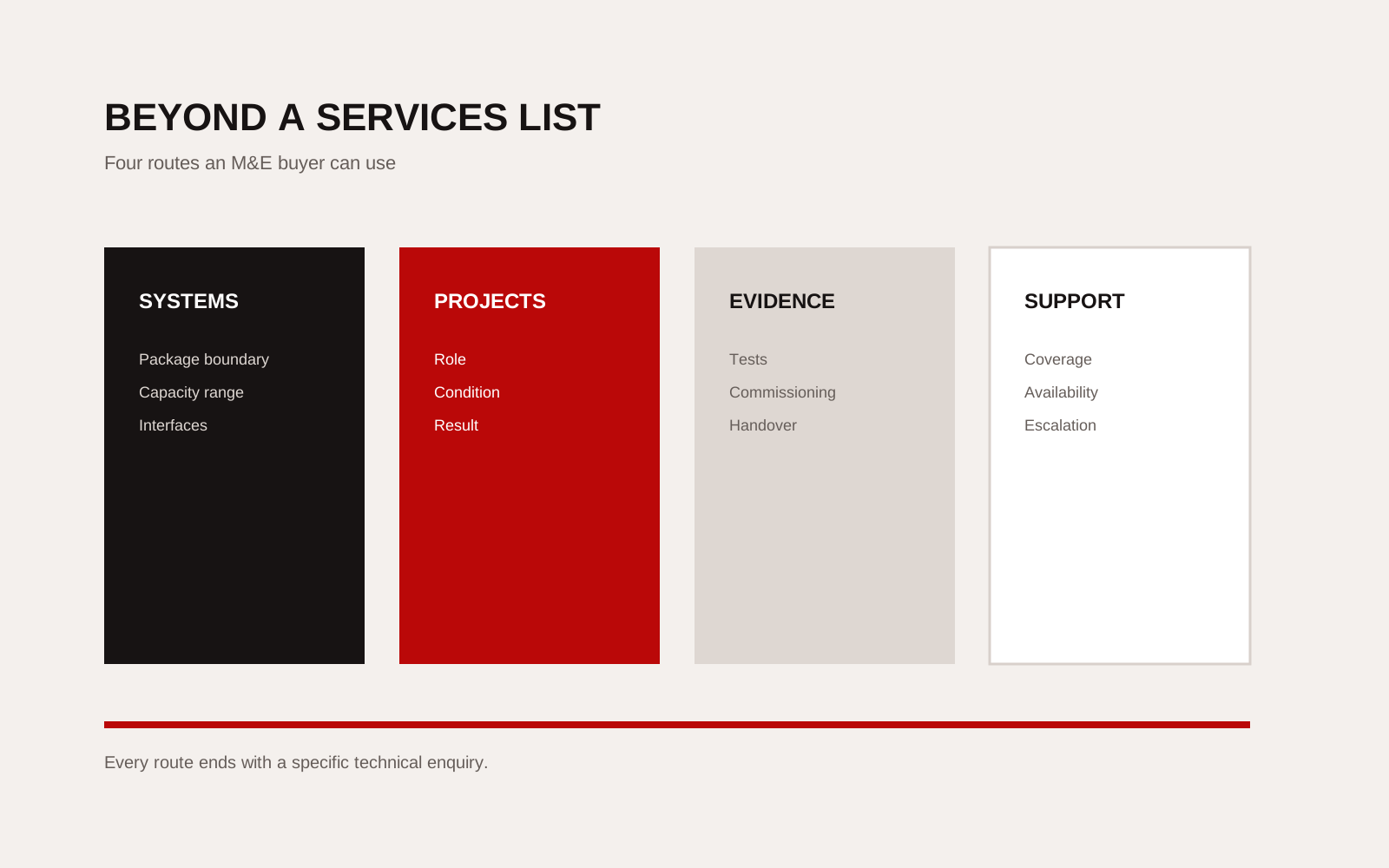
An M&E homepage does not need every service. It needs four clear routes:
- Systems: what the company can take responsibility for.
- Projects: where it has done comparable work.
- Evidence: how the work is tested, recorded and handed over.
- Support: where and when the company can respond.
Then provide a short enquiry form that asks for project stage, location, system, timing and the buyer's role. That gives the team enough context to route the request.
Google's Search Essentials also favour crawlable, helpful pages. One specific page per real capability gives search engines and buyers more usable information than a single page repeating trade terms.
Creatif Work plans construction websites around the qualification decision, not a longer service list. We map the package, evidence and enquiry route before deciding the page count. If your existing site names everything but proves little, start with the problem.
Review the site against a live enquiry
Take one recent request for quotation and try to answer it using only the public site. Can the reviewer confirm system scope, geography, relevant projects, commissioning method and who to contact? Note every point where internal knowledge has to fill a gap.
Next, ask a project manager to review one published case. They should confirm the role, interface, result and permission. Ask a facilities colleague to test the maintenance route from a phone. These reviews expose different weaknesses because each person arrives with a different task.
Turn the findings into a short backlog. Correct missing facts before changing visual design. Add a page only when it supports a distinct buyer decision. Remove duplicate statements that make maintenance harder. Assign an owner and review date to technical pages, certificates and service coverage. The website becomes credible through controlled small updates, not a large rewrite every few years.