

How to Publish Quality Scores With Enough Project Context

A quality score becomes misleading when it is separated from the project, method, date and assessed scope. Publish enough context for a buyer to understand what was measured and which contractor entity performed the work.
The score should sit inside a project record, not float as a corporate statistic.
How should a construction quality score be published?
Publish the official score with the project name, building type, location, contractor role, assessment system, method or standard version, assessment date, assessed stage or scope, and verification route.
| Field | Why it matters |
|---|---|
| Project | Identifies the work behind the number |
| Contractor entity | Shows who delivered and was assessed |
| Role | Distinguishes main contract, joint venture and package work |
| Assessment system | Defines what the number represents |
| Method/version | Prevents unlike comparisons |
| Date and stage | Places the result in time and project context |
| Score/result | Uses the exact official record |
| Verification | Lets the buyer inspect the source or request it |
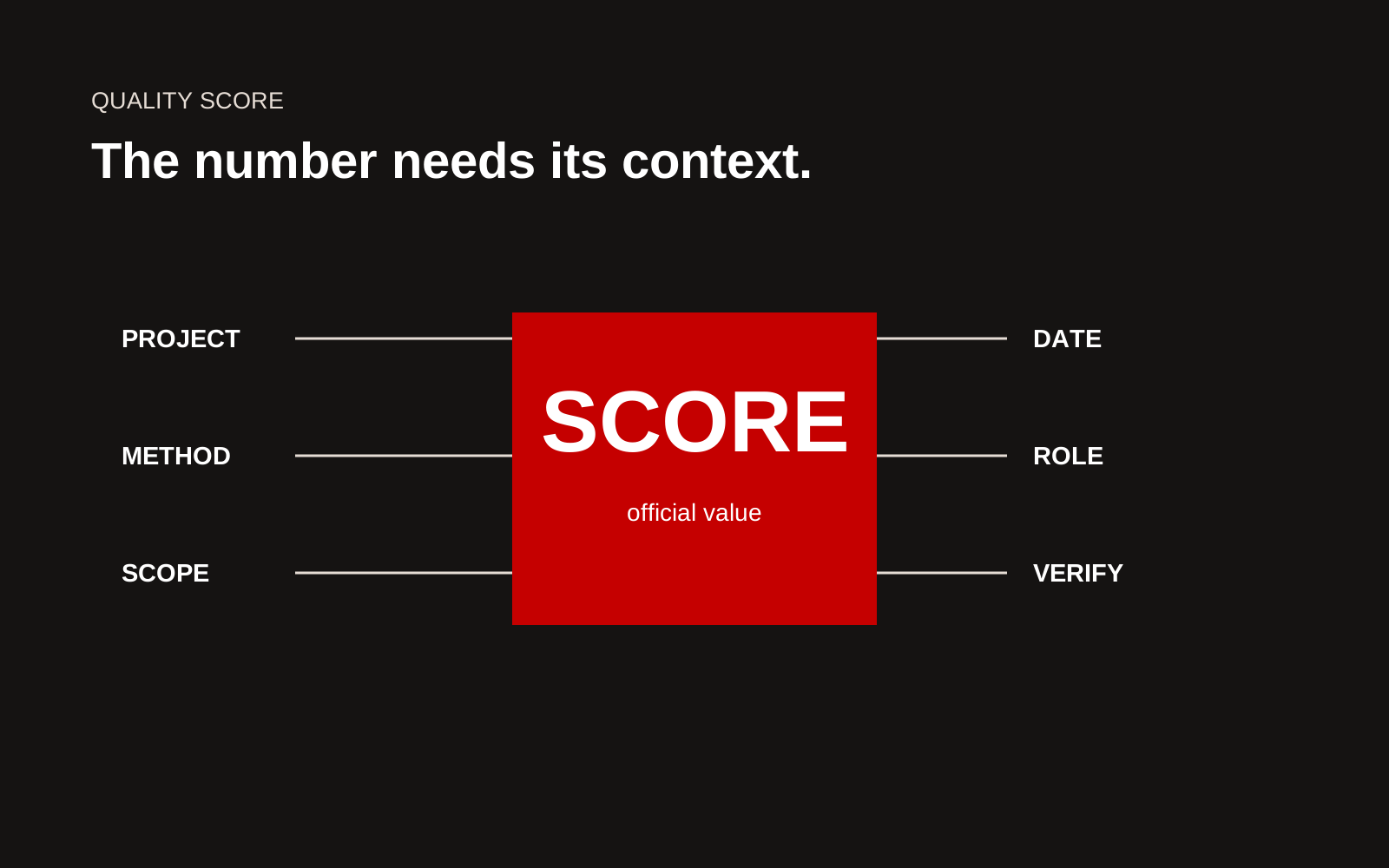
Construction quality score card with project, method, scope, date, contractor role and verification fields.
Put the score on the project page
Begin with the project problem, scope and role. Add the score in an evidence section with a plain explanation of the assessment. Link to the programme owner where appropriate.
For Malaysian work, use current information from CIDB Malaysia for systems such as QLASSIC and SHASSIC. Do not rewrite programme rules from memory or imply that a voluntary assessment is a statutory approval.
Use the official wording and value
Copy the result from the controlled record. Keep decimals, grade names and award categories exactly as issued. Do not round upward, combine several project scores into an undocumented average or translate a result into a broader adjective.
If an average is genuinely useful, publish:
- projects included and excluded
- weighting method
- date range
- assessment versions
- calculation owner
- reason the projects are comparable
Often, a table of individual results is clearer.
Explain the assessed scope
State which work, building or project stage was covered. If only part of a development was assessed, do not use the result for the entire programme. If a joint venture delivered the project, state the relationship and approval for use.
The public sentence can be short:
This result applies to the named project and assessment date under the stated system. It is not a company-wide rating.
Connect the result to project practice
Give two or three approved examples of the processes used: mock-ups, inspection planning, sample approval, workmanship checks, trade coordination, corrective action or supervisor review.
Keep causation modest. The score can sit alongside these practices without claiming one step produced the entire result.
Keep the visual honest
Do not enlarge the number while hiding the assessment name and date. On mobile, keep context attached to the score. A screenshot of a certificate may be difficult to read and inaccessible, so repeat the important fields as text and give the image descriptive alt text.
Use logos and badges only under their current usage rules. A programme mark should not look like a company certification if it relates to one project.
Maintain a quality evidence register
| Register field | Owner | Review trigger |
|---|---|---|
| Official result | Quality lead | New assessment or correction |
| Project and role | Project director | Client approval change |
| Method/version | Assessment coordinator | Programme update |
| Public wording | Marketing and technical reviewer | Website or tender refresh |
| Source document | Document control | Superseded file |
This lets the website reuse accurate data across project cards, detailed pages and tender exports.
Handle older scores carefully
Historical results can remain useful if they are clearly dated and tied to the assessment method used at the time. Do not relabel them as current compliance. If a programme changes, add a note rather than silently comparing old and new values.
Use a comparison only when the basis matches
If several projects appear in one chart, check building type, assessed stage, method version, contractor role and scoring basis. Place the differences on the graphic. Do not present a trend when the underlying method changed materially.
Where comparison is weak, use separate project cards. The reader can still see a history of assessed work without being pushed toward an invalid ranking.
Prepare for corrections
Give the page a contact for factual corrections. If the programme owner or project team changes an official record, update the web page, tender library and derived graphics from the source record.
Keep the previous public wording and change date. This supports audit and avoids uncertainty when an older proposal contains a different score.
Connect the number to the buyer decision
Explain what the result demonstrates for the next project and what it does not. A workmanship score may support evidence of inspection and trade control. It does not prove capacity, programme, design competence or performance on a different building type.
Quality-score checklist
- Number matches the source record
- Project and contractor entity identified
- Role and assessed scope stated
- Assessment system and version included
- Date and project stage visible
- No unsupported average or ranking
- Process examples come from approved records
- Logo and certificate use permitted
- Context remains visible on mobile
- Record owner and review trigger assigned
Use a claim card for every score
A claim card is a compact internal record that travels with the number. Record the metric name, value, unit, assessed scope, date, issuing body, source file, limitations, approval owner and public wording. The card is not a marketing asset. It is the control that keeps the marketing asset accurate.
When a score is reused on a corporate page, tender slide or social post, the content owner should link back to the same card. If the source changes, update the card first and review every public use. For charts, preserve the original scale and label missing values rather than filling gaps. For comparisons, document why the projects are comparable before displaying them side by side. A useful monthly check searches for numbers on live pages, confirms each has an active claim card and flags values whose date or scope is no longer visible beside the result.
Creatif Work designs construction websites where numerical proof keeps its context. Our website service can create structured project records that feed case studies and tender material, while our guide to construction capability statements shows how evidence can stay consistent across public and controlled formats.